
Introduction to Splice - Video Editor & Maker
Complete Movie Maker: Editing Made Simple
Intuitive Editing Tools
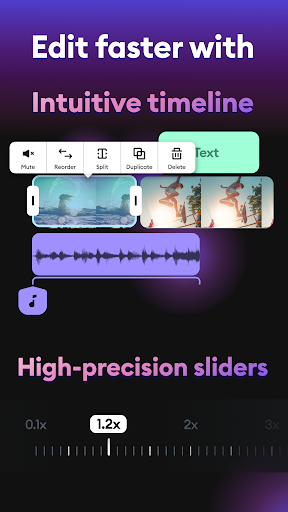
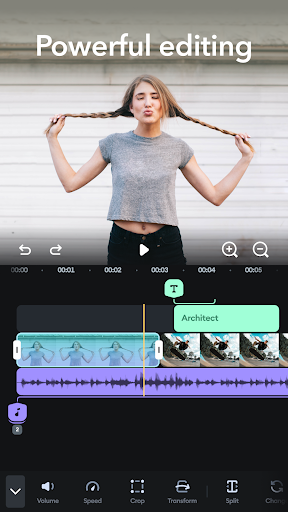
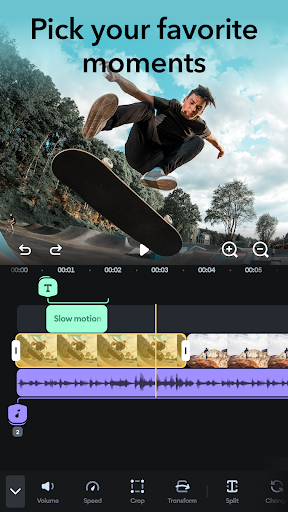
Splice offers the best tools for creating captivating videos and movies on mobile. Effortlessly trim, cut, and merge your photos and video clips in seconds thanks to its user-friendly interface. Adjust the speed for dynamic effects like slow motion or fast forward, adding a cinematic touch to your videos. With over 400 songs to choose from in the music library, you can easily find the perfect soundtrack to complement your footage. Add titles and text overlays to communicate your message clearly, making your videos more engaging and personalized.
Professional-Level Editing Features
Import your photos and videos, then precisely set the duration of each clip within an intuitive timeline. The PRO Trimmer & Cutter allows you to split longer clips into multiple segments instantly. Use the PRO Merger & Joiner to combine clips and photos into seamless montages, slideshows, or stop-motion videos. Customize aspect ratios to fit various social media platforms like Instagram (posts, Stories, Reels), TikTok, and YouTube, ensuring your content looks perfect everywhere. These features make video editing on mobile seamless, even for beginners.
Speed Effects and Dynamic Motion
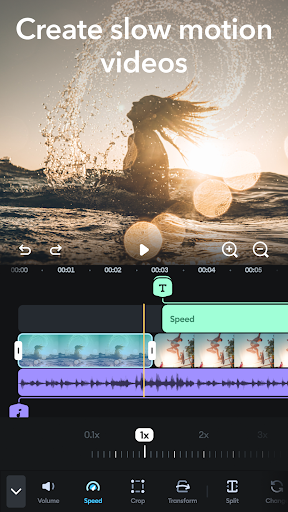
Animate your videos with speed controls—slow down clips for dramatic effect or speed them up for energy and pace. Create captivating timelapse and hyperlapse videos that stand out on social media feeds. The ability to manipulate speed adds a professional flair that keeps viewers hooked.
Soundtrack Selection and Audio Editing
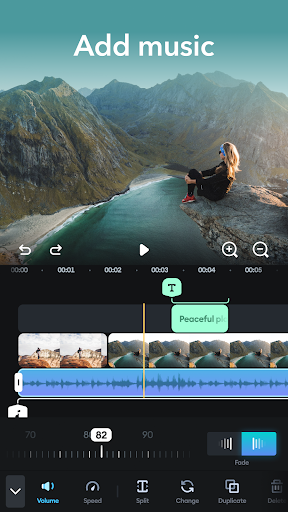
Choose from a vast library of free music to set the perfect tone for your videos and slideshows. Trim and precisely mix multiple audio tracks, adjusting their volume levels to achieve the desired audio balance. Adding background music elevates your content, making it more immersive and engaging for your audience.
Custom Text and Visual Enhancements
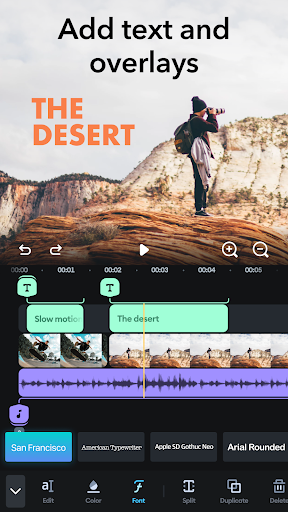
Communicate effectively with custom text overlays. Personalize your project by selecting fonts, colors, and sizes, and add fade-in and fade-out effects to make text transitions smooth. This feature helps you build a stronger connection with your viewers, whether you're sharing tips, stories, or promotional content.
Sharing and Saving Your Creations
Export your videos in high resolution, ensuring they look sharp on any device. Easily choose aspect ratios tailored for each social media platform and share directly to YouTube, Instagram, TikTok, Facebook, or via email. You can also save videos directly to your camera roll for offline sharing or storage. For unlimited access to premium features, optional subscriptions are available, allowing you to unlock a broader range of tools and effects.
Subscription Options and Premium Features
Subscriptions are available on a weekly, monthly, or yearly basis, automatically renewing unless canceled in your account settings. Subscribing grants access to all premium features, enhancing your editing capabilities. Keep in mind that when canceling, the current subscription remains active until the end of the billing period, but no refunds are issued for the remaining days. Unused free trial periods will be forfeited upon subscription purchase.
Why Choose Splice? A User’s Perspective
Many users find themselves captivated by Splice - Video Editor & Maker because it’s intuitive, powerful, and versatile. The clean interface and drag-and-drop functionalities make editing a pleasure, whether you’re a beginner or a seasoned content creator. Features like smooth transitions, customizable text, and an extensive music library help you craft professional-looking videos without the complexity of traditional desktop editors. Despite some advanced tools requiring a subscription, the free version still offers robust editing capabilities that suit most casual and semi-professional needs.
If you’re looking for a mobile video editing app that packs a punch, Splice is definitely worth trying. Its rapid editing process and creative tools enable you to produce high-quality videos that captivate your audience and boost your social media presence. Whether you’re creating quick clips or complex projects, Splice makes it simple to turn your ideas into stunning visual stories.
Final Verdict
Splice - Video Editor & Maker combines ease of use with powerful features, making it the best mobile video editing app for aspiring creators and professionals alike. With a straightforward interface, extensive editing tools, and seamless sharing options, it’s never been easier to produce broadcast-worthy videos from your phone. Get started today and discover how simple and fun mobile video editing can be!
Pros
- User-friendly interface for easy navigation.
- A wide selection of editing tools provided.
- Supports exporting videos in high resolution.
- Includes a music library for adding background tracks.
- Provides advanced features suitable for professionals.
Cons
- Full feature access requires a subscription.
- Occasional application crashes during editing sessions.
- Limited functionalities in the free version.
- App size is large, consuming significant device storage.
- Certain features need an internet connection to function.











