

Overview of SMS Backup & Restore
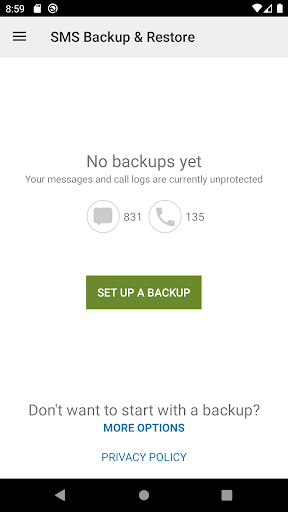
SMS Backup & Restore is a highly efficient and user-friendly application designed to safeguard your valuable messages and call logs. Whether you're looking to create a secure copy of your SMS & MMS messages or ensure that your call history is backed up, this app has you covered. It offers seamless backup and restoration features that support a variety of storage options, making it an essential tool for Android users who prioritize data security and easy transfer between devices.
Key Features
Robust Backup Capabilities
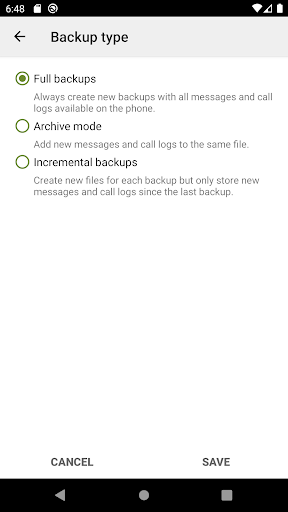
The core function of the app is to back up SMS (text) messages, MMS, and call logs into an XML format. This format ensures compatibility across different Android versions, allowing users to transfer data effortlessly between devices regardless of the operating system version.
Flexible Storage Options
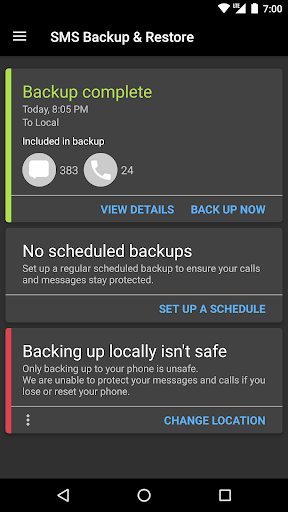
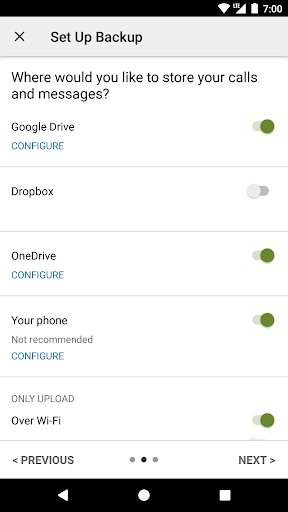
Backup files are stored locally on your device. Additionally, users can set the app to automatically upload backups to popular cloud services such as Google Drive, Dropbox, and OneDrive. This ensures that your backups are safely stored off-device, providing an extra layer of data security.
Scheduled Backups and Selection
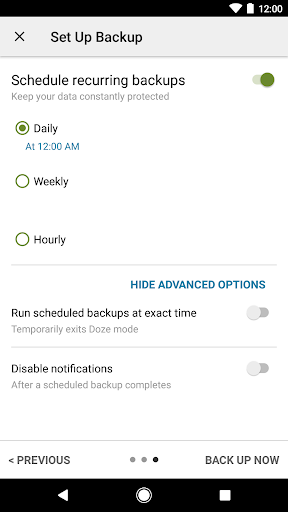
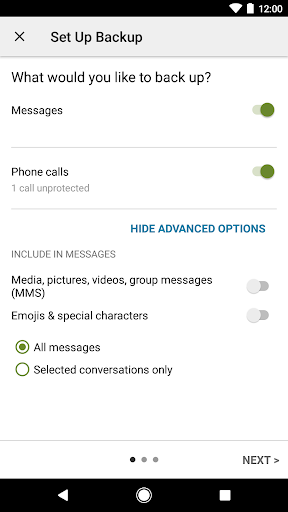
The app allows for custom scheduling, enabling recurring automated backups at times that suit your preferences. Users can also choose specific conversations or logs to back up or restore, providing granular control over the backup process.
Backup Management and Recovery
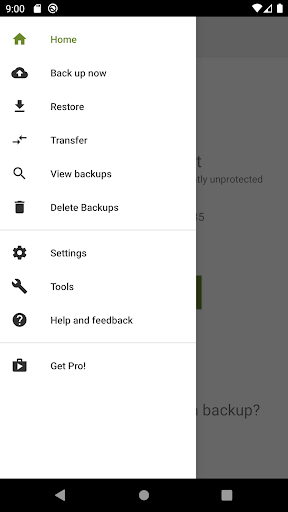
You can view, search, and drill into both local and cloud backups directly within the app. Restoration is straightforward, permitting users to transfer backups to another device quickly. Backup transfer is further simplified through fast WiFi direct transfer, minimizing time and effort.
Additional Utilities
Free up storage space easily by deleting all SMS messages or call logs. Files can also be emailed directly from the app. For convenience, the XML backups can be viewed on a computer using the online viewer, facilitating easy review and verification of your stored data.
Device Compatibility and Usage Notes
The SMS Backup & Restore app has been tested on Android 5.0 and higher versions. It functions by creating backups solely through the app, which can then be restored on the same device or transferred to another device. However, it is important to note that restoration requires an existing backup, as the app cannot recover messages or call logs without one.
By default, backups are stored locally but can be uploaded to cloud services or emailed, ensuring flexibility and data safety. It is recommended to keep a backup copy outside the device—especially before performing a factory reset—to avoid data loss.
Privacy and Security Considerations
Rest assured, all backup files are created locally on your device. Files are not sent to the developer at any point, maintaining your privacy. The app requires various permissions, including access to messages, call logs, storage, network, contacts, and account information to perform its functions smoothly and securely. Permissions such as Run at start-up and Prevent Phone from Sleeping ensure reliable backup and restore processes without interruption.
Practical Tips for Users
Before performing significant device actions like factory resets, always ensure that you have an up-to-date backup stored externally. The app's versatility makes it a perfect tool for users who want to safeguard their messaging history and call logs or transfer data easily between Android devices. Its user-friendly interface combined with powerful features makes SMS Backup & Restore a top choice for maintaining data integrity and peace of mind.
Pros
- Offers a user-friendly interface that simplifies navigation and usage.
- Provides a wide range of features that cater to various user needs.
- Ensures quick performance and responsiveness during operation.
- Includes comprehensive support and regular updates to enhance functionality.
Cons
- Limited customization options for advanced users.
- Some features may require additional payments or subscriptions.
- Initial setup process can be complex for new users.
- Occasional bugs or glitches may affect user experience.











