Discover the Power of SmartRecovery - All Restore for Seamless Data Recovery
Are you worried about losing your treasured memories or important files? Whether it's photos, videos, or crucial documents, accidental deletion can be distressing. That's where SmartRecovery - All Restore comes in—an innovative app designed to effortlessly recover your lost data with just a few taps. Offering a simple, user-friendly interface, this tool empowers users to regain access to deleted files swiftly and securely without technical hassle.
Key Features of SmartRecovery - All Restore
• Photo Recovery:
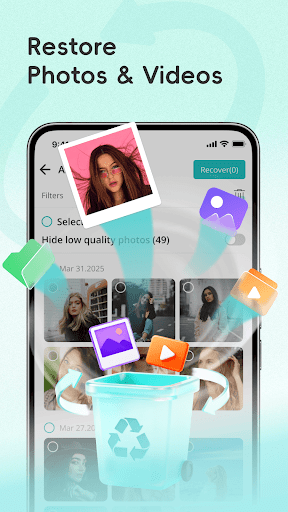
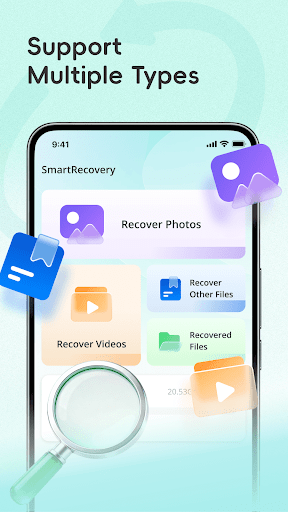
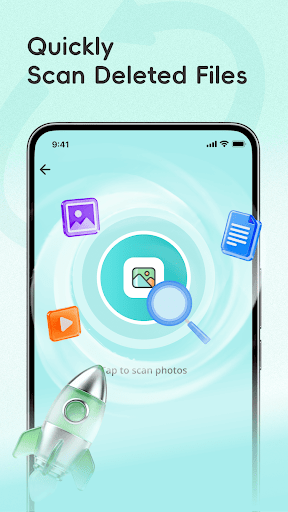
Imagine deleting a cherished photo by mistake. With SmartRecovery, you can quickly restore lost or deleted photos directly from your device storage with minimal effort. The app’s efficient algorithms scan your device to identify and recover images that match specific path patterns, such as /./, ensuring that your favorite pictures are retrieved no matter how they were lost. This feature is perfect for those seeking a reliable solution to restore memorable moments with ease.
• Video Recovery:
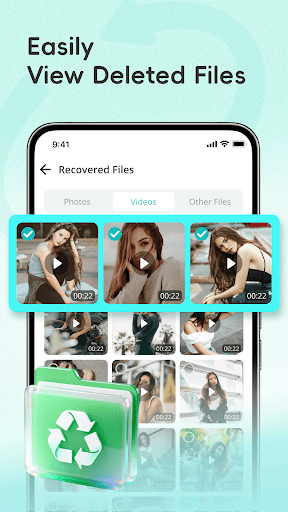
Videos hold sentimental value and often take up large storage, making their accidental deletion frustrating. SmartRecovery - All Restore simplifies this process by allowing you to effortlessly retrieve deleted or lost videos. Whether it’s a priceless family moment or a recent vacation clip, the app restores videos efficiently, enabling you to relive your memories anytime.
• File Recovery:
Beyond photos and videos, the app excels at restoring vital documents, audio files, and other deleted data. Its powerful recovery capabilities make it an essential tool for students, professionals, and anyone needing to recover important files. The app scans your device’s storage for files matching specific patterns and helps restore them in just a few steps, ensuring your essential data is never permanently lost.
• Preview & Manage Recovered Files
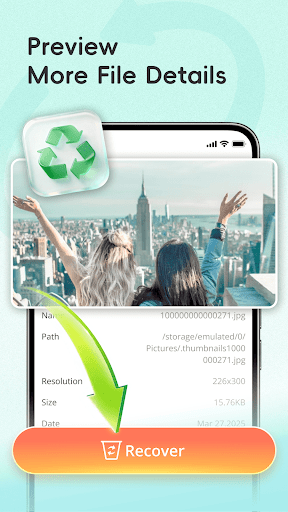
To enhance user convenience, SmartRecovery includes an intuitive interface that allows you to preview recovered files before restoring them. Easily browse and manage all recovered content in one centralized location, so you won’t miss any important files. This feature offers peace of mind, ensuring you recover exactly what you need.
Why Choose SmartRecovery - All Restore
• Simple & User-Friendly
Designed with an intuitive and straightforward interface, SmartRecovery makes data recovery accessible for everyone. Whether you're a tech novice or an experienced user, the app guides you through the process smoothly, making file recovery quick, hassle-free, and effective.
• Privacy & Security
Your privacy is a top priority. All scanning and recovery operations are performed locally on your device. The app does not collect or upload any personal data, ensuring your information remains secure and private throughout the process.
Important Notes & Limitations
While SmartRecovery - All Restore offers robust recovery features, it can only attempt to recover files that match specific path patterns like /./. Files deleted before a factory reset cannot be restored. The success rate of recovery may vary depending on your device model, storage type, and the current state of your file system. Additionally, the app can identify and restore cached images and files deleted by other apps, but it cannot guarantee 100% recovery for all data.
Download & Start Recovering Today!
If you’ve accidentally deleted important photos, videos, or documents, don’t worry—download SmartRecovery - All Restore now. With its quick setup and straightforward process, you can recover your valuable data in just a few simple steps. Bring back your memories and important files effortlessly, and keep your data safe with this reliable recovery tool.
Pros
- User-friendly interface that simplifies navigation.
- Offers a wide range of features to meet diverse needs.
- Reliable performance with minimal downtime.
- Regular updates improve functionality and security.
- Excellent customer support ensuring user satisfaction.
Cons
- Limited integration options with third-party services.
- Occasional bugs that require fixes in updates.
- Higher pricing compared to similar apps in the market.
- Some features require additional purchases or subscriptions.
- Learning curve for new users unfamiliar with similar tools.