
Smarters Pro - Mobile: The Ultimate Media Streaming Solution
If you're searching for a comprehensive media player that simplifies your streaming experience, Smarters Pro - Mobile is an excellent choice. Designed as a versatile and user-friendly app, it consolidates various media content types into a single, easy-to-navigate platform. Whether you're into live TV, video-on-demand, or series, Smarters Pro - Mobile offers a seamless experience across multiple devices, including Android and iOS.
Main Features of Smarters Pro - Mobile
User-Friendly Interface
One of the standout aspects of Smarters Pro - Mobile is its intuitive design. The app features a clean, organized layout that makes media browsing effortless, even for beginners. You can customize the interface to fit your preferences, choosing between list or grid views, creating a personalized media hub on your device.
Multiple Playlist and Format Support
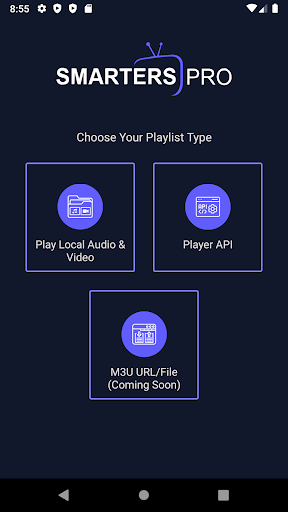
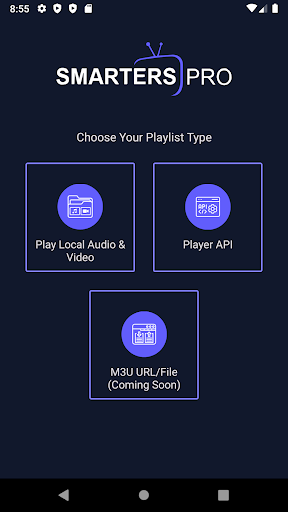
With support for a range of playlist formats such as M3U and JSON, Smarters Pro - Mobile accommodates various media sources. This flexibility enables users to access their personally owned media, whether stored locally or streamed remotely, without compatibility issues. The app's ability to support numerous media formats ensures a smooth playback experience with minimal frustrations.
High-Quality Streaming and Performance
Enjoy crisp, clear videos with Smarters Pro - Mobile's support for advanced video codecs. The app is optimized to provide stable, buffer-free streaming, making it ideal for live events, movies, or series entertainment. The performance, however, can be influenced by your internet connection stability, as with any streaming service. Nevertheless, the app's robust performance minimizes interruptions, emphasizing reliability and high quality.
Cross-Platform Compatibility and Additional Features
Smarters Pro - Mobile is compatible with both Android and iOS devices, eliminating the need to switch platforms for different devices. It also supports external media players and offers valuable features such as parental controls and electronic program guides (EPG), which function like a TV guide right at your fingertips. These features enhance usability and provide a comprehensive media viewing environment.
What Makes Smarters Pro - Mobile Stand Out?
Beyond its core features, Smarters Pro - Mobile excels in consolidating your streaming needs into one application. It acts as a central hub for all your IPTV, Video on Demand, and series content, streamlining your app ecosystem. The simple navigation, combined with customization options and wide platform support, renders it a practical tool for both casual viewers and dedicated media enthusiasts alike.
Importantly, Smarters Pro - Mobile is a standalone media player that does not host or sell any content. Users are responsible for adding their own legally acquired media, adhering to all applicable copyright laws. This focus on user-managed content ensures compliance with legal standards and promotes responsible streaming behavior.
Final Thoughts
In summary, Smarters Pro - Mobile offers a highly functional, customizable, and reliable platform tailored for modern media consumption. Its ease of use, support for multiple formats, and ability to unify various streaming sources make it an invaluable tool for anyone looking to optimize their media entertainment experience. If you're tired of juggling multiple apps and want a one-stop solution for all your streaming needs, give Smarters Pro - Mobile a try—you might find it exactly what you've been missing in your digital media journey.
Pros
- User-friendly interface
- Supports multiple devices
- High-quality streaming
- Customizable settings
- Fast loading times
Cons
- Requires premium subscription
- Limited free features
- Occasional buffering issues
- Ads in free version
- Complex setup for beginners











