
Introducing the iPhone Control Center iOS 16: Enhance Your Mobile Experience
Are you looking for a way to make your smartphone usage more intuitive, faster, and highly customizable? The iPhone Control Center iOS 16 is a powerful feature designed to elevate your daily mobile interactions. Offering a sleek interface and a host of useful functionalities, this control center allows users to access essential settings effortlessly, all without unlocking their device. Whether you're an iPhone enthusiast or an Android user seeking iOS-style customization, the Control Center iOS 16 provides a seamless and personalized experience.
What Is the Control Center iOS 16?
The Control Center is a compact hub that grants quick access to common functions on your iPhone. It enables users to toggle Wi-Fi, Bluetooth, Airplane Mode, adjust brightness and volume, and even manage frequently used apps—all from a single, accessible location. With the latest iOS 16 update, Apple has refined this feature, making it more organized, visually appealing, and customizable. The enhanced design ensures that users can easily find and activate the tools they need, dramatically improving overall usability. Best of all, with the Control Center iOS 16 style app for Android, you can now emulate this experience on your non-Apple device, bringing the same fluidity and convenience to other smartphones.
Key Features of Control Center iOS 16 Style
This innovative control center offers an array of features to tailor your device to your specific preferences:
- Customizable Wallpapers: Choose from a wide selection of iOS 16-style wallpapers, including transparent options and your default home screen background, to personalize your device's look.
- Quick Access Controls: Easily toggle Wi-Fi, Bluetooth, and Airplane Mode from anywhere, saving time and effort.
- Shortcut Buttons: Instantly open your calculator, camera, or set alarms & time with dedicated quick access panels.
- Screen Rotation & Location: Manage these settings directly within the control center, streamlining your experience.
- Brightness & Volume Sliders: Adjust these key parameters on-the-fly with intuitive sliders for optimal viewing and listening experiences.
- Battery Optimization: Access battery management features conveniently for better power efficiency.
Customizable Edge Features
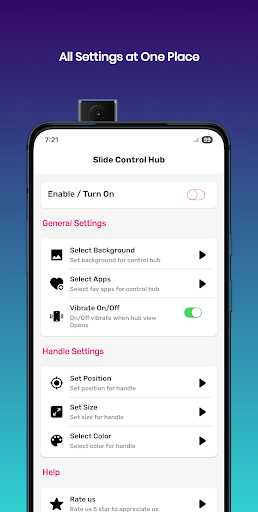
With the Control Center iOS 16 app, you can further enhance your experience by customizing the edge controls:
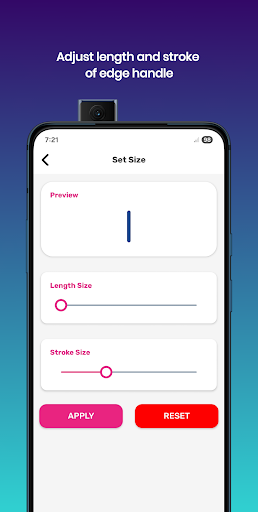
- Modify Edge Size and Stroke: Adjust the dimensions and outline of the edge access points for better usability.
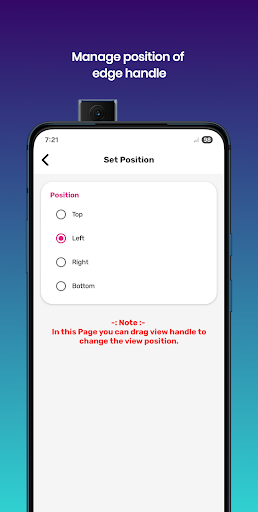
- Positioning: Choose to position the control access at the top, right, bottom, or left edges of your screen.
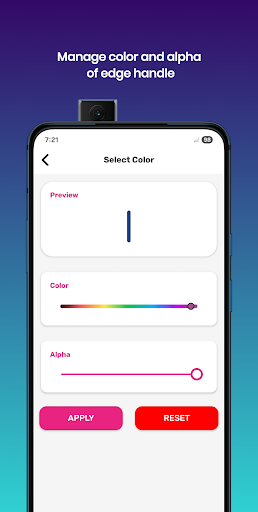
- Color & Transparency: Change the color and transparency (alpha) of the edges to match your aesthetic preferences.
- Quick Settings Access: Open system settings, organize app lists, or access favorite apps directly through these customizable edges.
Permissions and Privacy
The Control Center iOS 16 app is designed with user privacy in mind:
- No personal data collection: The app does not gather or share any user information.
- Necessary permissions: It requires ACCESSIBILITY_SERVICE to perform global actions like screenshots and overlay controls, QUERY_ALL_PACKAGES to allow app selection, and OVERLAY to show over other apps.
- The app commits to transparency and respects user privacy at all times.
Disclaimer and Intellectual Property
All branding, trademarks, and service names used are solely for identification and educational purposes. This Control Center iOS 16 app is an unofficial implementation and is not affiliated with or endorsed by Apple, iOS, or any other related entity. All rights remain with their respective owners. Our version aims to bring the intuitive, sleek experience of iOS 16 Control Center to a broader audience through a feature-rich, user-friendly interface.
Why Choose the Control Center iOS 16 App?
If you’re seeking to emulate the seamless control and sleek aesthetic of the iPhone Control Center iOS 16 on your device, this app is your perfect companion. It adds a refined, customizable, and quick-access control hub that enhances your everyday smartphone interactions. With features like personalized wallpapers, swift toggles, and customizable edge controls, this application transforms your device's interface into a more intuitive and efficient environment. Whether you own an Android device or want to experience iOS-style controls among your iOS devices, the Control Center iOS 16 style app makes it possible to enjoy an elevated user experience anytime, anywhere.
Pros
- Intuitive interface design
- Customizable quick access
- Seamless device connectivity
- Efficient battery management
- Enhanced privacy features
Cons
- Limited third-party app integration
- Occasional lag on older devices
- Not all features customizable
- Requires constant updates
- Some features hidden in menus











