

Introducing Shortcut Maker: The Ultimate App for Custom Android Shortcuts
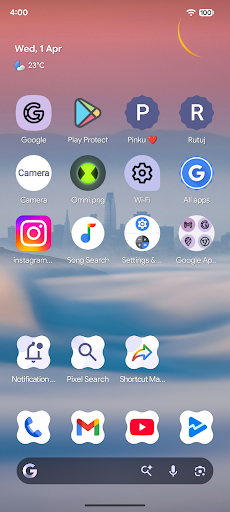
Have you ever felt frustrated searching endlessly through your app drawer just to find that one app you frequently use? Or perhaps you wish there was an easier way to access specific features and settings on your Android device without navigating through multiple menus? If so, Shortcut Maker is your perfect solution. This innovative app is designed to streamline your Android experience by allowing you to create personalized shortcuts for apps, activities, system settings, and more. Whether you want quick access to your favorite playlist, a specific camera mode, or system toggles, Shortcut Maker empowers you to customize your home screen with just a few taps.
What is Shortcut Maker?
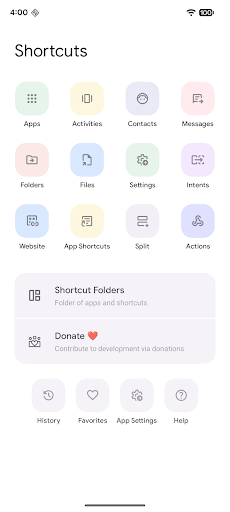
Shortcut Maker is a user-friendly app that enables users to generate shortcuts to virtually anything on their Android device. Its core functionality revolves around creating shortcuts for installed applications, specific activities within those apps, folders, files from internal storage, system intents, and even websites. This means you can craft shortcut icons that directly open your preferred apps, jump to particular app features, toggle system settings like Wi-Fi or Bluetooth instantly, or access favorite websites—all with a single tap. It's designed to enhance efficiency, personalization, and overall user experience by reducing the number of steps needed to reach your most-used functions.
Features and Functionalities
Apps and Activities
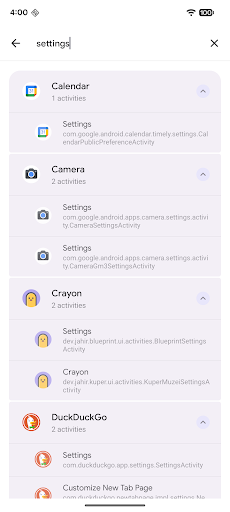
Easily create shortcuts for your installed apps or specific activities within those apps. For instance, you can set a shortcut that opens your beloved messaging app directly to a chat with a specific contact or launches a particular feature within an app, such as the camera in selfie mode. This flexible feature allows you to access the exact function you need without navigating through multiple menus.
Folder and Files
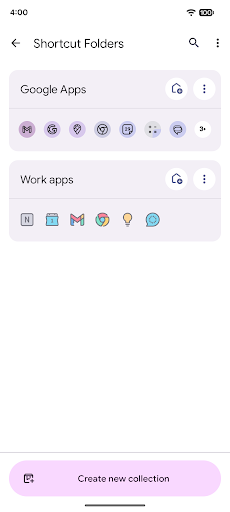
Create shortcuts for folders and files stored in your internal storage. This makes it simple to access important documents, media files, or any specific folder without digging through your file manager.
Intents and System Settings
Create shortcuts using Android system intents, which can launch default apps or initiate specific device actions. Additionally, shortcuts for system settings, such as toggling Wi-Fi, Bluetooth, or other preferences, enable quick adjustments without navigating into settings menus.
Website Shortcuts
Add shortcuts to your favorite websites directly on your home screen, offering instant access to important links and web resources.
User-Requested and Custom Features
Shortcut Maker welcomes user feedback to add new features. A bonus feature includes creating customized shortcuts from installed apps, where you can edit app details before finalizing. This ensures your shortcuts are tailored precisely to your preferences.
Shortcut Preview and Favorite Management
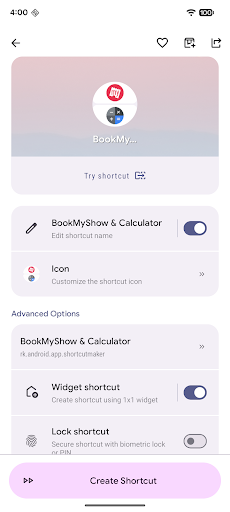
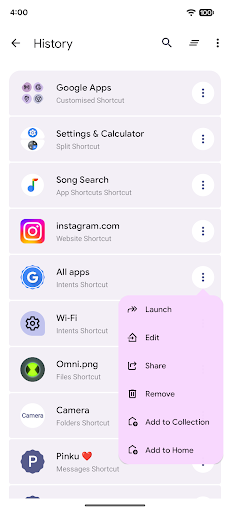
Before creating a shortcut, the app provides a preview so you can verify how it looks and even rename it. You also have the option to add shortcuts to your favourites, making frequently used shortcuts easily accessible. The History section tracks all your created shortcuts for quick retrieval.
Ease of Use and Customization
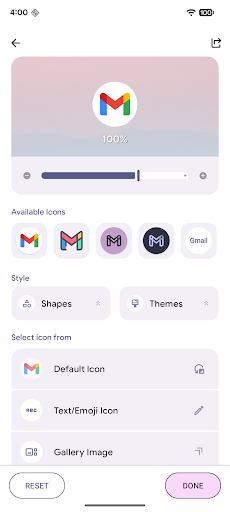
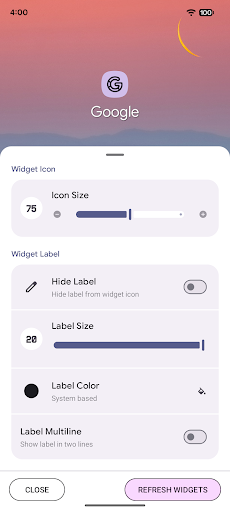
Using Shortcut Maker is straightforward. The clean and intuitive interface guides you through the process of selecting what you want to create a shortcut for. You can customize icons by choosing from a variety of options or even use your own images. Renaming shortcuts helps maintain an organized home screen, while widget support allows adding multiple shortcuts for quick access. This high level of customization ensures your Android device feels personalized and efficient.
Why Choose Shortcut Maker?
If efficiency and personalization are your priorities, Shortcut Maker is the perfect app to enhance your Android experience. Its versatility allows you to simplify access to apps, activities, system settings, and websites, significantly reducing the time spent navigating your device. Plus, the ability to preview, rename, and add shortcuts to favorites makes home screen management a breeze. Whether you're seeking a way to access hidden features or just want a tidier, more functional interface, Shortcut Maker offers all the tools you need to transform your smartphone usage.
Join the Community and Share Feedback
The developer encourages users to provide feedback and suggest new features to improve Shortcut Maker further. If you have ideas or encounter any issues, you can reach out via email (please include the app name in the subject). Special thanks are extended to MaterialSearchView by MiguelCatalan for providing a sleek search view component that enhances the app’s UI, accessible on GitHub.
Conclusion
In a world where productivity and personalization are paramount, Shortcut Maker stands out as a must-have tool for Android users. It simplifies access to your most-used apps and settings, boosts your efficiency, and adds a layer of customization that makes your device uniquely yours. Whether you're creating shortcuts for quick app launches, specific activities, or system toggles, this app offers a seamless experience. Download Shortcut Maker today and discover how easy it is to make your Android device truly your own—faster, smarter, and more personalized.
Pros
- Highly customizable shortcuts.
- User-friendly interface.
- Integrates with other apps.
- Lightweight application.
- Saves time for frequent tasks.
Cons
- Limited widget options.
- Some features require a premium subscription.
- Occasional bugs have been reported.
- May be complex for new users.
- Design appears somewhat outdated.











