
Discover Shield Antivirus Home Screen
Are you searching for a comprehensive, free security solution for your Android device? Look no further than Shield Antivirus Home Screen. This innovative app not only offers robust protection against viruses, malware, and cyber threats but also elevates your device’s security with advanced WiFi scanning features. With Shield, your smartphone becomes a safer, more private space that’s tailored to your needs.
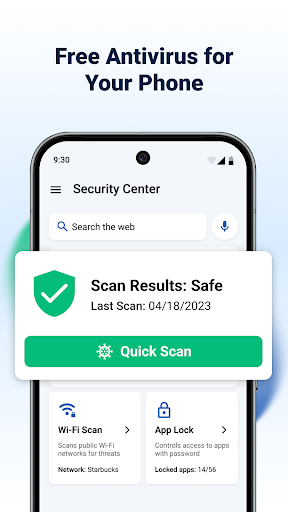
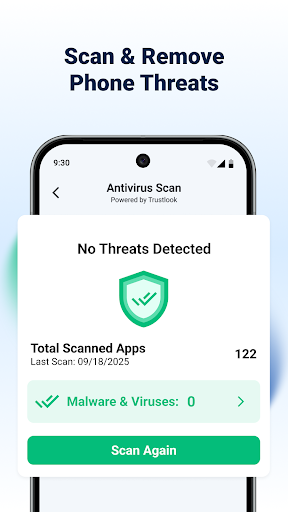
One of the key features is its advanced antivirus scanner, powered by AI-driven technology that achieves a 99% detection rate. This means it can efficiently identify and block malicious apps, spyware, and other risks with less than 0.1% false positives, providing rapid and reliable protection. The convenience of quick scan times allows you to safeguard your device in seconds, giving you peace of mind without hassle.
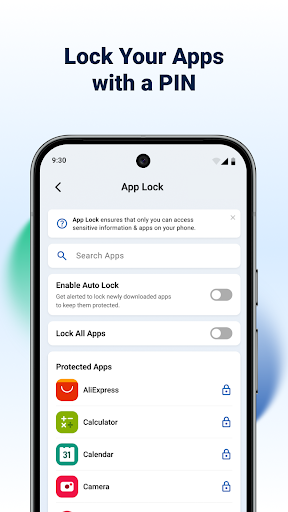
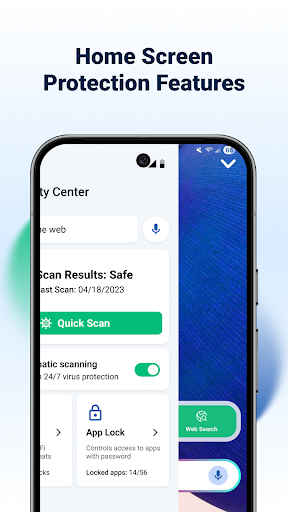
Shield also emphasizes privacy with its AppLock feature, enabling you to secure sensitive apps using passwords or fingerprints. Additional privacy tools such as app hiding and secure WiFi scanning help keep your personal data safe, even on public networks. Whether you want to lock a financial app or hide certain information, Shield makes privacy both easy and effective.
Customization plays a vital role in the user experience. You can personalize your home screen and settings to reflect your style, ensuring your Android looks and feels exactly how you want—without compromising security. Shield provides a visually appealing interface that blends protection with personalization seamlessly.
Comprehensive WiFi Security
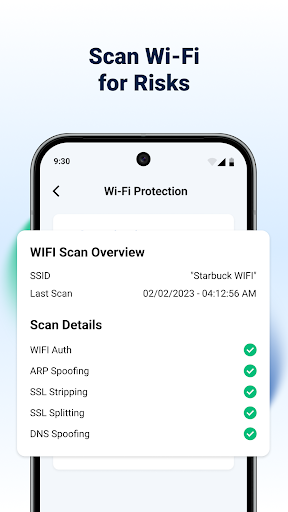
The app's WiFi Scanner is designed not only to detect connected devices but also to identify and prevent network-based attacks such as ARP spoofing, DNS spoofing, and SSL stripping. This level of security is essential as more threats target network vulnerabilities. Shield’s network scanning tools empower users to see all devices on their network, making it easier to spot unauthorized connections and enhance overall network security.
Home Screen Transformation
With Shield Antivirus Home Screen, your device's home screen becomes a center for privacy control. It features intuitive design elements that give quick access to security features and customizable options. This transformation makes managing your privacy straightforward while adding a sleek, modern look to your Android device, creating an experience that’s both secure and visually pleasing.
Upgrade to Shield Pro
For users seeking an ad-free browsing experience and full device protection, upgrading to Shield Pro is highly recommended. The premium version unlocks enhanced security features, ensuring your device remains protected against all types of cyber threats without interruptions.
Features Summary
- Antivirus scanner: 99% detection rate for malware and viruses
- AppLock: Fingerprint and PIN protection for sensitive apps
- WiFi scanning: Advanced network security and device detection
- Customizable home screen: Privacy controls with personalized themes
Simple Steps for Maximum Security
- Download Shield Antivirus Home Screen
- Set up AppLock for your privacy
- Select apps to protect
- Run an antivirus scan to secure your device
Designed with user-friendliness in mind, Shield makes cybersecurity simple for everyone. Its integration with Android’s VpnService ensures a secure and private browsing experience by creating an encrypted tunnel for your internet traffic. Importantly, the app is committed to privacy and does not collect or log any personal data through the VPN service, providing transparency and security for all users.
Pros
- User-friendly interface simplifies usage.
- Provides real-time protection for safety.
- Consumes minimal resources, conserving battery life.
- Regular updates improve security measures.
- Offers customizable settings for flexibility.
Cons
- Occasional false positive alerts.
- Premium features require payment.
- Free version includes intrusive advertisements.
- Support for older devices is limited.
- Initial setup process may be somewhat complex.











