

Introducing the Screen Recorder - Record Video App: Your Ultimate Screen Recording Solution
Are you looking for a reliable, high-quality tool to capture your screen activity effortlessly? Look no further than Screen Recorder - Record Video. This versatile app is designed for users who want to record everything from gameplay to video calls with ease. Its user-friendly interface, combined with powerful features, makes it an ideal choice for beginners and professionals alike. Whether you're creating tutorials, streaming gameplay, or saving important chats, this app has got you covered.
Key Features of Screen Recorder - Record Video
One of the most compelling reasons to choose this app is its impressive range of features tailored for both casual users and content creators. Here are some of its standout capabilities:
No • recording time limits and no root required
Enjoy unlimited recording sessions without the need to root your device. This means you can capture lengthy gameplay, tutorials, or meetings without worrying about time restrictions, making it a flexible tool for all your recording needs.
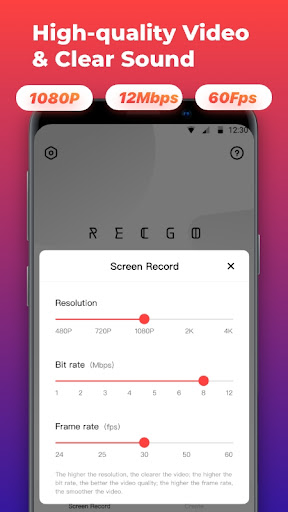
High-quality recording with • up to 1080p resolution, 12Mbps bitrate, 60FPS
Capture your screen in stunning high definition. Whether you're recording fast-paced games or detailed tutorials, the app supports resolutions up to 4K and features adjustable parameters like frame rate and bitrate for perfect customization.
Support for • internal audio recording
Record system sounds and internal audio seamlessly, especially on Android 10+ devices. Combine this with microphone input to narrate your videos, making your recordings more engaging and professional.
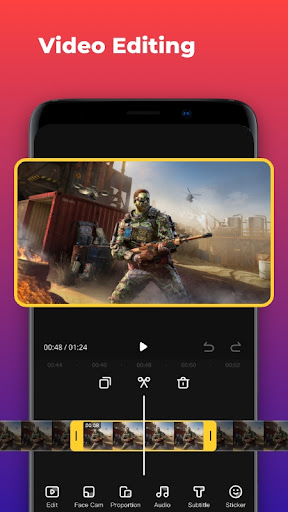
Video editing tools for post-recording enhancements
After capturing your content, easily trim, merge, rotate, or add music and sound effects. The app’s straightforward editing features allow you to create polished videos suitable for YouTube, social media, or internal presentations.
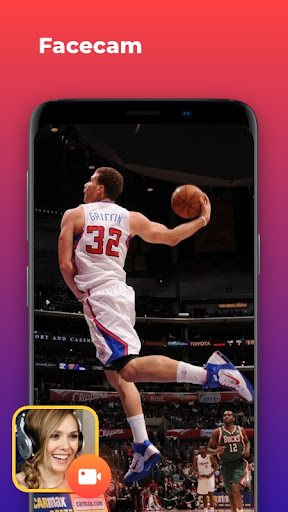
Face Cam and real-time reactions
Add a face camera overlay to record your facial expressions and reactions simultaneously. The draggable window lets you position it anywhere on the screen, enhancing tutorials and gameplay recordings with personal touches.
Additional practical features
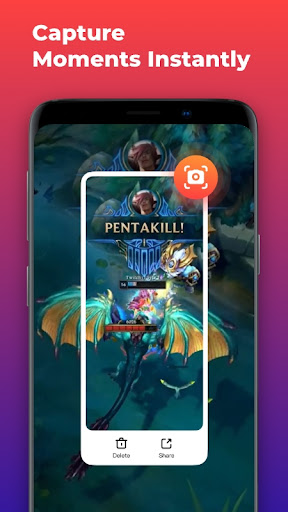
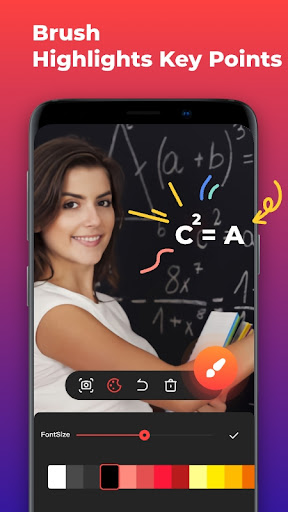
Includes quick • Screenshot Function for capturing stills, a drawing tool to highlight essential points during recording, and a real-time • phone memory usage display for monitoring performance during long sessions.
Intuitive Operation for Everyone
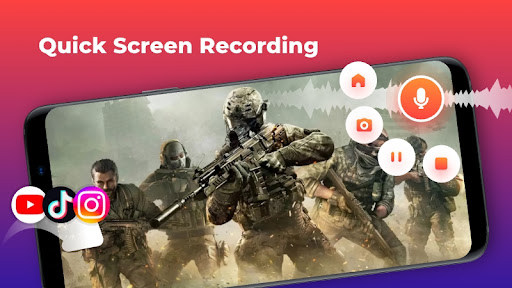
Getting started with Screen Recorder - Record Video is simple. The floating control panel allows you to start, pause, or stop recordings effortlessly, even during gameplay or busy tutorials. The app automatically hides during recording to provide an unobstructed view, ensuring your captures are clean and professional. Its clean interface and straightforward setup mean you can begin recording in just a few taps—no complicated configurations required.
Perfect for a Variety of Use Cases
This app is incredibly versatile. Whether you're a gamer capturing epic moments in Honor of Kings or PUBG Mobile, a teacher creating online tutorials, or a professional recording virtual meetings, Screen Recorder - Record Video handles it all. Its support for various recording modes—portrait, landscape, or automatic—ensures your videos are optimized for your target platform.
Enhanced Video Creation and Sharing
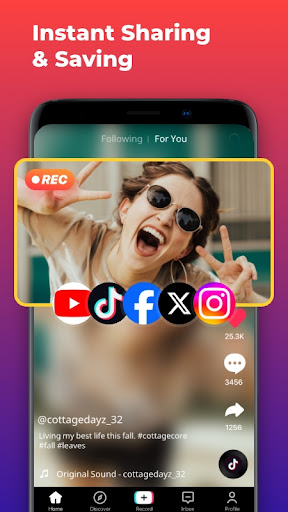
Beyond recording, the app’s editing suite helps you craft engaging content. Add • music, stickers, filters, and fun text to make your videos stand out. You can easily crop clips, merge multiple videos, and adjust volume and aspect ratio. Export your content in high resolution for sharing on popular platforms like Facebook, YouTube, Instagram, and others. This makes Screen Recorder - Record Video not just a recording tool but a comprehensive content creation platform.
Why Choose Screen Recorder - Record Video?
If you’re searching for a powerful, user-friendly, and free screen recorder, this app is a top contender. Its high-quality recording capabilities, no time restrictions, and rich feature set make it perfect for all kinds of video content—gaming, tutorials, online meetings, and more. Plus, its lightweight design ensures minimal battery drain, letting you record longer sessions without worrying about device performance.
Start Creating Your First Video Today
Experience the ultimate in screen recording by downloading Screen Recorder - Record Video. Capture your screen in high definition, add reactions with Facecam, and polish your videos with built-in editing tools. Whether you're a casual user or a professional content creator, this app simplifies the process and helps you produce stunning videos effortlessly. Don’t wait—begin recording and sharing your amazing moments now!
Pros
- High-quality video recording
- User-friendly interface
- Supports multiple resolutions
- No time limit for recording
- Records audio and video simultaneously
Cons
- Contains ads
- Limited editing features
- Requires internet connection
- Consumes significant battery
- May lag on older devices











