


Introduction to AZ Screen Recorder
Featured on prestigious platforms such as the Google Play Home Page, BusinessInsider, CNET, HuffPost, Yahoo News, and more, AZ Screen Recorder is a trusted and high-quality screen recording application for Android. Whether you're looking to record your gameplay, capture video calls, or create tutorials, this versatile app provides a comprehensive suite of features designed to meet various recording needs. It offers a seamless experience for users seeking reliable screen capture with audio, all without watermarks or time limitations, making it an ideal choice for both casual users and content creators.
Why Choose AZ Screen Recorder?
The app is known for its ease of use and premium quality output. With intuitive controls, users can start and stop recordings effortlessly, while options like facecam overlay add a personalized touch to videos. Notably, the NO watermark and no time limit features ensure your recordings remain professional and unrestricted. The ability to record with both external microphone audio and internal audio enhances the flexibility, making AZ Screen Recorder suitable for a variety of recording scenarios—from gaming to video tutorials and video calling.
Key Features of AZ Screen Recorder
Screen Recording Capabilities
The core feature of AZ Screen Recorder is its powerful screen recording function, which allows users to create high-quality videos of their experiences. The app supports:
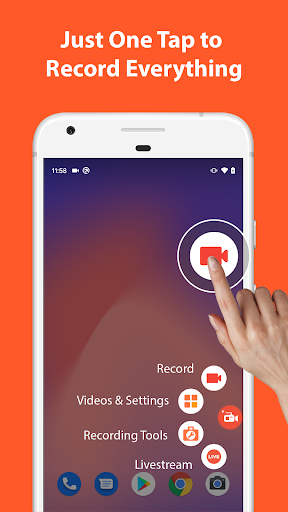
- Easy start/stop controls via floating buttons
- Pause and resume recordings anytime
- Recording with microphone and internal audio
- Facecam overlay, enabling you to show your face during recordings
- Converting screen recordings to GIF format
- Drawing on screen during recording
- Shaking the device to stop recording
- Wireless transfer of videos and screenshots to computers via Wifi
Video Editing Suite
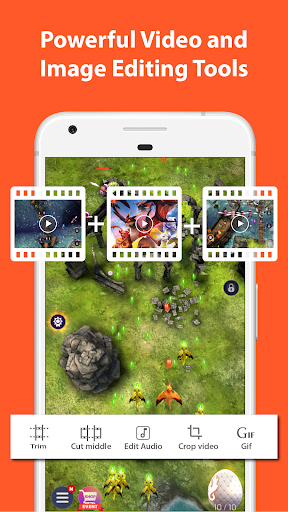
Beyond recording, AZ Screen Recorder features an integrated video editor that simplifies post-production tasks. Users can:
- Trim and cut videos
- Remove unwanted middle parts
- Merge multiple videos into one
- Add background music and subtitles
- Extract individual frames from videos
- Crop, rotate, and compress videos to optimize storage
Live Streaming Functionality
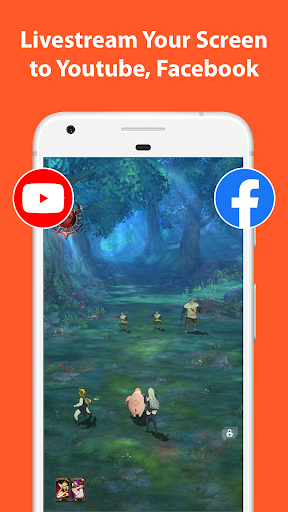
AZ Screen Recorder also doubles as a live streaming application compatible with platforms like YouTube and Facebook. You can broadcast your screen in real-time along with audio, with options to display your face via facecam. Key features for live streaming include:
- Broadcast phone screen with audio simultaneously
- Multiple resolution options for streaming
- Optional face overlay in streams
Screenshots and Image Editing
Aside from video recording, AZ Screen Recorder simplifies capturing and editing images. Users can take quick screenshots, then utilize built-in editing tools to:
- Stitch multiple images
- Crop unwanted areas
- Apply blur or pixelate sensitive information
- Add text, emojis, or handwritten drawings
Multi-Purpose Functionalities
Designed to cater to diverse needs, AZ Screen Recorder is suitable for various tasks:
- Screen recorder with audio for video tutorials, gameplay, or video calls
- Internal audio recording supported from Android 10 onwards, capturing app sounds and game audio
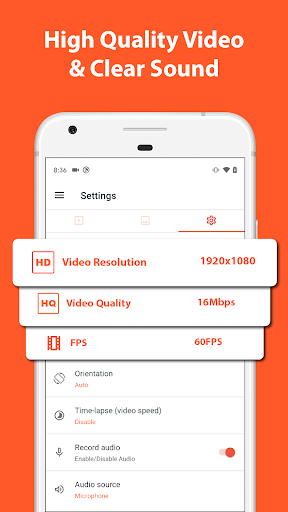
- High-resolution HD to 4K recordings (device-dependent), ideal for gaming and professional content
- Video call recording, preserving important conversations
Final Thoughts
In summary, AZ Screen Recorder stands out as a top-rated screen recording app for Android, appreciated for its user-friendly interface, robust features, and high-quality output. Whether you're a gamer capturing your latest achievements, a teacher creating tutorials, or simply someone who wants to save memorable moments on your screen, this app offers all the tools you need. Its support for internal audio recording, live streaming, and advanced editing features makes it a comprehensive solution for multimedia recording needs.
Pros
- User-friendly interface
- High-quality video recordings
- No watermark added
- Customizable settings
- Allows live streaming
Cons
- Contains advertisements
- High battery consumption
- Lack of internal audio recording on some devices
- Limited video editing options
- Performance issues on older devices











