





Introduction to Screen Recorder - AX Recorder
Are you looking for a reliable and user-friendly screen recording tool for Android? Screen Recorder - AX Recorder emerges as an excellent choice for capturing high-quality videos effortlessly. With its lightweight yet powerful design, this app enables users to record screens with internal and external audio, making it ideal for creating gameplays, tutorials, presentations, and more.
Key Features of AX Recorder
High-Quality Recording
AX Recorder supports HD video recording with options to customize resolution, frame rate, and bit rate, ensuring your videos are crisp and professional-looking. You can record at 1080p, 16Mbps, and up to 120FPS, delivering smooth and clear footage without any quality loss.
Audio Recording Capabilities
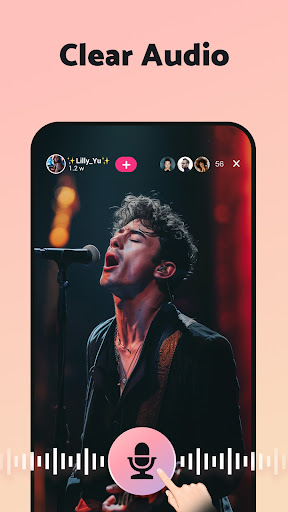
This app allows internal & external audio recording, giving you clear sound with no background noise (Android 10 and above). Whether you're creating gameplay videos or tutorials with voice commentary, AX Recorder can handle it seamlessly.
Facecam and Screen Overlay
Want to include your reactions? The record with facecam feature captures your face via the front camera while recording, perfect for reaction videos and tutorials. Additionally, a floating ball widget provides quick access to capture moments or hide controls when not needed.
Interactive Drawing and Annotations
With the brush tool, you can doodle, draw shapes like rectangles or arrows, and annotate your screen during recording. This feature is especially useful for creating educational content or emphasizing points during presentations.
Flexible Screen Capture Options
AX Recorder offers region recording—so you can select specific parts of the screen to record. It also provides quick screen capture options to take instant screenshots, which you can share directly or edit within the app.
Powerful Editing Suite
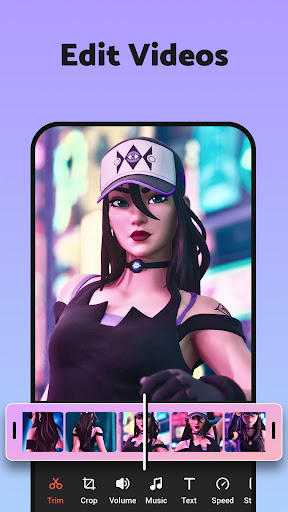
Post-recording, the app’s video editor lets you trim, crop, merge clips, add music, filters, stickers, and text. You can enhance your videos easily and prepare them for upload without needing additional software.
Seamless Sharing and Uploads
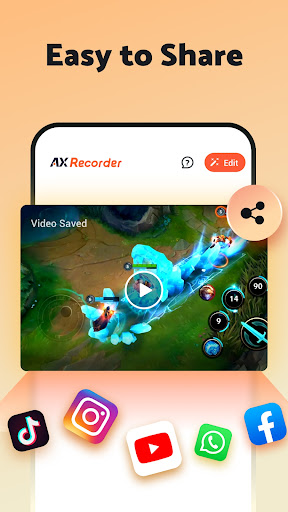
Once your video is ready, AX Recorder facilitates quick upload directly to platforms like YouTube, TikTok, and others. This integration streamlines your content creation process from recording to sharing in just a few taps.
Use Cases for AX Recorder
This versatile screen recorder is perfect for various scenarios:
- Creating educational tutorials and online courses
- Recording gameplay sessions or live streams
- Capturing important video calls and live events
- Making reaction videos with facecam
- Market your business by sharing promotional videos online
- Saving videos for offline viewing when download is not available
Customization and User Experience
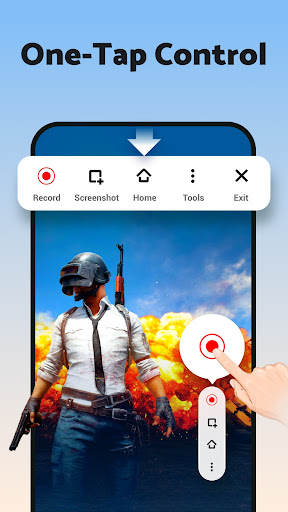
The app offers extensive customization options, allowing users to tailor recording settings to their needs. Adjust frame rate, resolution, and quality to balance between video clarity and storage. Its intuitive user interface makes navigating features simple — start recordings with a single tap, access tools via floating window, and perform edits with minimal effort.
Conclusion
Screen Recorder - AX Recorder combines ease of use with professional-grade features, making it suitable for both casual users and content creators. Whether you’re recording gameplay, tutorials, reactions, or live streams, this app ensures high-quality output and seamless sharing capabilities. Its rich feature set, including facecam, drawing tools, and advanced editing, sets it apart from many other screen recording applications available on Android. Next time you need a reliable screen recording app, give AX Recorder a try and elevate your content creation experience!
Pros
- Intuitive interface for easy navigation
- High-definition recording at 1080p resolution
- Supports audio recording alongside video
- Recorded videos have no watermarks
- Includes video editing functionalities
Cons
- Contains advertisements within the app
- Free version offers limited features
- May drain battery quickly
- Requires Android version 5.0 or higher
- Occasional app crashes have been reported











