
S25 Launcher One UI: Elevate Your Android Experience
Are you seeking a sleek and modern user interface that mimics Samsung's renowned One UI design without the hefty price tag? Look no further than S25 Launcher One UI. This innovative third-party launcher transforms your Android device, delivering a clean, customizable, and Galaxy-inspired experience right on your home screen. Whether you're eager to emulate the aesthetics of Samsung's latest devices or simply want a smooth and productive interface, S25 Launcher One UI is your go-to solution.
Key Features of S25 Launcher One UI
Stylish One UI 7 Design
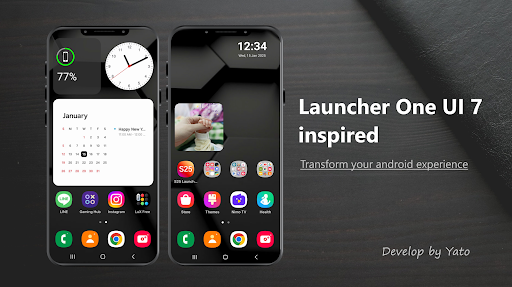
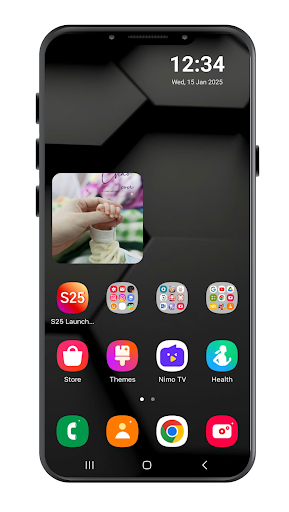
Enjoy a refined and fluid user interface inspired by One UI 7. The launcher’s elegant design brings a fresh and modern look to your home screen, complete with soft curves and minimalistic icons that resemble Samsung’s flagship user experience.
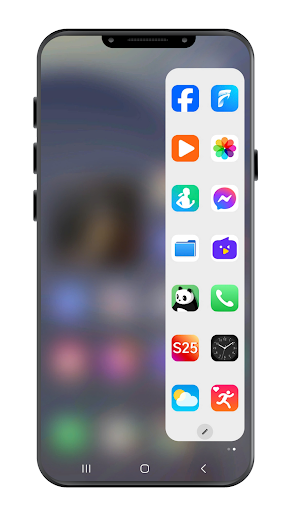
Edge Panel (like Galaxy Edge)
Access your favorite apps, contacts, or tools rapidly through the Edge Panel- like feature. Swiping from the edge opens quick access to essential shortcuts, making multitasking effortless—mimicking the Galaxy S and Note series devices. (Premium feature)
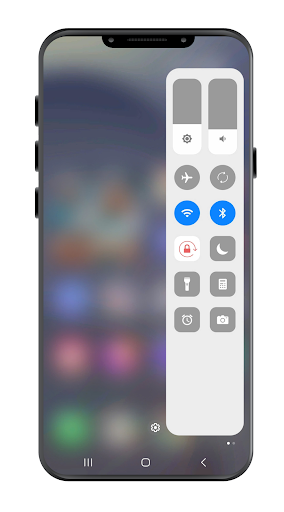
Control Center (One UI 7 style)
Quickly toggle Wi-Fi, brightness, sound, and more with the modern Control Center, styled after One UI 7. This feature streamlines your access to essential settings, enhancing usability and convenience. (Premium feature)
Smart Search
Swipe down to activate the smart search feature that allows instant searching across apps, contacts, and device settings—saving you time and effort.
Widgets & Customization
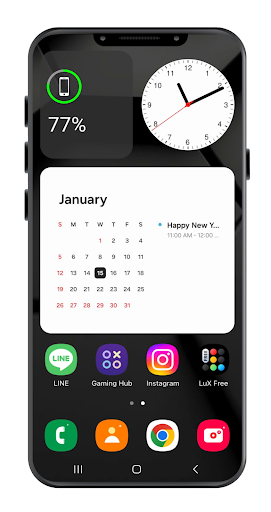
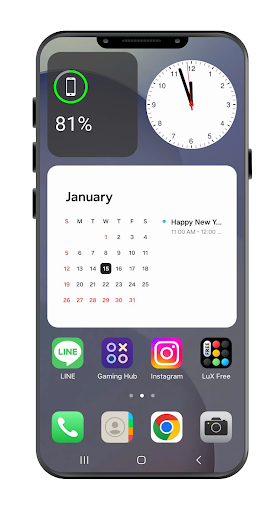
Personalize your device with beautiful clock, calendar, and weather widgets designed to match One UI 7 aesthetics. Additionally, the launcher supports all major icon packs for a tailored look, along with customizable themes to match your mood.
App Drawer & Folder Management
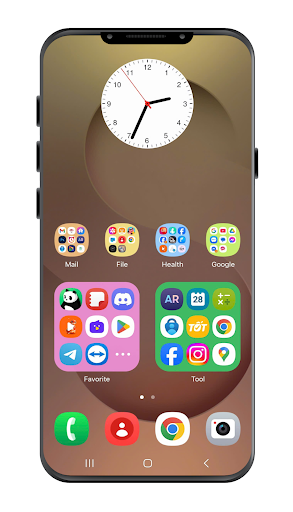
Sort and organize your apps efficiently with a customizable app drawer and folder grid styles. This ensures your apps are always within easy reach, optimized for both style and function.
Performance & Smooth Experience
The launcher is optimized for speed and battery efficiency. Whether on high-end or budget devices, enjoy lag-free transitions and quick responsiveness, making your Android experience seamless.
Clock Widget Customization
Match your style with customizable clock widgets featuring different backgrounds and fonts, adding a sophisticated touch to your home screen.
Upgrade to Premium
Unlock the full potential of S25 Launcher One UI with a one-time purchase. Premium members enjoy an ad-free experience, access to exclusive themes, advanced customization options, and all premium features including Edge Panel and Control Center. No subscription is required, making it a cost-effective way to enhance your device’s interface.
Why Choose S25 Launcher One UI?
- No bloatware or intrusive ads on your home screen, with ads limited to the settings menu.
- Lightweight and optimized for battery-friendly operation.
- Clean, intuitive user interface that closely mimics Samsung’s design language.
- Regular updates and new features to keep your experience fresh and modern.
Permissions & Privacy Assurance
S25 Launcher One UI may request permissions such as READ_EXTERNAL_STORAGE for wallpaper setting, or READ_CONTACT and READ_CALENDAR to display contacts and events on the Edge screen. All features work offline and respect your privacy, with no personal data collection. The launcher only requires permission access strictly necessary for its features, and user data is not shared.
Transform Your Phone Today
Download S25 Launcher One UI now and bring the cutting-edge Galaxy experience directly to your Android device. With its sleek design, extensive customization, and smooth performance, this launcher offers a fresh perspective on your mobile interface. Ideal for both customization enthusiasts and everyday users, it’s the perfect way to revamp your phone’s look and feel.
Pros
- Intuitive and smooth user interface
- Highly customizable home screens
- Effective RAM management
- Regular updates and reliable support
- Extensive theme options
Cons
- Potential increased battery consumption
- Limited support for widgets
- Advertisements present in free version
- Occasional lag on older devices
- Certain features require payment











