

Introduction to Ringtone Maker: Create Ringtone
Have you ever wanted to customize your phone with a personalized ringtone that truly reflects your style? Ringtone Maker: create ringtone is an innovative mobile app designed to empower users to craft their unique ringtones, alarms, and notification sounds effortlessly. Whether you're tired of the standard tones or want to stand out in a crowd, this app offers a comprehensive solution for customizing your device's alerts with ease and style.
What Makes Ringtone Maker Stand Out
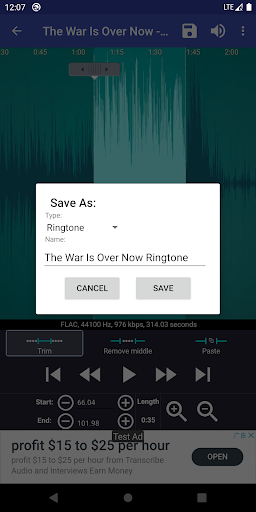
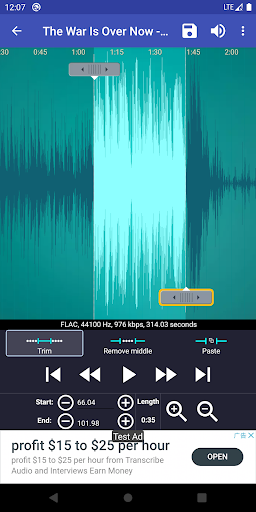
Ringtone Maker: create ringtone is renowned for its user-friendly interface and extensive format support. It allows you to cut and edit audio files from a variety of sources including MP3, FLAC, OGG, WAV, AAC (M4A)/MP4, 3GPP/AMR, and MIDI. This flexibility means you can import your favorite songs or sound clips and transform them into custom ringtones within minutes. The app simplifies the editing process with intuitive controls—slide arrows along the waveform to set start and end points, or input precise timestamps for flawless editing.
Key Features of Ringtone Maker: Create Ringtone
Support for Multiple Audio Formats
One standout feature is its ability to support a wide variety of audio formats, making it versatile and compatible with most music files. Whether you're working with MP3, WAV, AAC, or other audio types, Ringtone Maker handles them all seamlessly.
Easy Editing and Clipping
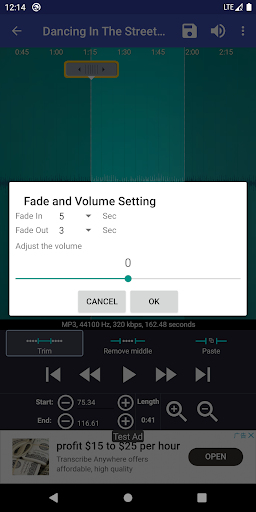
Creating the perfect ringtone is straightforward. You can preview your clip with a simple tap, adjust the volume, and apply fade in or fade out effects for a professional finish. The app displays a scrollable waveform with six zoom levels, offering precision control over selecting your favorite part of a song.
Record Your Own Sounds
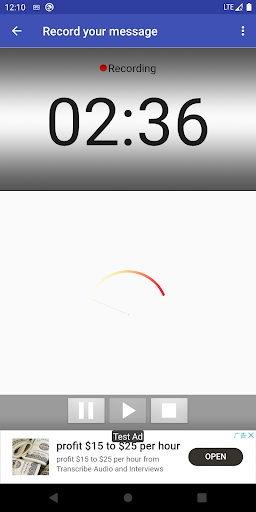
Not just limited to existing files, you can record your own voice or your kids’ voices directly within the app, turning personal recordings into unique ringtones or notification sounds. This feature adds an extra layer of personalization, making your alerts truly one-of-a-kind.
Assign and Manage Ringtones
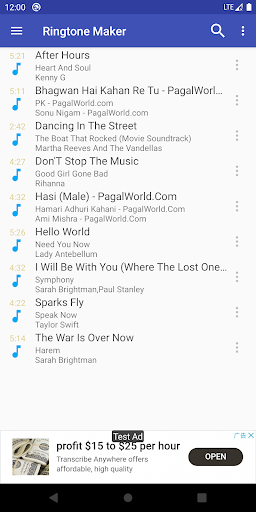
The app allows you to assign created ringtones directly to contacts, enhancing caller identification. You can reassign or delete ringtones linked to contacts with ease, providing flexible management of your personalized alerts. Additionally, it supports sorting by Tracks, Albums, or Artists, making organization simple.
Storage and Customization Options
Ringtone Maker defaults to saving ringtones in internal storage but offers customizable paths for notifications, alarms, music, and other categories. The app is also ad-free, ensuring an uninterrupted experience.
How to Create Your Perfect Ringtone
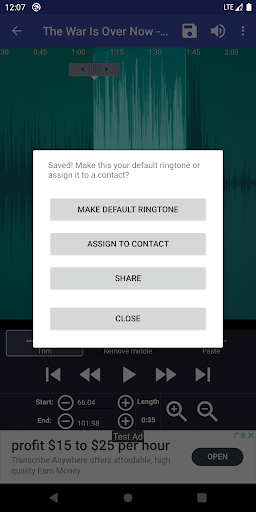
Using Ringtone Maker: create ringtone is a breeze. First, select your audio file or record a new sound. Next, use the intuitive interface to set your desired start and end points by sliding along the waveform or entering timestamps precisely. You can preview the clip before saving, ensuring it's just right. Once satisfied, save your creation as a ringtone, alarm, notification, or music file. The app also allows you to directly assign the new ringtone to a contact, making customization even simpler.
Additional Functionalities
Beyond basic editing, the app offers features like merging multiple audio clips, adjusting volume levels, and applying fade effects. It also supports downloading music directly and managing your media library efficiently. For music that doesn’t immediately display due to system lag, you can use the "Scan" feature to update your library actively. Although direct access to Google Play Music isn't straightforward, the app provides workarounds such as downloading songs via Chrome on your phone for seamless ringtone creation.
Legal and Support Information
Ringtone Maker: create ringtone uses music licensed under public domain and Creative Commons licenses, credited within the app. For further support, tutorials, and FAQs, visit the official websites linked within the app.
Conclusion
If you’re looking for an easy-to-use, powerful tool to personalize your phone with custom ringtones, Ringtone Maker: create ringtone is an excellent choice. Its supportive features for a wide range of audio formats, simple editing interface, and ability to assign ringtones directly to contacts make it a must-have for anyone wanting to add a personal touch to their device. Download the free version today or explore the ad-free experience for a smooth and feature-rich ringtone creation journey. Let your creativity run wild and make your phone truly yours!
Pros
- User-friendly interface.
- Supports a wide range of sound formats.
- Provides precise editing tools.
- Operates offline without internet connection.
- Free to use with minimal advertisements.
Cons
- Limited selection of sound effects.
- Occasional application crashes.
- Advertisements may be disruptive.
- Requires storage permission access.
- Lacks advanced editing functionalities.











