


Remove Objects - Photo & Video: The Ultimate Tool for Flawless Visuals
Are you tired of distractions ruining your perfect photos and videos? Whether it's an unwelcome photobomber, distracting street signs, or accidental objects in the background, removing these imperfections has never been easier. Remove Objects - Photo & Video is a powerful app designed to help users effortlessly erase unwanted elements from their visual content, transforming ordinary shots into stunning masterpieces. With its intuitive interface and advanced editing capabilities, this app is a must-have for casual photographers and professional content creators alike.
Seamless Object Removal with Advanced Features
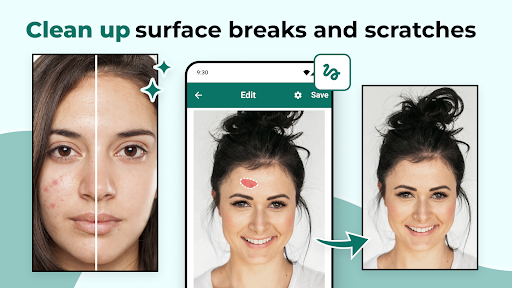
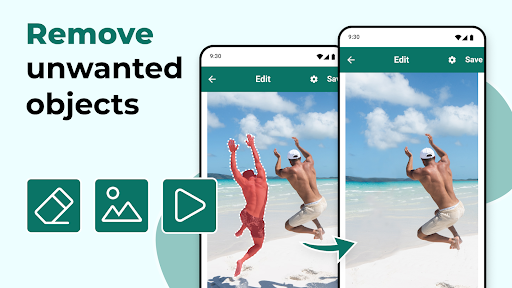
The core strength of Remove Objects - Photo & Video lies in its ability to perform precise object removal. You can effortlessly delete visitors from your photos, eliminate pesky street signs, or remove distracting shadows and text. The app offers several user-friendly tools such as the rectangle and lasso select options, allowing you to precisely target unwanted elements. Plus, its magic eraser technology ensures seamless blending, making edits look natural and professional.
Key Features of Remove Objects
- Photo Eraser: A versatile tool for removing objects, signs, and other distractions from your images.
- Object Removal: Easily delete multiple objects at once with the powerful eraser tool.
- Magic Eraser: Simplify complex edits with the intuitive magic eraser that seamlessly blends areas after removal.
- People Remover: Effortlessly erase individuals from your photos to create cleaner, more focused images.
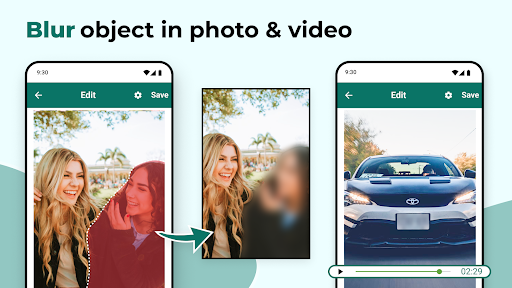
- Video Object Remover: Extend the object removal capabilities into videos, allowing you to eliminate distractions frame by frame or during specific time intervals.
- Easy Selection & Fine-Tuning: Zoom and precise tools help you fine-tune your selections for flawless results.
Edit Photos and Videos with Ease
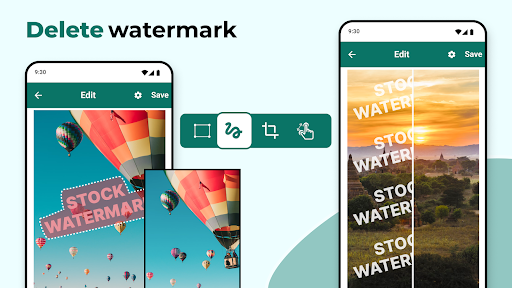
The app's straightforward interface makes editing a breeze. You simply pick a photo or video, highlight the unwanted object, and let the app do the rest. Its innovative technology handles complex backgrounds and overlaps effortlessly—nothing short of magic! Whether removing a trash can from a cityscape or eliminating a watermark from a video, Remove Objects - Photo & Video ensures professional-grade editing without the steep learning curve.
Why Choose Remove Objects?
If you're looking for a reliable, fast, and easy-to-use tool to enhance your visual content, this app ticks all the boxes. It delivers high-quality, natural-looking edits that make your photos and videos stand out. The app also supports editing during specific time frames in videos, giving you full control over your post-production process.
Performance, Reliability, and Ease of Use
Unlike many similar apps with laggy performance or crashes, Remove Objects offers smooth operation and quick results. Its efficiency enables you to perform multiple edits in a matter of seconds, saving time and effort. The natural blending of edited areas ensures your visuals look untouched, making it hard to tell that any object was ever removed.
Transform Your Visual Content Today
From removing photobombers to eliminating unwelcome clutter, Remove Objects - Photo & Video empowers you to take full control of your images and videos. Its combination of advanced features, user-friendly design, and reliable performance makes it the go-to app for hassle-free editing. Whether you're cleaning up a cityscape, removing distracting text, or perfecting your videos, this app is your virtual magic wand. Download Remove Object From Video and Photo today and elevate your visual storytelling to a whole new level!
Pros
- User-friendly interface allows for quick edits
- Supports editing both photos and videos
- Produces high-quality results after removal
- Processes edits swiftly
- Offers a range of editing tools
Cons
- Limited features in the free version
- Reported occasional glitches
- Can be demanding on older devices
- Full features require a subscription
- May slightly reduce the original image quality











