


Discover the Power of Music Video Editor - inMelo
Are you looking to transform your casual videos into eye-catching music videos effortlessly? Music Video Editor - inMelo is the perfect mobile app designed to turn your footage into stunning visual stories with minimal effort. Whether you're an aspiring creator or just want to enhance your social media content, inMelo offers a comprehensive toolkit packed with innovative features that make video editing both fun and accessible.
Unleash Creativity with Cutting-Edge Features
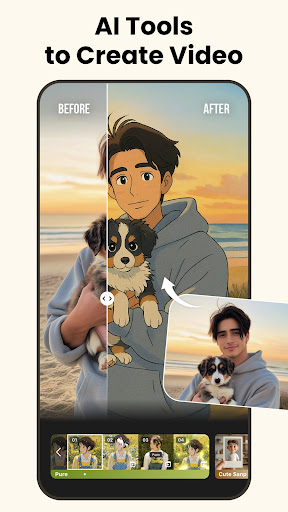
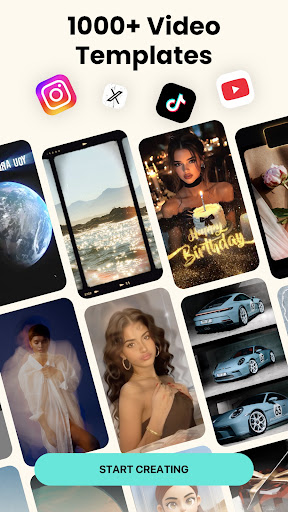
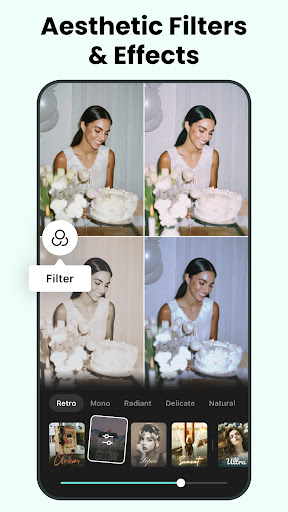
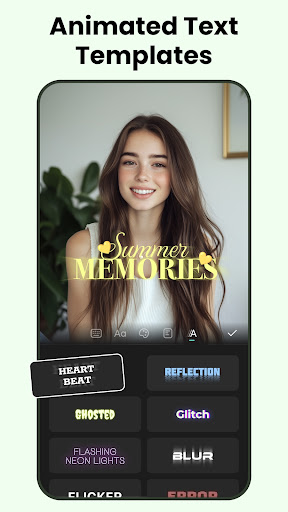
inMelo stands out as a video editing app for social media enthusiasts, providing a wide array of tools to elevate your content. One of its key attractions is the extensive library of trendy templates and expressive effects. Choose from over 1000 video templates tailored for different themes such as marketing, lyric videos, aesthetic styles, retro looks, and special occasions like Christmas or Valentine's Day. These templates are curated to make your videos truly stand out and attract more engagement on platforms like Instagram Reels, TikTok, YouTube Shorts, and WhatsApp.The app features a suite of AI-powered effects, including AI cartoon generation that converts your photos into animated avatars, and body effects to give your videos a modern, artistic flair. The AI auto cut tool intelligently trims your footage, sparing you hours of manual editing. Combine these with effects like glitch, neon, or blur to produce videos that are visually stunning and highly shareable.
Effortless Video and Music Integration
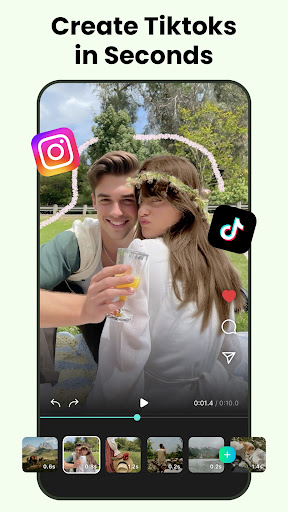
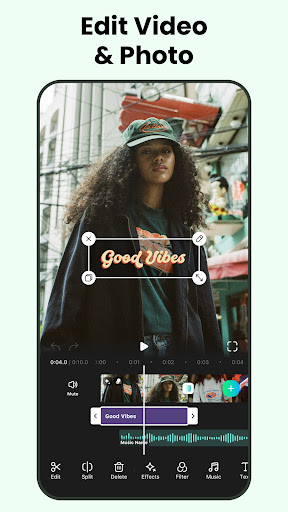
Creating compelling music videos is a breeze with inMelo. Simply import your photos and clips, select a soundtrack from the extensive music library—which includes multiple genres—and let the app do the rest. The auto synchronization feature expertly aligns transition effects with the beat of your music, making your videos rhythmically engaging without any manual adjustments.Want to craft a photo slideshow or a lyric video? inMelo has dedicated features that automatically merge images with music, add dynamic effects, and generate personalized videos suited for social sharing. The tempo short video editor allows quick cutting, merging, flipping, or rotating clips—perfect for laying out your narrative in seconds.
Advanced Effects and Transitions
The app offers a range of effects such as slow motion, freeze, neon, and glitch effects—ideal for creating more artistic and trendy videos. Transitions are designed to work seamlessly with your music, following the rhythm and enhancing the visual flow. Whether you're making a Reels or a short story, these tools give your videos a professional touch with minimal effort.
Sharing Made Simple
Finished your masterpiece? inMelo allows you to save your videos in HD quality and easily share them to all your favorite social media platforms such as TikTok, Instagram, Facebook, Snapchat, and more. The streamlined sharing process ensures that your creative content reaches your audience quickly, helping you grow your followers and increase engagement in a matter of taps.
Why Choose inMelo for Your Video Creations?
What sets Music Video Editor - inMelo apart from other editing apps is its combination of simplicity and powerful features. You don’t need professional skills or complicated software to produce impressive videos; inMelo’s intuitive interface guides you through each step. The app's continuous updates mean you’ll have access to fresh templates, effects, and tools that align with current trends, making your content stand out in the crowded social media landscape.
Conclusion: Transform Your Videos with inMelo
Whether you're creating a viral Reel, an anniversary tribute, or just experimenting with new editing styles, Music Video Editor - inMelo empowers you to produce captivating videos effortlessly. Its blend of trendy templates, AI effects, and user-friendly tools make it the ideal choice for both beginners and experienced creators looking to impress their audience. Dive into inMelo today and turn your ordinary clips into extraordinary visual stories that capture attention and inspire engagement!
Pros
- User-friendly interface suitable for beginners
- Offers a wide selection of editing tools
- Compatible with multiple video formats
- Provides high-quality video export options
- Receives regular updates with new features
Cons
- Limited features in the free version
- Occasional reports of app crashes
- Requires substantial device storage
- Free version exports include watermarks
- Contains advertisements in the free version











