

Quick Settings App: The Ultimate Tool for Effortless Smartphone Management
In today’s fast-paced digital world, having quick and easy access to your smartphone’s essential functions can significantly enhance user experience. The Quick Settings app is designed to provide a seamless way to manage and control your device's most commonly used features directly from the Edge Panel, making your mobile interaction both efficient and frustration-free.
Key Features of Quick Settings
Convenient Control Over Settings
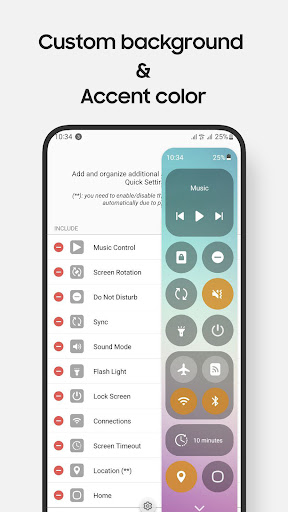
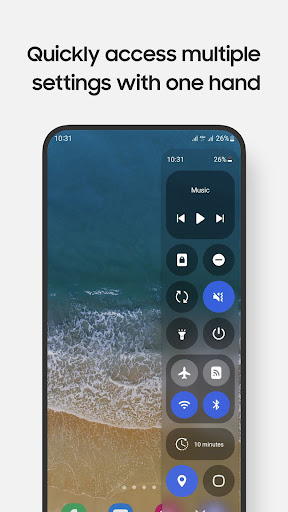
With Quick Settings, you can toggle Wi-Fi, Bluetooth, Do Not Disturb, Mobile Data, and other essential settings effortlessly. This instant control helps you save time and reduces the need to navigate through complex menus.
App Shortcuts for Enhanced Productivity
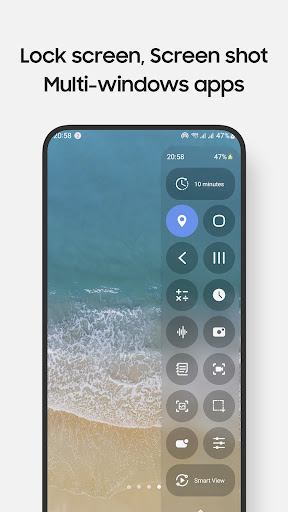
The app allows you to open frequently used apps such as Camera, Calculator, and Clock either in full-screen mode or as pop-up windows, improving multitasking capabilities. Additionally, you can control music playback from anywhere, giving you a music experience tailored to your needs.
Media and Screen Management
Quick Settings offers advanced features like screen recording with customizable options, enabling you to capture tutorials or gameplay effortlessly. You can also take screenshots of specific portions of your screen, which is useful for sharing targeted information quickly. Adjust sound and brightness levels conveniently, and lock your screen with a single tap for quick security.
Lighting, Notifications, and More
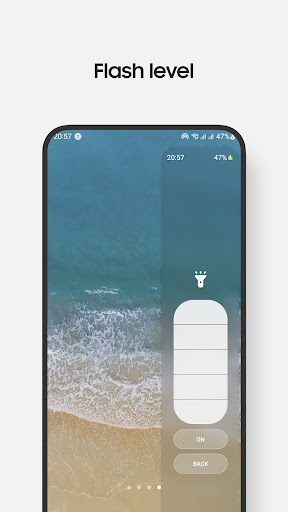
Access multiple flashlight levels easily, pull down the notification bar with one hand, and choose from various screen timeout options. The app also includes navigation buttons—Home, Back, and Recents—to streamline your device interaction. Features such as QR code scanning and screen mirroring through Smart View further expand your device's capabilities.
Customization and Night Mode Support
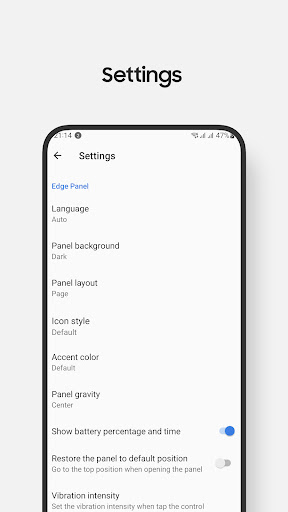
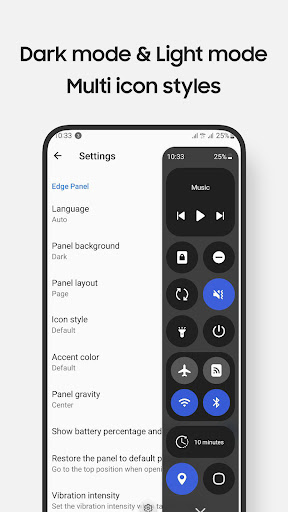
One of the standout features of Quick Settings is its highly customizable control panel, allowing you to personalize the design and layout to suit your preferences. Plus, the app supports Night Mode, reducing eye strain during late-night usage for a comfortable experience.
Important Notes and Device Compatibility
While Quick Settings offers a broad array of functionalities, some features require long-press actions—for example, long-pressing on the lock screen to access the power dialog. Due to the limitations of Edge Panel, volume and brightness controls are accessed via taps rather than sliders, and certain system-level controls like Airplane Mode and Mobile Data must be toggled manually for safety reasons.
The app is optimized for devices with Edge Panels, particularly compatible with Samsung Galaxy models such as the Note series, S series, A series, and Z Flip series. It functions well on phones running Android 9 (Pie) and later, but is not designed for tablets or foldable devices outside of the Z Flip lineup.
Note that for earlier Android versions, additional security measures like pattern or password are required to unlock certain features, as fingerprint and iris unlock methods are unsupported due to system policies.
Getting Started and Permissions
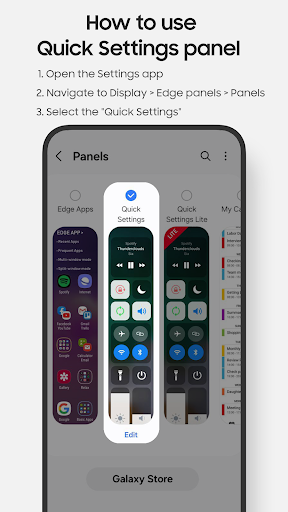
To activate the Quick Settings panel, navigate to Setting app > Display > Edge panels and enable the feature. After updates, recheck the Quick Settings toggle if necessary.
This app requires specific permissions to function optimally, including Accessibility Permission for performing controls such as lock screen management, screenshots, and notification access. Permissions for Record Audio, Camera, and Read Phone State are also needed for features like screen recording, QR code scanning, flashlight control, and toggling network settings. All permissions are clearly explained during use to ensure user privacy and security.
Support and Feedback
We value your feedback! If you have questions or suggestions about Quick Settings, feel free to contact us at edge.pro.team@gmail.com. Your input helps us improve and bring more useful features tailored to your needs.
Why Choose Quick Settings?
Designed exclusively for Galaxy devices with Edge Panels, Quick Settings offers a unique blend of functionality and customization. Its lightweight, responsive interface ensures minimal resource consumption while providing maximum control over your device. Whether you're looking to streamline everyday tasks or enhance your device's capabilities with quick app access, this app is your perfect companion. Experience a new level of convenience and efficiency—install Quick Settings today and make managing your smartphone easier than ever!
Pros
- Highly customizable layout options.
- User-friendly interface that is easy to navigate.
- Quick access to key settings.
- Speeds up tasks with shortcuts.
- Has minimal impact on device performance.
Cons
- Advertisements can be disruptive.
- Limited free features are available.
- Some features require in-app purchases.
- May not be compatible with all device models.
- Occasional glitches in certain settings can occur.











