
Introduction to Quick Clean Plus
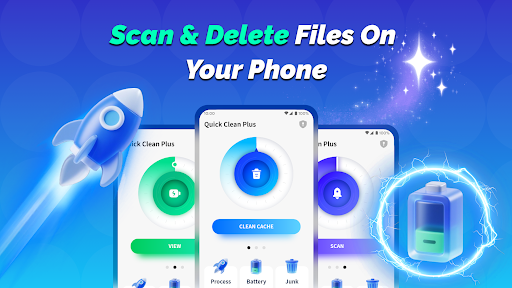
Quick Clean Plus is an efficient phone cleaning tool designed to simplify the maintenance and management of your mobile device. This versatile application integrates multiple practical functions, helping users perform daily cleaning and management tasks with ease and confidence. Whether you're looking to clear junk files, optimize battery usage, or manage background apps, Quick Clean Plus offers a comprehensive solution tailored to your needs. The app's user-friendly interface and focus on practical functionality make it a top choice for those seeking a reliable and effective phone cleaning utility.
Core Functions of Quick Clean Plus
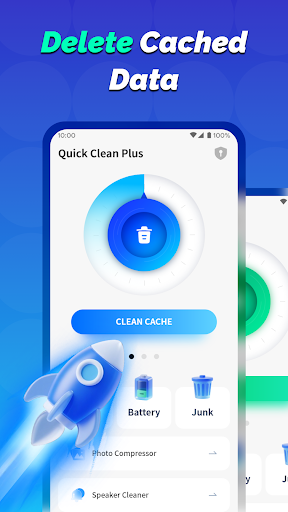
🗑️ Junk File Cleaning
This feature scans your device for unnecessary junk files accumulated within apps and effectively removes them. By clearing out clutter, it helps improve your device's performance and frees up valuable storage space. Regular use of the junk file cleaner can ensure your phone runs smoothly and responds faster.
📱 Background App Management
Manage the apps running in the background by viewing all currently active processes. This function allows you to close unnecessary programs, reducing resource consumption and enhancing overall device efficiency. Effective background app management is essential for battery preservation and maintaining optimal phone performance.
🔋 Battery Information View
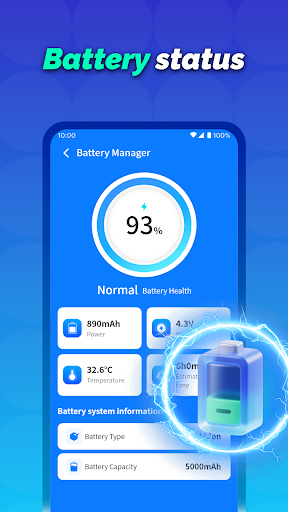
With this feature, you can clearly monitor your battery's health. It displays crucial data such as current battery level, temperature, battery type, and storage capacity. Keeping track of your battery status helps you extend its lifespan and avoid unexpected shutdowns.
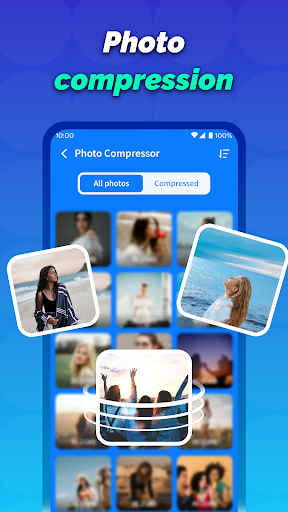
📷 Image Compression
Quick Clean Plus offers an effective photo compression tool that reduces image size while striving to maintain high image clarity. This is particularly useful for saving storage space and sharing images more efficiently without sacrificing visual quality.
🔔 Notification Clearing
This function clears redundant and old notifications cluttering your status bar, helping your device stay organized and distraction-free. Regular notification management contributes to a cleaner user interface and better device responsiveness.
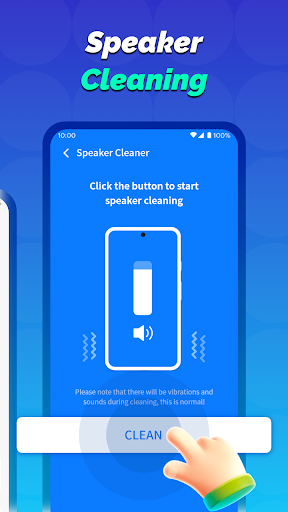
🔊 Speaker Cleaning
The app provides an innovative vibration feature meant to shake out dust from your device's speaker. Though the actual effectiveness may vary depending on the environment and dust type, it offers an alternative method for speaker maintenance.
Our Commitment to Users
Practical Functionality
Quick Clean Plus is specifically designed to fulfill the core cleaning and device management tasks that users need on a daily basis. Its focus is on providing tools that are both easy to use and highly effective.
Transparent Operation
Before performing any significant actions, the app requires user confirmation, ensuring that you have full control over your device's operations. This transparency enhances user trust and prevents accidental data loss.
If you’re searching for a practical and reliable phone management app, Quick Clean Plus is the ideal choice. It combines essential features with user-centric design to keep your mobile device in top condition, safeguarding its performance and extending battery life while maintaining a clutter-free experience.
Pros
- Offers a user-friendly interface that simplifies navigation and usage.
- Provides a wide range of features to meet diverse user needs.
- Ensures fast performance and quick response times.
- Regular updates and improvements enhance functionality and stability.
- Supports various devices and platforms for broader accessibility.
Cons
- Some features may require additional in-app purchases or subscriptions.
- Occasional bugs or glitches can impact user experience.
- Limited customization options for advanced users.
- May have a learning curve for new users unfamiliar with the interface.
- Battery consumption can be higher during intensive use.











