

PRISM Live Studio: Games & IRL Overview
Primed to revolutionize your live streaming experience, PRISM Live Studio is a versatile streaming application designed to cater to both gamers and everyday content creators. Whether you're into gaming, VTubing, or sharing life's moments, this dynamic tool provides an intuitive interface coupled with powerful features that make live broadcasting engaging and effortless.
Main Features of PRISM Live Studio
Choose Your Live Mode
Start your broadcast effortlessly by selecting from • Camera, • Screen, or • VTuber modes. Whether you're capturing your smartphone camera, sharing gameplay, or diving into VTubing with animated avatars, this app has you covered.
Screencast Broadcasts
Share your mobile screen or gameplay in real-time, with various options tailored for seamless screen broadcasting. This feature is perfect for tutorial creators and gamers alike.
VTuber Broadcasts
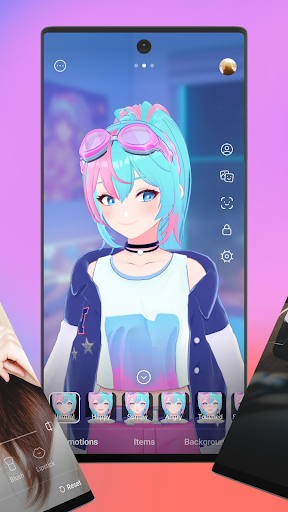
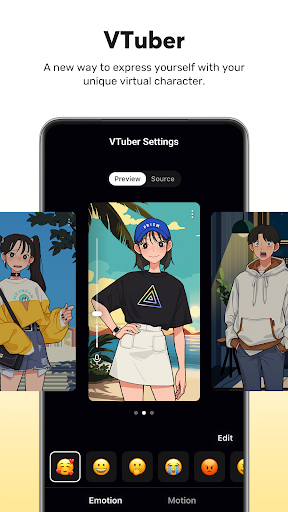
Kickstart your VTubing journey right from your smartphone! Customize your avatar or use the built-in 2D and 3D VRM avatars provided by PRISM, making your streams more lively and engaging.
Login-Based Account Integration
Effortlessly link your streaming accounts such as YouTube, Facebook, Twitch, and BAND with just a login, streamlining your setup process.
Real-Time Interaction with Viewers
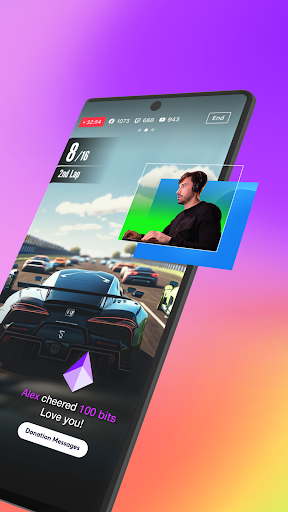
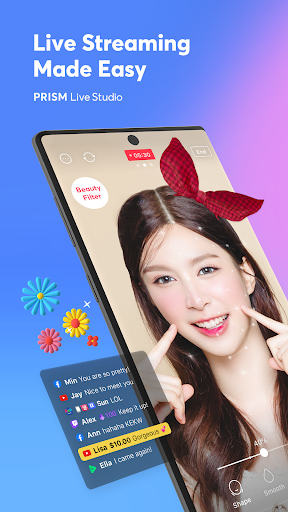
The PRISM chat widget allows you to view and share viewer chats directly on your streaming screen. Highlighting key messages helps foster a lively community connection.
Media Overlay and Web Widgets
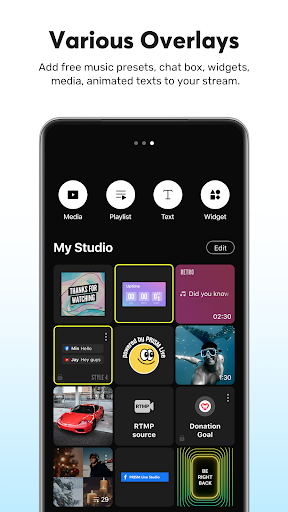
Enhance your streams by overlaying photos, videos, music, and playlists through My Studio, or integrate web pages with simple URL entry for support widgets and additional information.
Beauty and Camera Effects
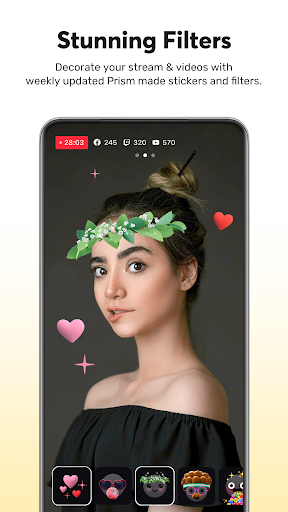
Advanced beauty filters automatically refine your appearance. For added fun, use animated text effects and camera effects such as masks, background filters, and mood reactions to personalize your content.
Background Music and High-Quality Streaming
Choose from five music themes—Playful, Sentimental, Action, Beatdrop, and Retro—to set the mood. Stream in high resolution at 1080p 60fps, ensuring your live broadcasts look professional.
Multi-Channel Simulcasting and CONNECT Mode
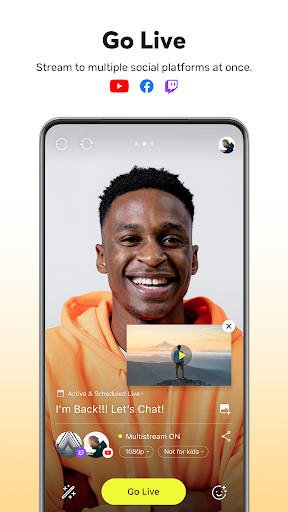
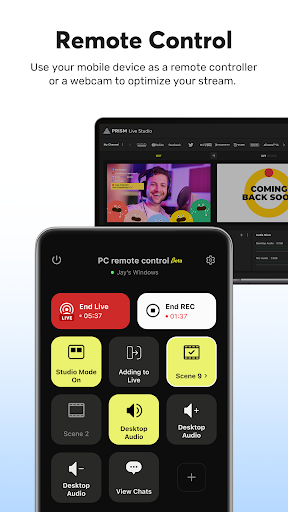
Broadcast simultaneously across multiple platforms, saving you time and expanding your reach. Connect your mobile device with PRISM PC app seamlessly using QR code scanning for enhanced control.
Camera Pro and Chroma Key Features
Adjust camera settings like focus, exposure, white balance, and shutter speed for optimal video quality. Use the chroma key to create dynamic green screen effects for more creative content.
AI Scripts and Background Streaming
Leverage on-device AI to generate live scripts from your stream, and keep your broadcast running smoothly during incoming calls or notifications with dedicated background streaming.
Real-Time Editing and My Page
Update your live stream title or share your live link even during your broadcast. Review past streams and access video links easily through My Page for sharing your content or analyzing your performance.
Getting Started with PRISM Live Studio
Getting started with PRISM Live Studio is straightforward thanks to its clean, intuitive design. You don’t need to be a tech wizard to begin live streaming. Simply install the app, grant the necessary permissions—such as Camera, Mic, and Storage—and you’re ready to go. The platform supports a wide range of live streaming needs, from casual vlogs to professional gaming broadcasts, making it an ideal tool for content creators of all levels.
Supported Platforms & Access
Connect with popular streaming services like YouTube, Twitch, Facebook, and BAND effortlessly. Share your life, showcase your gaming skills, or host interactive sessions with your community, all from one versatile app.
Additional Features & Support
Explore additional support options, including the official website, community Discord, and detailed policies, to maximize your streaming potential. PRISM Live Studio also ensures privacy with clear policies and complies with all necessary permissions for a smooth experience.
Final Thoughts
In the crowded landscape of live streaming applications, PRISM Live Studio: Games & IRL stands out with its comprehensive feature set and user-friendly interface. Whether you're a gamer eager to showcase gameplay, a VTuber passionate about animated avatars, or a lifestyle streamer sharing daily moments, this app adapts to your needs. Its powerful tools—including multi-platform streaming, media overlays, real-time chat interaction, and customization options—empower creators to produce high-quality, captivating live content effortlessly.
If you're looking for a reliable, feature-rich platform to elevate your streaming game, PRISM Live Studio might just be the perfect companion. It’s not just an app; it’s your all-in-one streaming partner ready to help you go live with confidence and style.
Pros
- User-friendly interface for easy navigation
- High-quality live streaming with minimal lag
- Supports multi-platform broadcasting
- Comprehensive editing tools available
- Customizable overlays and widgets
Cons
- Requires stable internet connection for smooth streaming
- Limited features available in the free version
- Occasional crashes during streaming
- High battery consumption on mobile devices
- Complex setup process for beginners











