





Photo Recovery & File Restore: Your Ultimate Data Recovery Solution
Are you someone who has ever accidentally deleted precious photos or important files and felt a surge of panic? You're not alone. Luckily, there is a reliable, user-friendly app designed to help you recover lost data quickly and effortlessly — Photo Recovery & File Restore. This versatile file recovery software serves as your digital rescue tool, safeguarding your valuable memories and critical documents from permanent loss.
Key Features of Photo Recovery & File Restore
Photo Recovery is at the heart of this app’s functionality. It can scan your device and recover accidentally deleted or lost photos in supported formats such as JPEG, PNG, and others. Whether it’s a snapshot from a family gathering, a selfie, or a scenic shot from your recent trip, the app ensures your memories are never truly gone.
In addition to photos, Videos Recovery supports a wide range of video formats including MP4, AVI, and MOV. So, if you’ve lost cherished home videos or travel clips, this software swiftly retrieves them, helping you relive those special moments.
The software’s capabilities extend beyond media files. Its Files Recovery feature allows you to recover various other file types such as documents, spreadsheets, archives, and more. So, whether you’ve lost work files or important data, this app provides a safety net that eliminates your worries about file loss.
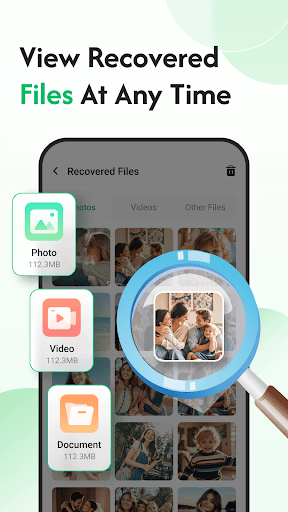
Once the recovery process concludes, the app offers a preview feature, enabling you to verify recovered files before restoring them to your device. This ensures you’re satisfied with the recovery results and helps avoid restoring corrupted or irrelevant files.
Why Choose Photo Recovery & File Restore?
Intuitive Interface and Ease of Use
When first launching the app, users are greeted with a clean, straightforward interface that makes navigation effortless — even for those who aren’t tech-savvy. Its intuitive design means you can initiate scans and recover files with just a few taps, making the process simple and stress-free. Whether you’re panicked over a deleted photo or managing multiple files, the app keeps things hassle-free.
Efficient Recovery Process
The app dives deep into your device’s storage to locate traces of deleted files, acting like a digital detective. It quickly scans your device, presenting a comprehensive list of recoverable files. From there, you can select which files to restore, ensuring you get back exactly what you need. Its speed and accuracy make it a dependable choice for urgent recovery needs.
Safe and Secure
One of the most valued features is the app’s focus on data safety. It performs recovery without overwriting existing files or risking further data loss. Your current files remain untouched, and the app ensures a secure environment throughout the recovery process—giving you peace of mind that your data integrity is maintained.
Conclusion
If you’re often finding yourself in digital emergencies — whether it’s deleting an important photo by mistake or losing vital work documents — Photo Recovery & File Restore is an essential tool to have on hand. Its powerful recovery capabilities, combined with a user-friendly interface and fast processing speed, make it the go-to solution for data recovery needs. Don’t let accidental deletions ruin your day; trust this reliable app to safeguard your digital memories and files.
Pros
- Efficiently recovers lost photos
- Supports multiple file formats
- Intuitive and user-friendly interface
- Fast scanning and recovery process
- Does not require rooting for recovery
Cons
- Limited functionality in the free version
- Contains occasional advertisements during usage
- May not recover every file
- Needs device permissions to operate
- Certain features require in-app purchases











