




Photo Recover-File Recovery: Effortless Data Restoration
In today’s digital age, losing cherished photos, important videos, or vital files can be a frustrating experience. Fortunately, Photo Recover-File Recovery offers a simple and effective solution to recover your deleted media and documents with ease. Designed to be user-friendly and accessible on both Android and iOS devices, this app ensures that accidental deletions no longer mean the end of treasured memories or critical data.
Main Features of Photo Recover-File Recovery
♻ Photo Recovery
Have you ever mistakenly deleted precious photos? Photo Recover-File Recovery specializes in restoring these images swiftly. With just a few taps, you can recover deleted photos and relive those special moments that seemed lost forever. The app’s photo recovery feature scans both internal storage and SD cards thoroughly to ensure no memory goes unchecked.
More Functions
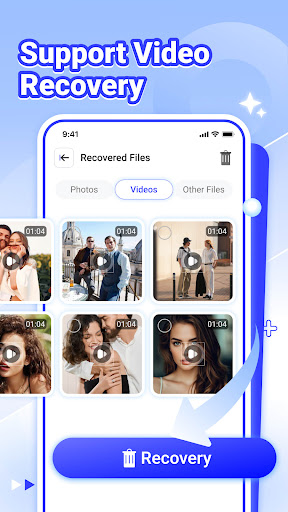
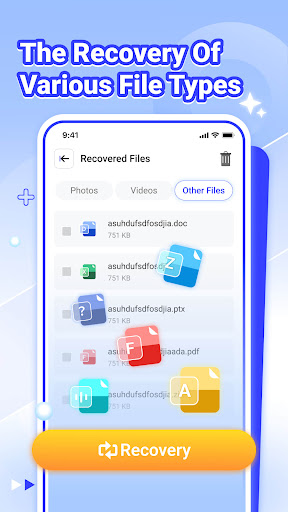
The app doesn’t just stop at photos. It extends its capabilities to support video recovery and file recovery across multiple file formats, including documents and more. Plus, the view recovered files feature helps you review what has been restored, making sure you don’t miss any important data. The simple and intuitive interface ensures that file recovery is quick, easy, and accessible even for users with minimal technical expertise.
Why Choose Photo Recover-File Recovery?
Ease of Use
Getting started with Photo Recover-File Recovery is straightforward. Available on Android and iOS, it can be downloaded from your preferred app store within seconds. The setup process is hassle-free, and upon launching the app, you are greeted with a simple, user-friendly interface that requires no complex configurations. Whether you’re tech-savvy or a beginner, you’ll find navigating this app a breeze.
Security and Privacy
Beyond recovery, the app offers a secure deletion feature. If you want to permanently remove files from your device, this function ensures they are unrecoverable, protecting your privacy. This added layer of security makes Photo Recover-File Recovery a comprehensive tool for managing your data safely.
Performance and Reliability
During testing, the application demonstrated impressive speed and efficiency. The deep scanning process quickly located lost files, and the recovery itself was swift and stable. You won’t have to worry about crashes or lengthy waits—this app is optimized for performance. Its reliable operation means peace of mind when restoring your essential files.
Enhanced User Experience
Designed with user convenience in mind, the interface guides you through each step with clear prompts and options. You can quickly select files for recovery, preview them before restoration, and confirm the process without any technical hassle. This focus on user experience ensures that even those unfamiliar with data recovery tools can easily retrieve their lost files.
Conclusion: Your Go-To Solution for Lost Files
In an unpredictable digital world where mistakes happen, having Photo Recover installed on your device provides a reliable safety net. Its comprehensive recovery capabilities, ease of use, and quick performance make it an essential tool for anyone looking to restore deleted photos, videos, or documents. Whether it’s recovering priceless memories or important work files, Photo Recover-File Recovery offers an efficient solution designed to save the day. Don’t let accidental deletions ruin your day—download Photo Recover now and bring your lost files back to life with just a few taps!
Pros
- Intuitive user interface for easy navigation
- Supports a variety of file formats
- Quick recovery process
- No technical expertise required
- Secure and trustworthy data restoration
Cons
- Limited features in the free version
- Requires device permissions
- Some files may not be recoverable
- Occasional advertisements within the app
- Not compatible with all devices











