
Overview of PDF Editor - PDF Reader
PDF Editor - PDF Reader is a comprehensive all-in-one solution designed to meet your document reading, editing, and management needs seamlessly. Whether you're looking to view files in full screen, annotate, sign documents, or access multiple formats, this app is your go-to tool for efficient digital document handling.
Key Features of PDF Editor - PDF Reader
All-in-One PDF Management
This versatile application acts like a Swiss Army knife for PDFs. It simplifies complex tasks such as editing, annotating, and digitally signing documents directly from your smartphone. The user interface is intuitive, allowing users to navigate effortlessly with simple tap-and-swipe gestures. This design makes managing your PDFs straightforward, even for beginners.
Versatile Document Support and Reading
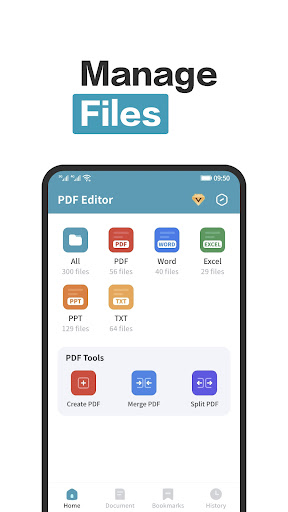
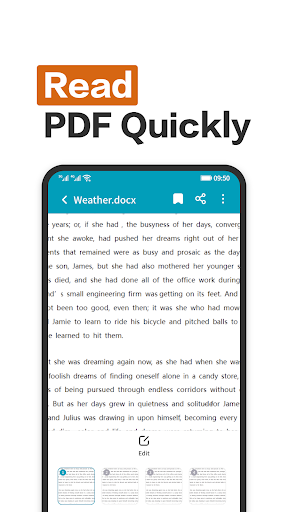
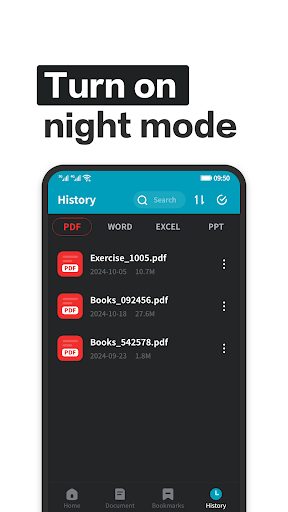
The app supports multiple formats including PDF, Word, PPT, Excel, and more. So, you can read various document types anytime, anywhere, without switching apps. Its full screen immersive reading mode offers a distraction-free viewing experience, perfect for studying, office work, or leisure reading. Plus, with permission to read system files, the app allows open access to system documents, making it easier to view all your PDF files stored on your device.
Advanced Annotation and Editing Tools
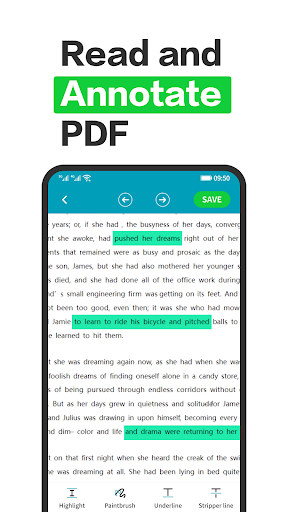
One of the app's standout features is its robust annotation tool. It enables you to highlight text, add comments, and draw directly on your PDF documents. This functionality is especially useful when preparing for exams or emphasizing critical points in a presentation. Furthermore, the app facilitates comprehensive PDF editing options, including inserting signatures and modifying text, empowering you to customize your files with ease.
Sign Documents and Manage Files Efficiently
Say goodbye to printing and faxing! The integrated digital signature feature allows you to sign agreements, forms, and contracts instantly. This feature is a real game-changer for remote workers and professionals on the move. The app also supports multi-format reading, making it a versatile tool for various document workflows. Its quick document loading times and responsive editing capabilities enhance user experience and productivity.
Seamless Cloud Integration and Accessibility
Integrating with popular cloud services like Google Drive and Dropbox, PDF Editor - PDF Reader ensures your documents are accessible and synchronized across devices. This integration facilitates smooth document management and storage, guaranteeing you always work with the latest versions of your files. Whether you're reading a PDF book or managing work notes, this app keeps everything within reach wherever you are.
Conclusion
If you're searching for a reliable PDF tool that combines user-friendly design with powerful features, PDF Editor - PDF Reader is an excellent choice. Its capabilities extend beyond simple viewing, offering editing, annotation, signing, and multi-format support. Perfect for students, professionals, or anyone looking to streamline their document management, this app proves to be a must-have on your device. Give it a try and experience how it can simplify and enhance your digital document handling today!
Pros
- User-friendly interface for easy navigation
- Supports multiple file formats seamlessly
- Provides collaboration-friendly annotation tools
- Processes files quickly and efficiently
- Offers secure encryption options for documents
Cons
- Limited features in the free version
- Contains occasional advertisements in the free version
- Requires subscription for some advanced features
- Has compatibility issues with older devices
- Large files may impact performance











