
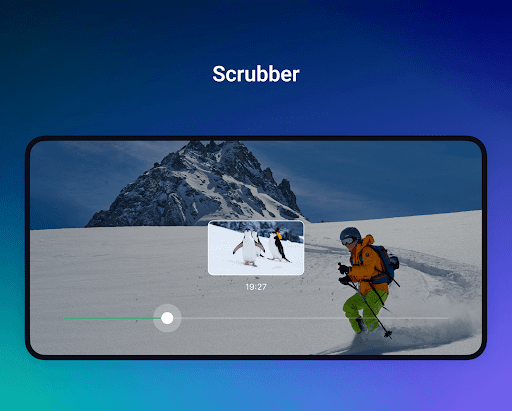
Overview of OnePlayer - Video Downloader
OnePlayer is a versatile media application that seamlessly supports both video and music playback, delivering an exceptional entertainment experience with stunning 4K/Ultra HD video resolution and high-fidelity offline music. Designed for users who value convenience and quality, this app allows you to watch videos both online and offline, alongside the ability to download content effortlessly from any website.
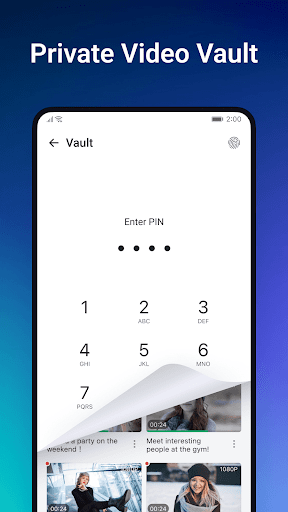
OnePlayer also features a dedicated private video vault equipped with a lock, ensuring your personal videos remain protected from unauthorized access. The music player component enables effortless creation of custom playlists, making it easy to enjoy your favorite tunes with a smooth and enjoyable listening experience. Whether you're a casual viewer or a music enthusiast, OnePlayer provides all the essential tools in a sleek and user-friendly interface.
Main Features of OnePlayer
Video Playback and Casting
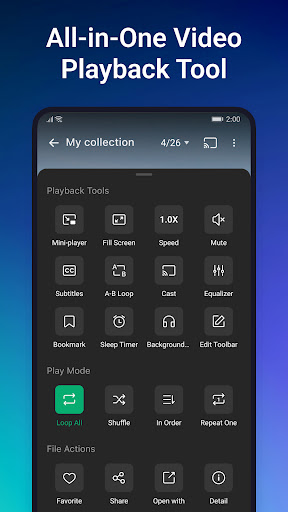
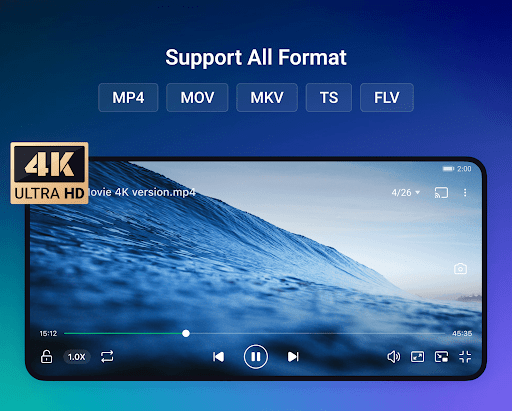
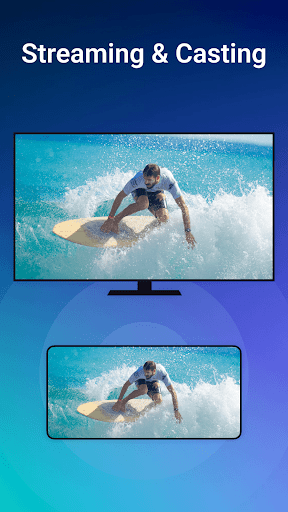
Enjoy full-featured and stable playback of all video formats, including popular ones like MKV, MP4, Avi, and more. The app supports HD, UHD, 4K, and 1080P videos with fast playback capabilities and allows you to cast videos directly to your TV for a big-screen experience.
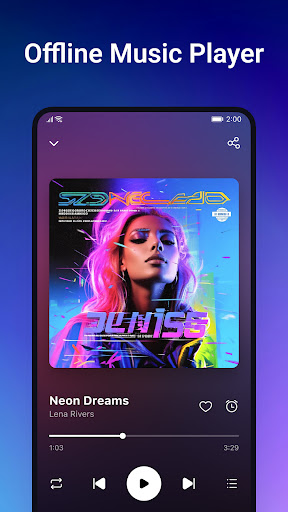
Offline Music Playback
The built-in music player scans your device to organize all audio files automatically. You can browse by artists, albums, folders, or playlists. Create custom playlists, mark favorites, and even set a sleep timer for relaxed listening before sleep.
Download Videos in High Speed
Download online videos swiftly by simply pasting the URL. This feature enables you to build a personal video library from various online sources, making your favorite content accessible even without an internet connection. Videos can be played directly within the app, ensuring smooth playback anytime, anywhere.
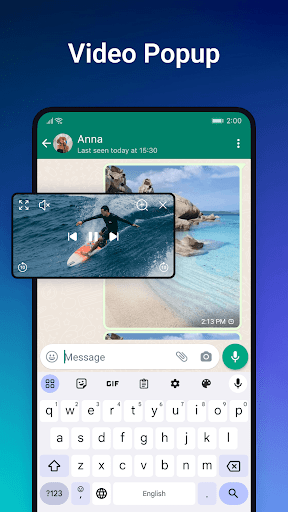
Floating Video Player
Boost your multitasking productivity with the floating video player. Watch videos in a small window overlay while using other apps. The player can be moved and resized effortlessly, supporting split-screen multitasking for an enhanced user experience.
Screen-casting
Effortlessly cast videos directly to larger screens or smart TVs, turning your device into a powerful media hub and elevating your viewing experience.
Secure Private Video Vault
Keep your sensitive videos safe by adding a password lock. Organize and categorize your private videos easily within this protected space, ensuring your privacy is maintained at all times.
Additional Benefits and User Experience
OnePlayer is designed with user-friendliness at its core. Its intuitive interface makes navigation simple, even for those unfamiliar with similar apps. The speed and stability of video downloads are impressive, with the app handling various platforms effortlessly. Users can select preferred video quality and formats, including options for smaller file sizes or high-definition quality, offering great flexibility based on their needs and device storage.
Beyond content consumption, the app emphasizes security and privacy. It ensures data safety and provides a reliable experience when downloading videos from different online sources. Whether you're looking to enjoy your favorite music offline or build an extensive video library, OnePlayer offers a comprehensive solution that combines media playback, downloading, privacy protection, and screen casting into a single easy-to-use app.
Why Choose OnePlayer - Video Downloader?
If you're searching for a powerful media app that simplifies video and music management, OnePlayer is an excellent choice. It brings together speed, format versatility, offline access, and privacy protection in one platform. Whether for casual viewing, professional use, or entertainment on the go, this app elevates your media experience, making it more flexible, secure, and enjoyable.
Pros
- User-friendly interface that is easy to navigate.
- Supports various video formats.
- Allows downloading multiple videos simultaneously.
- Offers fast download speeds.
- Includes an integrated video player.
Cons
- Contains advertisements in the free version.
- Features are limited without a premium subscription.
- Occasional bugs have been reported.
- Requires an internet connection to download videos.
- Lacks a playlist management feature.











