

Introduction to Notepad - Notes and Notebook
Notepad - Notes and Notebook is a simple, fast, and reliable note-taking application designed to help users create quick notes and efficient to-do lists. Whether you're a student, professional, or someone who simply loves staying organized, this app aims to streamline your digital note management. With features that promote seamless organization and accessibility, Notepad stands out as a versatile digital notebook tailored to meet various needs. Its intuitive interface allows users to stay productive without any fuss, making it an essential tool for note-taking and task management.
Key Features of Notepad - Notes and Notebook
Auto-Save Notes
One of the most convenient features of this app is that it automatically saves your notes as you write and exit, ensuring that no data is lost unexpectedly. This auto-save functionality makes it ideal for users who want a reliable note-taking experience without the hassle of manual backups.
Create Unlimited Notes
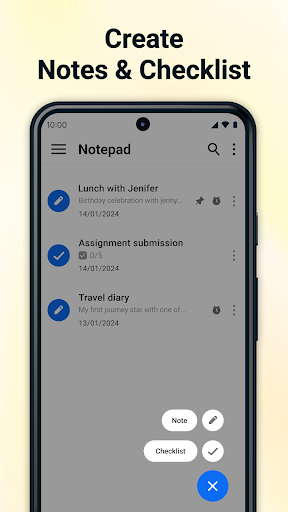
The app allows you to create unlimited notes without restrictions on the number or length. Whether you need a quick reminder or a detailed project outline, Notepad has got you covered. It’s perfect for capturing ideas on-the-fly, organizing detailed plans, or jotting down spontaneous thoughts.
Checklists and To-Do Lists
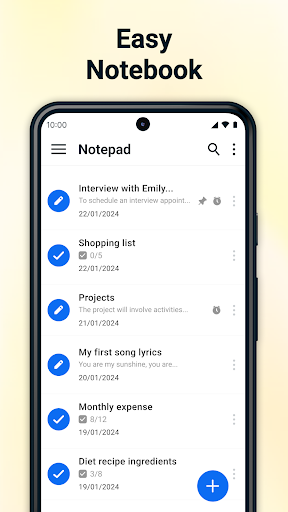
With checklist features, users can craft comprehensive to-do lists, grocery lists, or wish lists. Checkboxes next to each item enable easy tracking of completed tasks, making organization feel effortless and tangible.
Call Features
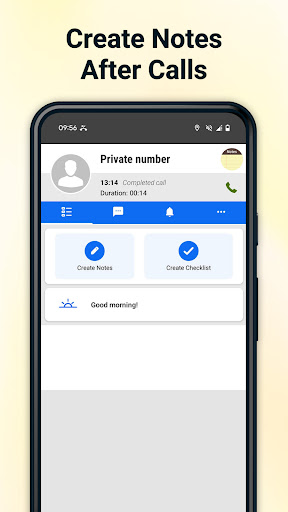
This application seamlessly integrates call features. You can create notes and checklists directly from the after-call menu, which is especially handy for professionals who need to jot down quick notes during or following phone calls.
Pinned Notes & Checklists
Important notes and urgent tasks can be pinned for quick access. This ensures that your most vital information remains at the forefront, simplifying your workflow and improving productivity.
Export Notes as PDF
Sharing your notes is easier than ever with the ability to export them as PDF files. This feature is ideal for collaboration, printing, or archiving important information securely.
Note Reminders
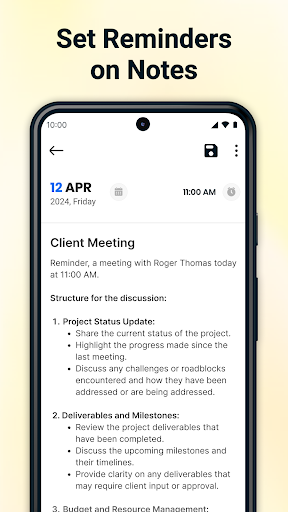
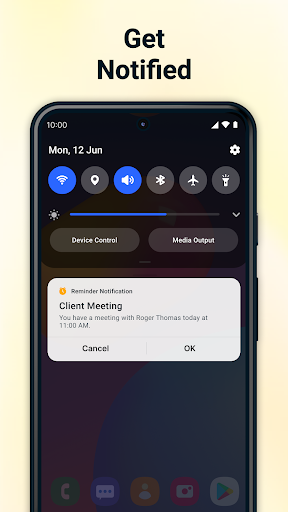
Set reminders for crucial tasks or deadlines right within the app. Never miss an important event or appointment again, as the app actively assists in keeping your schedule organized and on track.
Trash Management
Deleted notes can be moved to trash where they can be restored or permanently deleted. This feature ensures accidental deletions are recoverable, providing an extra layer of data safety.
Calendar Integration
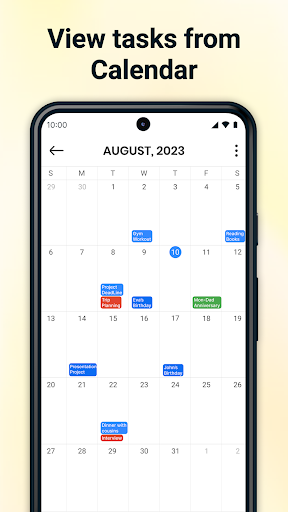
The app’s calendar integration allows users to add notes and tasks directly to their calendar, offering a holistic view of upcoming appointments and responsibilities. This feature greatly enhances organization and time management.
Why Choose Notepad - Notes and Notebook?
Simple and Fast
The user interface is designed for quick access and easy editing, allowing users to create and modify notes in just a few taps or clicks. This simplicity fosters an distraction-free environment for efficient note-taking.
Easy Organization
The app provides tools such as checklists, reminders, and pinned notes to keep your information neatly organized and easily accessible. Color-coding and categorizing notes enhance visual recognition and workflow management.
Secure Storage
All notes are securely stored locally on your device, ensuring your personal data remains private and protected from unauthorized access. Privacy-conscious users can rest assured that their information is safe.
Calendar View
The calendar view helps users see their notes and scheduled tasks at a glance, simplifying planning and prioritization. Efficient task management becomes effortless with this integrated overview.
Versatile for Multiple Uses
From taking quick notes during meetings, creating detailed checklists, or journaling daily thoughts, Notepad - Notes and Notebook adapts to your specific note-taking needs. Its flexible features make it a perfect digital notebook for work, studies, or personal development.
Conclusion
In summary, Notepad - Notes and Notebook is a powerful yet user-friendly app that maximizes productivity through seamless note management and organization. Its array of features—auto-save, unlimited notes, checklists, export options, and calendar integration—make it a go-to tool for anyone looking to keep their thoughts, tasks, and plans organized in one efficient digital notebook. If you’re searching for an intuitive and reliable note-taking app, this application offers the perfect balance between simplicity and functionality, ensuring your notes are always just a tap away.
Pros
- User-friendly interface
- Synchronization across devices
- Rich text formatting capabilities
- Secure backup options
- Search functionality
Cons
- Lack of collaboration features
- Limited export options
- Advertisements in the free version
- Absence of handwriting recognition
- Restricted theme customization











