

Overview of Node Video - Pro Video Editor
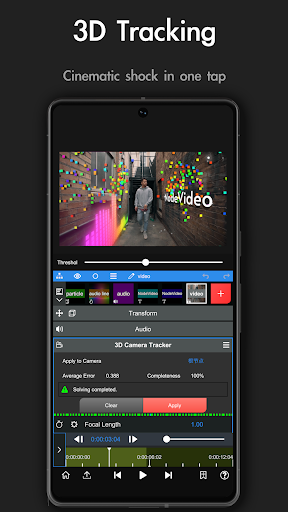
Introducing Node Video - Pro Video Editor, a powerful mobile application designed for professional-quality video editing on the go. Whether you're a content creator, filmmaker, or hobbyist, this app offers an impressive suite of tools and features to elevate your video projects. With its user-friendly interface combined with advanced capabilities, Node Video empowers users to craft stunning videos seamlessly from their smartphones or tablets.
Main Features of Node Video
Revolutionary Editing Tools
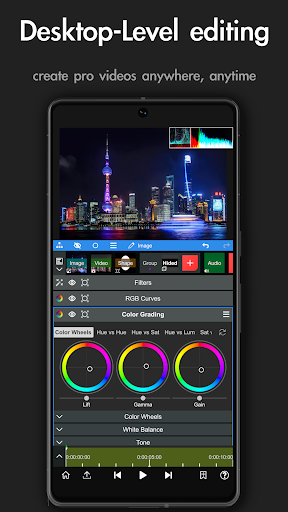
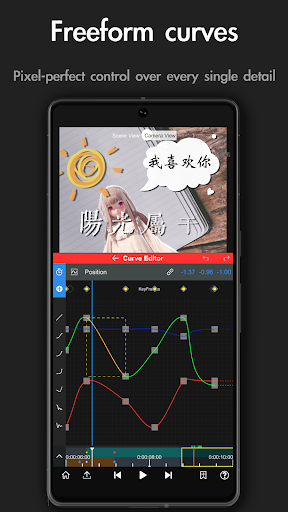
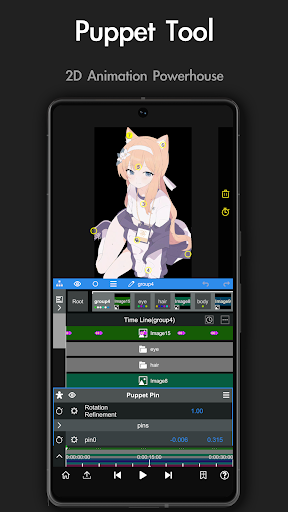
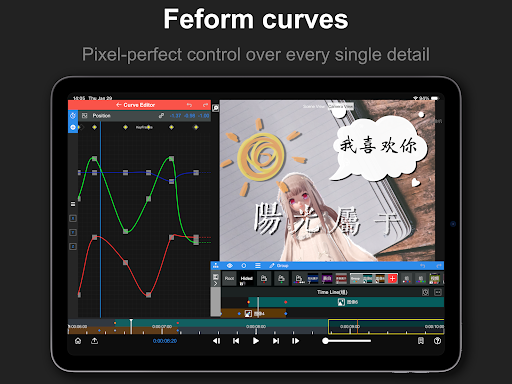
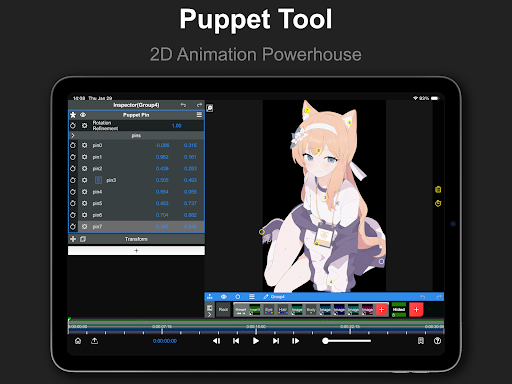
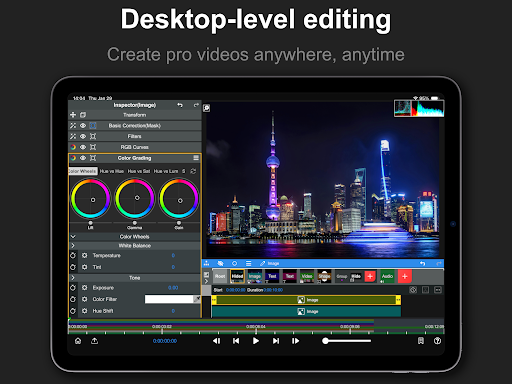
The app boasts a multi-layer timeline system that rivals desktop editing software. This allows you to stack multiple video clips, audio tracks, and effects with precise control and flexibility. Tools such as keyframe animation, curve editor, and masking enable detailed adjustments, unlocking limitless creative possibilities. Additionally, color correction tools—including exposure, contrast, and white balance—help refine your footage to achieve the perfect look.
Unique Audio & Visual Effects
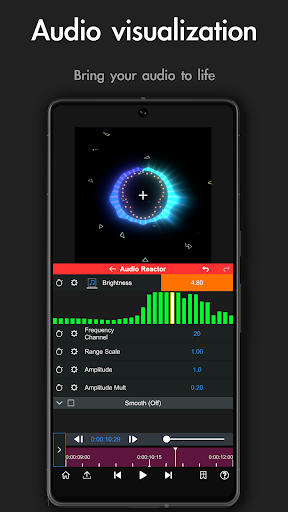
One of the standout features is the Revolutionary Audio Reactor. This innovative feature visualizes audio in such a way that every effect parameter can be controlled via the audio spectrum. Whether syncing visual effects to music beat or creating dynamic sound-responsive visuals, this enhances your creative control. Coupled with super fast rendering, editing becomes smooth and efficient.
AI-Powered Enhancements
Artificial Intelligence features are integrated to streamline the editing process. The app can automatically separate Human subjects from backgrounds in real-time, simplifying tasks like background removal and green screen effects. This makes professional-looking edits accessible even to beginners without advanced skills. More features are continuously being added, further expanding its capabilities.
3D Rendering Capabilities
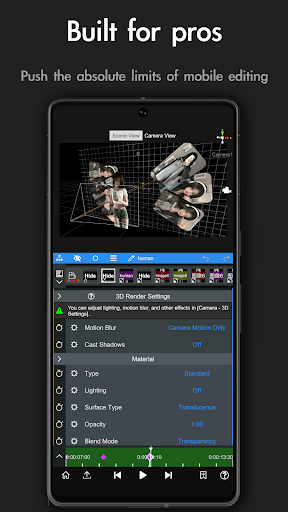
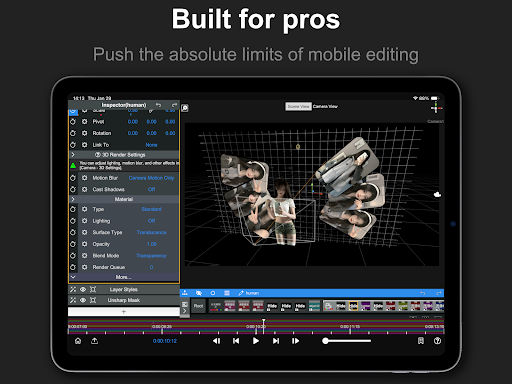
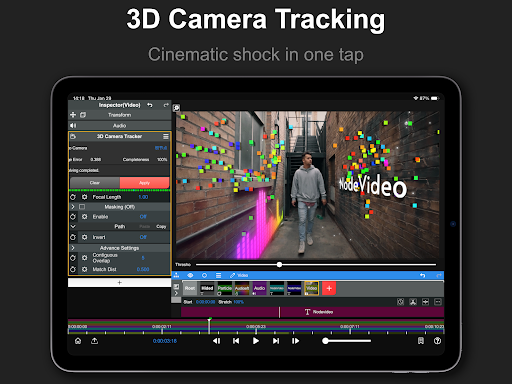
Another innovative aspect is the ability to map your videos and images onto 3D models. This opens up creative possibilities for 3D visual effects, enhancing the depth and realism of your projects. With dedicated 3D renderers, users can create immersive videos with ease.
Professional Effects & Presets
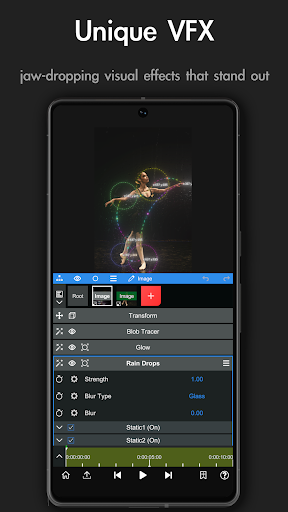
Regular updates introduce new effects and presets for Pro subscribers, ensuring your projects stay fresh and dynamic. Effect options include Lens Flare, Mosaic, Old Movie, Cartoon, and many more. These effects are meticulously designed to give your videos a polished, professional appearance.
Included Effects & Properties
- Blend Mode
- Motion Blur
- Luma Fade
- Lens Flare
- Fractal Noise
- Time Remap
- Basic Color Correction (Exposure, Contrast, White Balance)
- Emboss
- 4 Color Gradient
- Shift Channels
- Invert
- Camera Lens Blur
- Gaussian Blur
- Cross Blur
- Directional Blur
- Radial Blur
- Glow
- Motion Tile
- Mosaic
- Find Edges
- Vignette
- Displacement Map
- Mirror
- Lens Distortion
- Polar Coordinates
- Clipping Mask
- Human Matting
- Shape Mask
- RGB Curve
- HSL Curve
- Color Wheel
- Sketch
- Old Movie
- Manga
- Cartoon
Why Choose Node Video?
Node Video - Pro Video Editor is truly a versatile tool for mobile video editing. Its combination of powerful features, intuitive interface, and advanced AI enhancements makes it a standout choice in a crowded app market. Whether you're creating content for social media, producing short films, or experimenting with creative concepts, this app is designed to support your creative journey. Regular updates and a supportive developer community ensure that your editing capabilities will only grow stronger over time.
Discover the ease of professional-quality editing with Node Video. It's more than just an app—it's your comprehensive toolkit for turning ideas into stunning visual stories. So why wait? Elevate your video projects today with Node Video - Pro Video Editor, and unlock new possibilities in mobile video editing.
Terms and Privacy Policy
For more information, review the Terms of use and Privacy Policy.
Pros
- Advanced editing tools suitable for professionals
- Supports exporting at 4K video resolution
- Provides real-time editing of video effects
- User-friendly and intuitive interface
- Frequently updated with new features
Cons
- Steep learning curve for new users
- Demands high-performance hardware for optimal use
- Free version offers limited features
- Users have reported occasional app crashes
- In-app purchases may be expensive











