

Introducing Network Analyzer Pro: Your Ultimate Network Diagnostic Tool
Are you tired of inconsistent Wi-Fi performance or mysterious network issues? Network Analyzer Pro is here to empower you with a robust set of tools designed to troubleshoot and optimize your network easily. Whether you're experiencing slow Internet speeds, Wi-Fi connectivity problems, or need to diagnose remote server issues, this app acts as your personal tech assistant right on your mobile device.
Key Features of Network Analyzer Pro
Advanced Wi-Fi Diagnostics
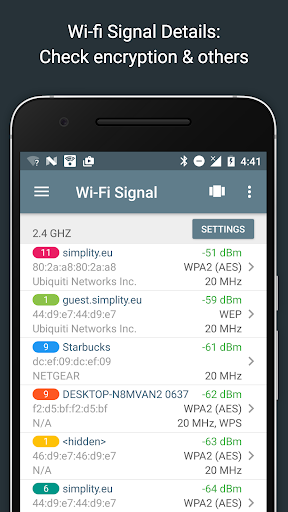
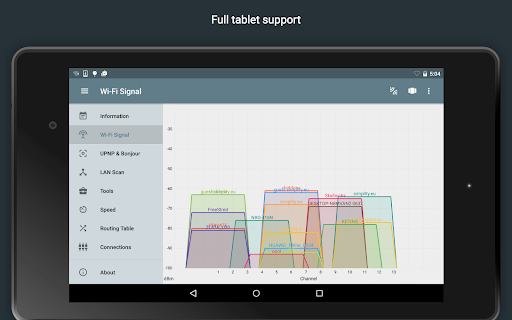
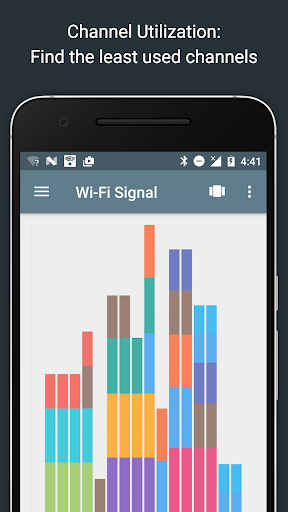
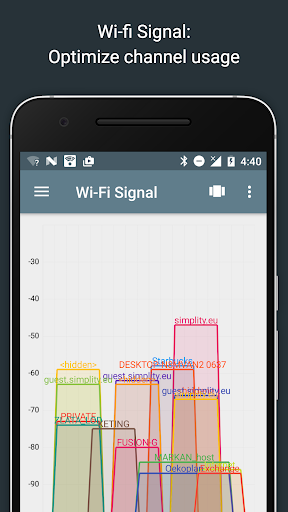
The Wifi signal meter in Network Analyzer Pro provides both graphical and textual representations of your network's strength. Visualize signal quality and identify the optimal spots in your home or office for better connectivity. The app displays details such as network channels and signal strengths, helping you choose less congested channels and enhance your wireless performance.
It also includes comprehensive information on Wi-Fi network types like WEP, WPA, WPA2, along with encryption methods such as AES and TKIP. Additional details like BSSID (router MAC address), manufacturer, and support for WPS provide insights for managing your wireless security.
It also includes comprehensive information on Wi-Fi network types like WEP, WPA, WPA2, along with encryption methods such as AES and TKIP. Additional details like BSSID (router MAC address), manufacturer, and support for WPS provide insights for managing your wireless security.
Powerful LAN Scanner
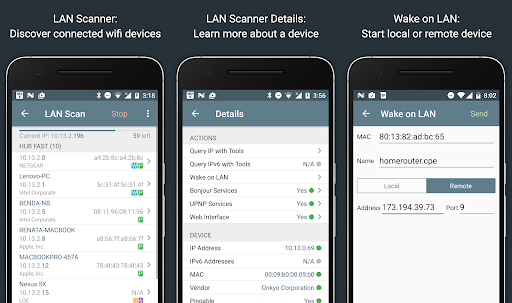
The LAN scanner feature swiftly detects all devices connected to your network. It displays each device’s IP address, NetBIOS, mDNS (Bonjour), LLMNR, and DNS names where available. With the built-in pingability test, you can verify if a device is reachable, making it easier to identify unauthorized users or troubleshoot device connectivity.
Moreover, the app supports IPv6 detection and allows for remote Wake on LAN (WOL) commands, making it an excellent tool for managing network devices efficiently.
Moreover, the app supports IPv6 detection and allows for remote Wake on LAN (WOL) commands, making it an excellent tool for managing network devices efficiently.
Routing Table and Network Path Analysis
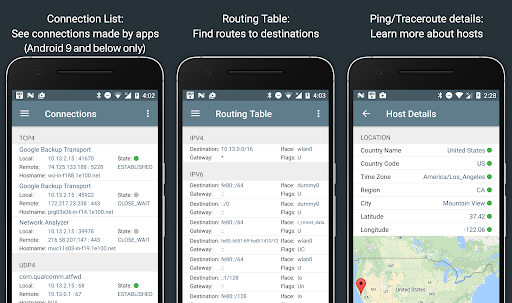
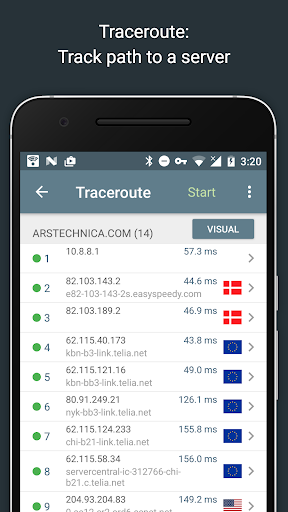
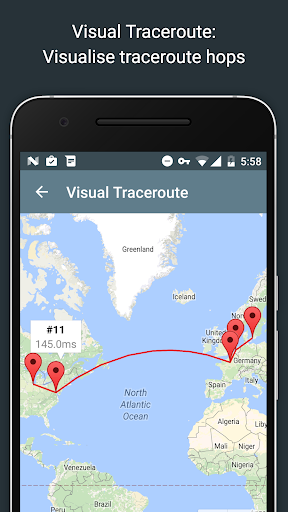
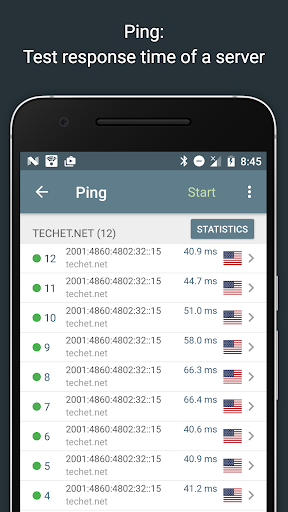
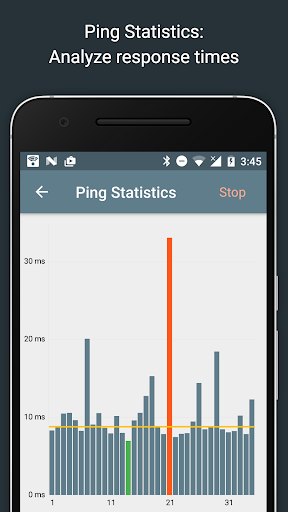
Network Analyzer Pro provides detailed insights into your routing table, including destination & gateway addresses, used interfaces, and flags for both IPv4 and IPv6 networks. The ping and traceroute tools offer round-trip delay measurements, complete visualization on maps, and geolocation data such as latitude, longitude, country, city, and network provider details, improving your understanding of network paths.
Comprehensive Port Scanner and Network Lookup
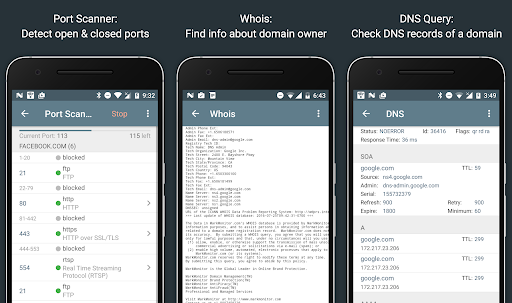
The app features a fast and adaptable port scanner capable of scanning common or user-selected port ranges. It detects open, closed, or firewalled ports and provides descriptions of services associated with open ports, enhancing security assessments.
For domain and IP address inquiries, the whois and DNS lookup functions offer detailed information similar to nslookup or dig, supporting various DNS record types like A, AAAA, MX, CNAME, and more.
For domain and IP address inquiries, the whois and DNS lookup functions offer detailed information similar to nslookup or dig, supporting various DNS record types like A, AAAA, MX, CNAME, and more.
Internet Speed Testing and Network Information
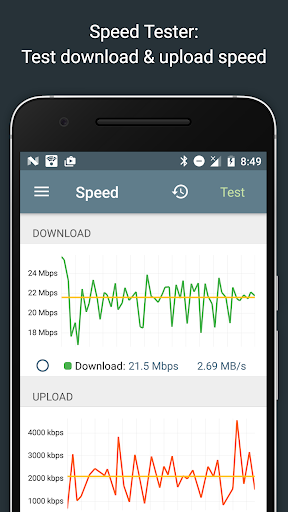
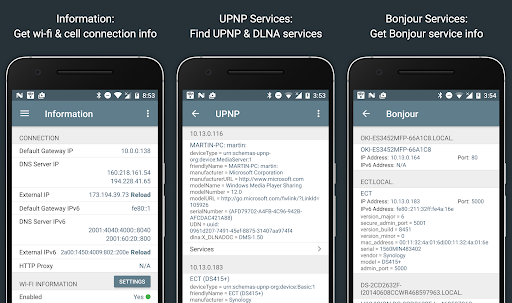
With Network Analyzer Pro, you can measure your download and upload speeds through graphical speed tests, with history logging to track performance over time. Additionally, the app reveals vital network details such as default gateway, external IPs (IPv4 and IPv6), DNS servers, and Wi-Fi specifics like SSID, BSSID, subnet mask, and signal strength.
Local and Service Discovery
Discover local services effortlessly using the Bonjour service browser and UPnP/DLNA device browsers. This helps identify compatible printers, media servers, and other networked devices, making management simple and straightforward.
Why Choose Network Analyzer Pro?
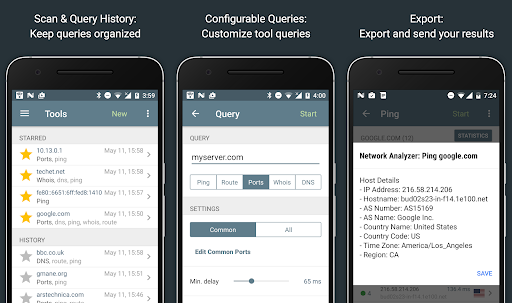
Designed for both casual users and networking enthusiasts, Network Analyzer Pro simplifies complex network diagnostics with an intuitive interface. Its support for IPv6 everywhere ensures future-proof compatibility, while the detailed task history and export options add convenience for ongoing network management.
Whether you’re troubleshooting slow internet, securing your Wi-Fi network, or managing connected devices, this app covers all bases. Its range of diagnostic tools accelerates problem resolution, saving you time and frustration. By providing insights into your network topology, performance metrics, and device statuses, Network Analyzer Pro becomes an indispensable app for maintaining a healthy, secure network environment.
Whether you’re troubleshooting slow internet, securing your Wi-Fi network, or managing connected devices, this app covers all bases. Its range of diagnostic tools accelerates problem resolution, saving you time and frustration. By providing insights into your network topology, performance metrics, and device statuses, Network Analyzer Pro becomes an indispensable app for maintaining a healthy, secure network environment.
Final Thoughts
If reliable internet connectivity is crucial for your work, gaming, streaming, or everyday browsing, Network Analyzer Pro is the ultimate tool to keep your network running smoothly. Its comprehensive features, ease of use, and detailed insights make it a must-have app for anyone serious about their network health. Say goodbye to guesswork and hello to confident, informed network management with Network Analyzer Pro.
Pros
- Accurate network diagnostics
- User-friendly interface
- Real-time monitoring
- Wide range of features
- Supports IPv6
Cons
- Some features are paid
- Interface could be modernized
- Occasional connectivity issues
- Limited customer support
- Consumes battery quickly











