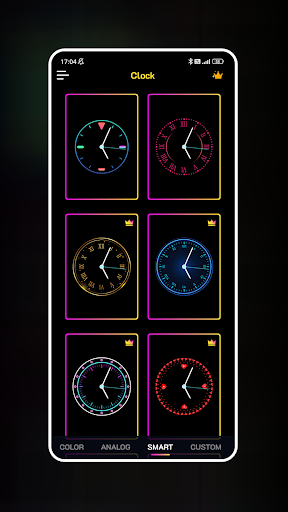
Neon Clock Wallpaper - Create Diverse and Unique Clocks for Your Screens!
Are you looking to transform your phone into a unique work of art? Don't miss the opportunity to create a variety of beautiful clocks on your wallpaper and lock screen with the Neon Clock Wallpaper app! This versatile application allows users to craft creative and customized clocks that reflect their personal style. Whether you're into minimalistic designs or vibrant neon effects, this app offers a plethora of options to make your device truly stand out. From selecting pre-made templates to building entirely new clocks from components you love, Neon Clock Wallpaper provides extensive customization features to suit your preferences.
Key Features of Neon Clock Wallpaper
Diverse Clock Templates
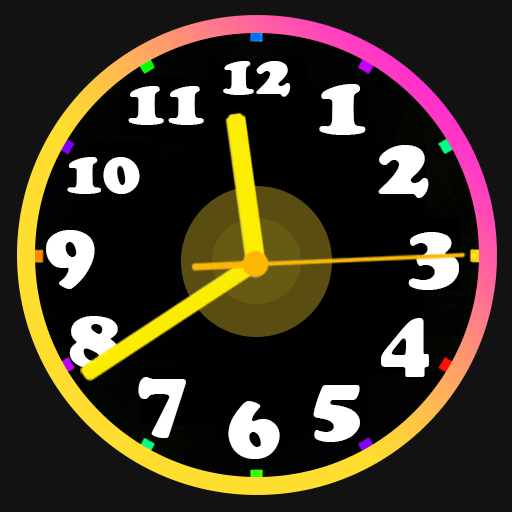
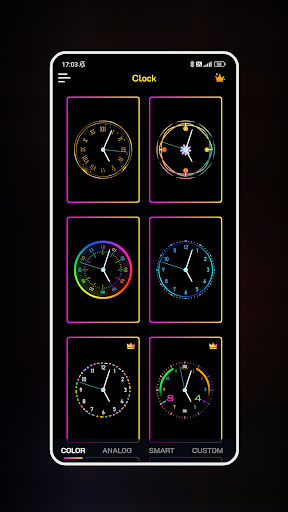
Explore a wide selection of pre-designed clock templates, each with unique styles and vibrant colors. These templates make it easy to set a standout wallpaper without starting from scratch, giving your device a personalized touch in seconds.
Create Custom Clocks
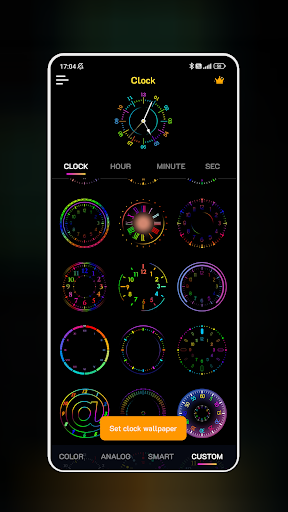
Design your own clocks by combining various components. Adjust colors, sizes, and styles until the clock perfectly matches your aesthetic. The easy-to-use interface makes customization straightforward and enjoyable.
Stunning Neon Effects
Add a touch of vibrant neon glow to your clocks. The app's neon effects make every clock dazzling, whether you're going for a retro vibe or a modern digital look. Stunning visual effects ensure your home and lock screens are always eye-catching.
Wallpaper and Lock Screen Compatibility
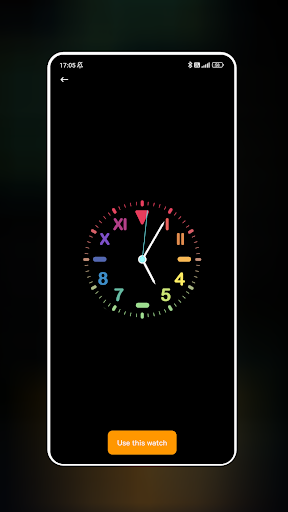
Easily set your self-designed clocks as your wallpaper for the home screen and lock screen. This seamless integration ensures your personal style is consistently displayed whenever you use your device.
User Experience and Personalization
When you open Neon Clock Wallpaper, you're greeted with a bright, user-friendly interface that invites creativity. Whether you prefer a classic analog look or a futuristic digital style, the app delivers a variety of neon clock designs to choose from. The extensive customization options allow you to tweak almost every aspect — from neon glow colors to the clock face style — giving you full control over your device's aesthetic. One of the greatest strengths of this app is how it balances visual flair with performance. Despite the vibrant animations and neon effects, the app runs smoothly without draining your phone's battery or causing lag. Thanks to thoughtful optimization, it provides an enjoyable experience without sacrificing device performance.
Is Neon Clock Wallpaper Worth It?
If you're someone who enjoys personalizing your device and loves a touch of visual flair, Neon Clock Wallpaper is definitely worth exploring. It’s not simply about adding a clock — it’s about making a statement every time you unlock your phone. The app's regular updates and new design options keep the experience fresh and exciting, ensuring you'll always find new ways to express your style. In sum, this application offers an easy, fun, and creative way to turn your device into a neon wonderland. With just a few simple steps, you can create a distinctive wallpaper that showcases your personality and aesthetic preferences. Dive into the world of vibrant neon and let your creativity shine — your custom clock background is waiting!
Pros
- Vibrant and eye-catching display
- Customizable clock styles
- Battery-friendly operation
- Smooth animations
- User-friendly interface
Cons
- Limited free customization options
- Ads in the free version
- Occasional lag on older devices
- No widget support
- Requires internet for extra themes