
Muviz Edge: AOD & Edge Lights – Elevate Your Smartphone Experience
If you're someone who loves to personalize your device and make your smartphone truly stand out, Muviz Edge is an app that you definitely need to explore. This innovative application transforms your device's edges into a dynamic visual display, enhancing both aesthetics and functionality. Imagine your phone lighting up with vibrant colors, synchronized with your music, even when the screen is off. That's the magic of Muviz Edge: AOD & Edge Lights.
Stunning Visualizer and Edge Lighting Features
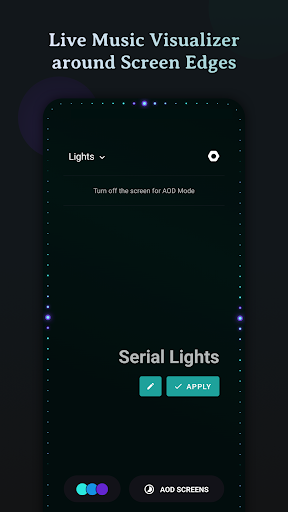
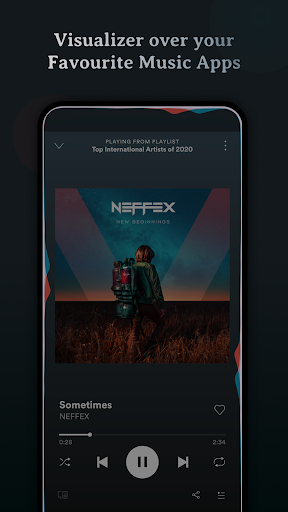
At the core of Muviz Edge is its captivating Live Music Visualizer, which encircles the edges of your screen while listening to your favorite music apps. Whether you prefer offline tracks or streaming services, the app supports a wide range of major music apps. When music plays, the visualizer dynamically responds with colorful animations, turning your listening session into a mesmerizing light show. This creates an immersive experience, transforming your device into a portable concert.
Always On Display (AOD) - Continuous Enjoyment
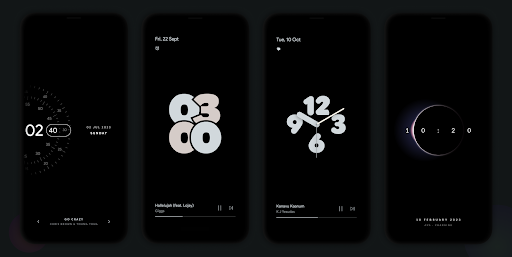
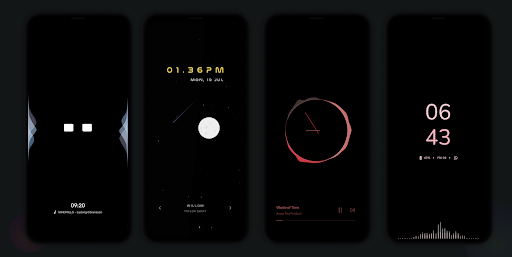
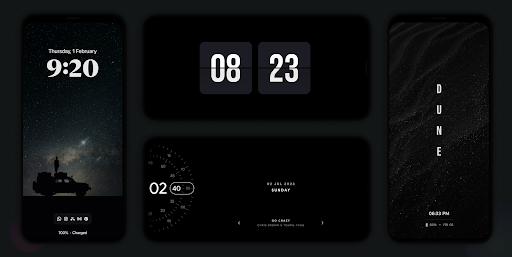
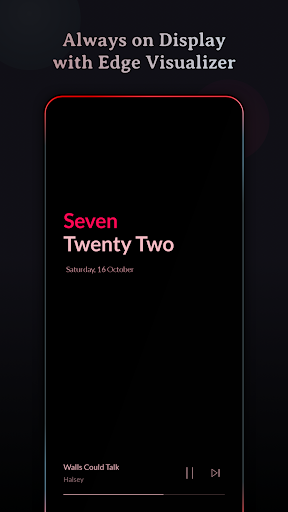
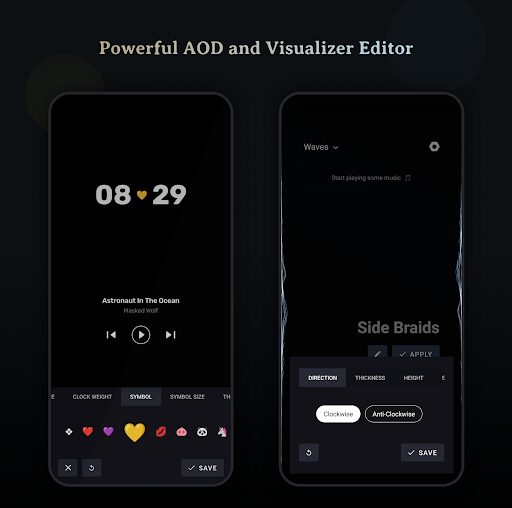
One of the standout features of Muviz Edge is its Always on Display functionality. Even if your device's screen turns off, you can still enjoy beautiful edge lighting and visual effects, ensuring your music visualization and notifications remain accessible. The app offers a growing collection of AOD screensavers, which can be used independently or combined with the visualizer for a seamless experience. Plus, the highly customizable AODs, including options like HyperOS AOD, Star field with live moon phases, Pixel clock, or Solar System Clock, allow users to personalize their screens to match their style.
Customizable Design Packs and Color Flexibility
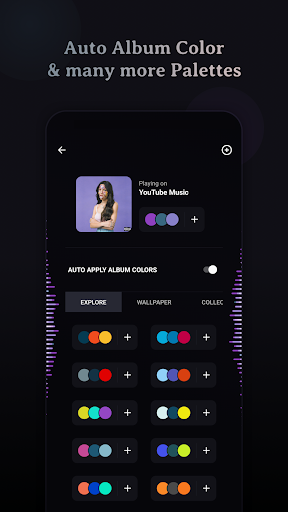
Your style is unique, and Muviz Edge respects that by offering responsive design packs that fit perfectly on your device's edge. You can choose from various visualizer themes or even create your own. The color customization options are extensive—you can select colors from predefined palettes, extract hues from album cover art, or add your own custom colors. Save your favorite palettes for quick access and ensure your visualizer always matches your mood or music.
Visualizer Control and Personalization Options
The app provides flexible control options to tailor your visualizer experience:
- Choose specific music sources for visualization.
- Enable a dim background while keeping the screen on for constant visual enjoyment.
- Hide visualizer over full-screen applications like games or videos.
- Select which apps display the visualizer, giving you control over your aesthetic experience.
Enhanced Customization for the Perfect Look
Beyond visuals, Muviz Edge offers a variety of customization options to match your style:
- Personalized visualizer design packs
- Color palettes derived from album art or custom choices
- Advanced controls over glow, speed, and pattern settings
User-Friendly Setup and Friendly Support
Setting up Muviz Edge is straightforward, thanks to its intuitive interface. Even if you're not tech-savvy, you'll find it easy to customize your edge lighting and visualizer to your liking. If you encounter any issues, support is readily available to assist you, ensuring a smooth experience from start to finish.
Why Choose Muviz Edge?
In today’s visually driven digital world, personalizing your device isn't just about aesthetics—it's about expressing yourself. Muviz Edge: AOD & Edge Lights offers a perfect blend of style, functionality, and innovation. Its vibrant music visualizer, customizable AOD screensavers, and extensive control options make it a must-have for smartphone enthusiasts who want their device to reflect their personality. Whether you're looking to add some flair during your music sessions or make your notifications more eye-catching, this app delivers. Experience your device like never before and turn ordinary moments into extraordinary visual spectacles with Muviz Edge.
Pros
- Impressive edge lighting effects for visual appeal.
- Customizable options improve user experience.
- Compatible with multiple music applications smoothly.
- Features a low battery consumption mode.
- User-friendly interface for easy navigation.
Cons
- Limited features in the free version.
- Reports of occasional app crashes.
- May not function properly on older devices.
- In-app advertisements can be disruptive.
- Does not support integration with certain music players.











