




Introduction to Microsoft Bing Search
Microsoft Bing Search is a powerful and intelligent search engine designed to deliver quick, curated answers and enhance your online discovery experience. With innovative features like Copilot Search in Bing, this search platform combines traditional search capabilities with cutting-edge artificial intelligence (AI) to help users find information faster and explore deeper topics effortlessly. Whether you're researching for a project, learning something new, or simply satisfying your curiosity, Bing offers a seamless search experience tailored to meet your needs.
Key Features of Microsoft Bing Search
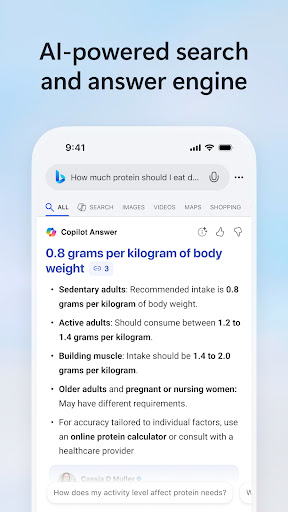
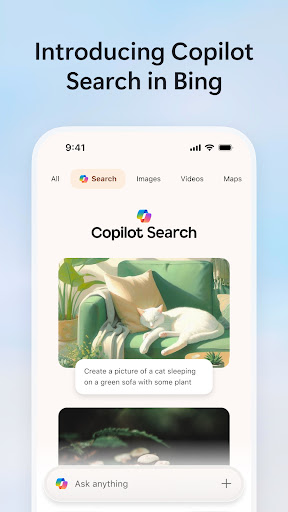
Bing is packed with a variety of features aimed at making your search journey more efficient and engaging. Among the highlights is the Copilot Search in Bing, which brings AI-powered assistance directly into your search results. This feature surfaces clear, concise answers and key information at the top, reducing the time spent scrolling through numerous web pages. For example, instead of wading through multiple sites, users get an organized overview, quick summaries, or direct answers that satisfy immediate queries.
Enhanced Search Capabilities
The advanced search experience in Bing consolidates traditional search results with generative AI. Whether you need in-depth information, a specific web link, or follow-up topics, Bing caters to your curiosity by providing clickable suggestions that encourage deeper exploration. This synergy of classic and AI search makes it easier to discover relevant content without hassle.
Visual and Voice Search
Bing also offers powerful visual search tools, allowing you to use your camera or upload images to find related content instantly. Want to identify an object or shop for the same items online? Simply snap a picture and let Bing show you the options. Additionally, the intuitive voice search feature enables you to speak your queries aloud, offering fast, hands-free search results—ideal when you're on the go.
Integrated Microsoft Ecosystem
Another compelling aspect of Bing is its seamless integration with other Microsoft services like Outlook, OneDrive, and Windows. This connectivity allows users to access files, manage schedules, and search content across multiple platforms effortlessly, creating a smooth and unified digital environment.
The User Experience & Interface
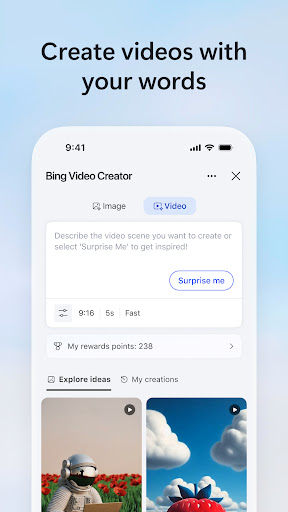
Getting started with Bing is straightforward—simply download the app from your app store, and you’re greeted with a sleek, user-friendly interface that reflects Microsoft’s familiar design aesthetic. The homepage keeps you updated on your favorite topics and provides quick access to features like Microsoft Rewards, enabling you to earn points by searching, or browsing beautiful wallpapers. The app's clean layout and organized results make browsing both intuitive and enjoyable.
Additional Features and Customization
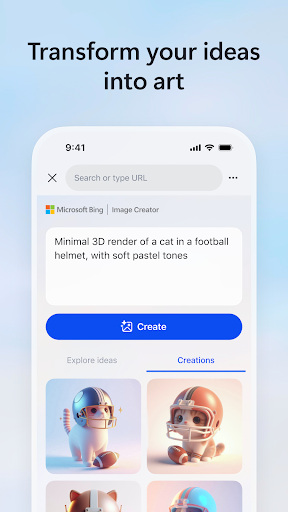
Bing also introduces innovative tools such as Image Creator for generating images from text prompts, and a weather widget to keep you updated on forecasts. These features enrich your search experience by offering more ways to interact with content, whether you're visualizing ideas or planning your week. Keep in mind that some features might vary depending on your region.
Performance and Overall Value
Many users find Bing Search to be a refreshing alternative to traditional engines like Google, especially because of its quick results and smart categorization of web pages, images, and videos. The integration with Microsoft’s ecosystem enhances productivity, making Bing particularly appealing for users already invested in Microsoft Office, Windows, or other services. Whether you're searching for simple facts, shopping assistance, or visual content, Bing’s AI-driven approach helps you find relevant information more efficiently.
Conclusion
Microsoft Bing Search stands out as a sophisticated, feature-rich search engine that leverages AI and seamless integration to improve your digital life. Its ability to deliver curated answers rapidly, along with innovative tools like visual and voice search, makes it an excellent choice for anyone seeking a smarter, more personalized search experience. Try Copilot Search in Bing today and discover how this AI-powered platform can elevate your browsing, research, and discovery adventures.
Pros
- Quick search results
- Voice search functionality available
- Rewards program for users
- Integrated with Microsoft services
- Easy-to-use interface
Cons
- Limited customization options
- Advertisements in the free version
- Some features require a Microsoft account
- Occasional inaccurate results
- High data consumption











