

Overview of lPlayer - Offline Video Player
Key Features of lPlayer
Powerful Video Playback
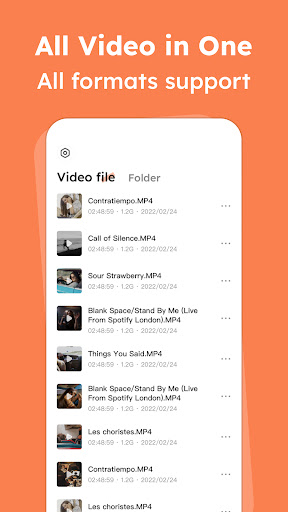
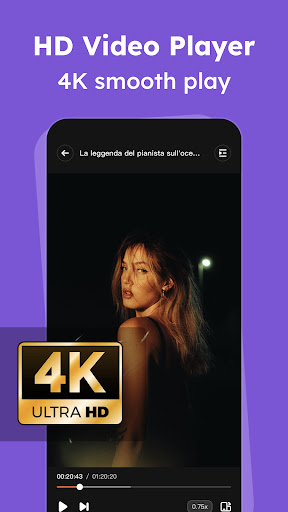
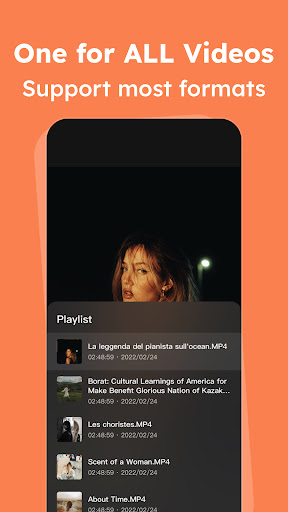
lPlayer supports almost all popular video formats including mkv, mp4, avi, flv, mpg, wmv, and 4k video. This extensive format compatibility allows users to play their favorite videos effortlessly, without needing additional conversion tools. The application delivers smooth playback in high definition, making every viewing session enjoyable and crystal clear.
Control and Gesture Features
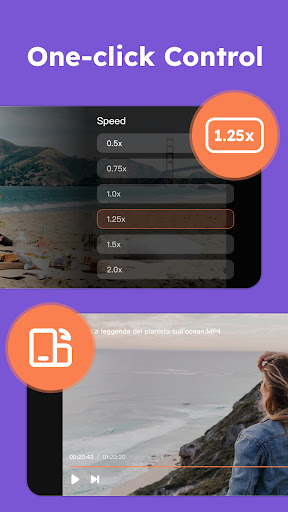
The app offers easy-to-understand controls that enable users to modify playback speed, brightness, and volume with simple gestures. Swiping on the screen allows quick adjustments, making it practical for on-the-go viewing or multitasking. These intuitive controls enhance user convenience, providing a more natural viewing experience.
Subscription and Premium Options
You can subscribe to access premium features in lPlayer. The premium version eliminates interruptions by removing ads and offers additional benefits. The available subscription plans include weekly, yearly, and lifetime options. For example, the Yearly Premium subscription may cost around $6.99 USD, with the price subject to change based on the regional app store pricing. Subscriptions are billed through your Google Play Account and automatically renew unless you disable auto-renewal at least 24 hours before the current period ends.
Subscriptions can be managed through your account settings, and canceling a subscription will keep it active until the end of the current billing cycle. Keep in mind, any free trial periods used will be forfeited upon purchasing a subscription. You can learn more about data or privacy policies in the Privacy Policy and Terms of Use.
Enhanced Viewing Experience
Beyond basic playback, lPlayer offers advanced features like subtitle download, supporting multiple audio tracks—perfect for watching content in different languages. The night mode option adjusts screen brightness and contrast for comfortable viewing in dark environments, preventing eye strain during late-night sessions.
Why Users Love lPlayer - Offline Video Player
Many users highlight lPlayer's ability to handle a wide variety of video formats with ease. The quick startup time, combined with an intuitive interface, ensures that even less tech-savvy individuals can navigate their video library effortlessly. The gesture controls significantly enhance usability, enabling quick adjustments without interrupting playback.
Performance-wise, the app excels with smooth video playback and minimal buffering, even for high-definition content. Its optimization for offline use makes it ideal for travelers or anyone who prefers to watch videos without relying on internet connectivity.
Overall, lPlayer is not just a simple video player; it's an experience that makes your media consumption more enjoyable. The free version supported by unobtrusive ads offers great value, but upgrading to premium unlocks a more seamless and ad-free environment—perfect for dedicated video enthusiasts.
Pros
- Supports multiple video formats effortlessly.
- User-friendly design with straightforward navigation.
- Allows offline viewing without an internet connection.
- Offers customizable playback options.
- Consumes minimal battery during use.
Cons
- Lacks advanced features for professional users.
- Free version includes ads that may be distracting.
- Sometimes experiences bugs related to subtitle syncing.
- Does not support cloud storage integration.
- Limited support for 4K video playback.











