
Discover the Power of Lockscreen Drawing: Transform Your Lock Screen into a Canvas of Creativity
Are you ready to turn your phone’s lock screen into a vibrant outlet for artistic expression and fun interactions? Lockscreen Drawing is an innovative mobile application designed to bring your creativity directly to your lock screen, allowing you to draw, connect, and share your artwork effortlessly. Whether you're waiting in line, during a break, or just looking to add a personal touch to your device, this app makes it simple and enjoyable to doodle on your lock screen, all while fostering real-time connections with friends and loved ones.
This engaging tool not only sparks your artistic side but also enhances your social interactions by enabling collaborative drawing sessions. With Lockscreen Drawing, you can host live doodling sessions, watch your friends' creations appear instantaneously, and enjoy a multitude of customization options. Plus, it’s incredibly user-friendly—perfect for users of all ages, from kids to adults—making it an ideal app for expressing yourself creatively no matter where you are.
This engaging tool not only sparks your artistic side but also enhances your social interactions by enabling collaborative drawing sessions. With Lockscreen Drawing, you can host live doodling sessions, watch your friends' creations appear instantaneously, and enjoy a multitude of customization options. Plus, it’s incredibly user-friendly—perfect for users of all ages, from kids to adults—making it an ideal app for expressing yourself creatively no matter where you are.
Features of Lockscreen Drawing: Endless Creative Possibilities
One of the most exciting aspects of Lockscreen Drawing is its ability to turn your lock screen into a dynamic canvas. You can start doodling directly on your lock screen, within special widgets, or explore the in-app canvas whenever inspiration strikes. The app offers a variety of backgrounds—from simple colors to themed images—allowing you to set the perfect scene for your artwork. Over 20+ themed backgrounds are available, covering everything from romantic landscapes to whimsical patterns, catering to every mood and style.
Elevate your doodles with a rich selection of over 100 free stickers. From adorable icons to funny shapes, these stickers add personality and flair to every creation. These features make it easy to personalize your art, making each doodle or message truly unique. Whether you're celebrating a special occasion or just having fun, the app's creative toolkit is designed to inspire and support your artistic journey.
Elevate your doodles with a rich selection of over 100 free stickers. From adorable icons to funny shapes, these stickers add personality and flair to every creation. These features make it easy to personalize your art, making each doodle or message truly unique. Whether you're celebrating a special occasion or just having fun, the app's creative toolkit is designed to inspire and support your artistic journey.
Seamless Collaboration and Real-Time Connection
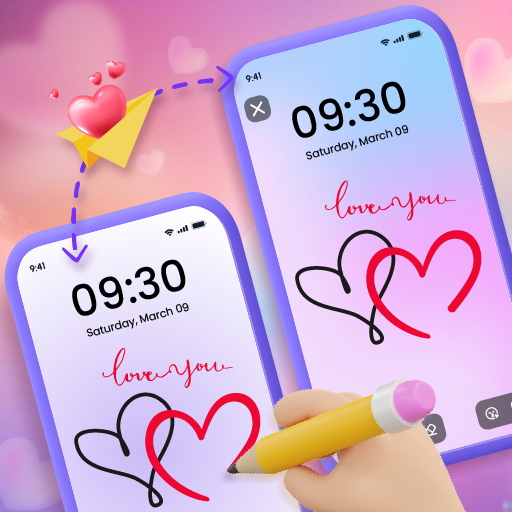
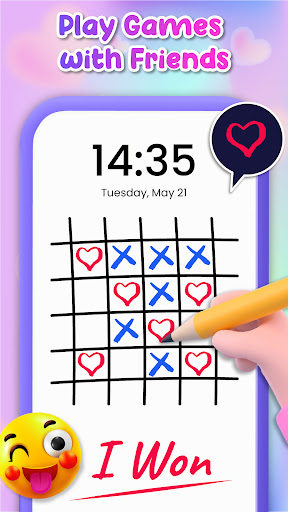
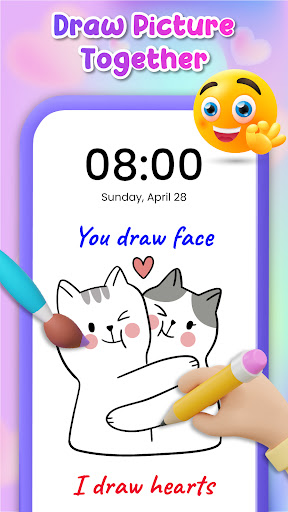
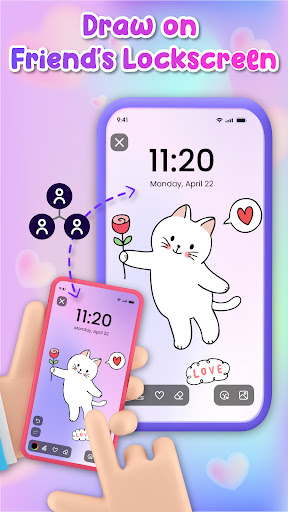
A standout feature of Lockscreen Drawing is its ability to facilitate live lock screen collaboration. Imagine sketching on your lock screen while your friends' strokes appear in real-time, creating a shared masterpiece without any complex setup. This interactive element transforms doodling into a social activity, perfect for playful exchanges or heartfelt messages.
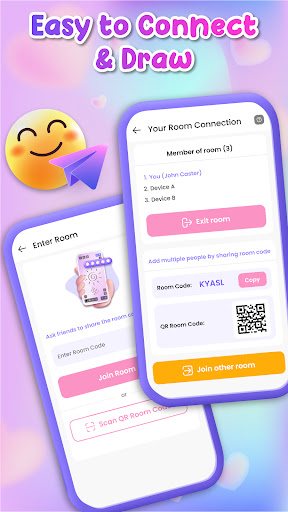
Stay connected even when you’re busy using your device via the handy widget. The widget displays your friends' latest drawings, keeping you updated on their creative endeavors without interrupting your workflow. Connecting with friends is straightforward—use QR codes, share links, or special codes to invite others into your doodling sessions effortlessly. Surprising a friend with a secret message or a doodle during a video call adds a personal touch that strengthens your bond.
Stay connected even when you’re busy using your device via the handy widget. The widget displays your friends' latest drawings, keeping you updated on their creative endeavors without interrupting your workflow. Connecting with friends is straightforward—use QR codes, share links, or special codes to invite others into your doodling sessions effortlessly. Surprising a friend with a secret message or a doodle during a video call adds a personal touch that strengthens your bond.
Create and Share Your Masterpieces
The app provides an in-app canvas that lets you craft detailed artwork with various tools at your fingertips. Choose your background, pick colors, adjust brush opacity, and toggle brush size to shape your sentiment or artistic vision. When your creation is complete, you can save it to your device or share it directly with friends and family—perfect for spreading smiles and inspiration.
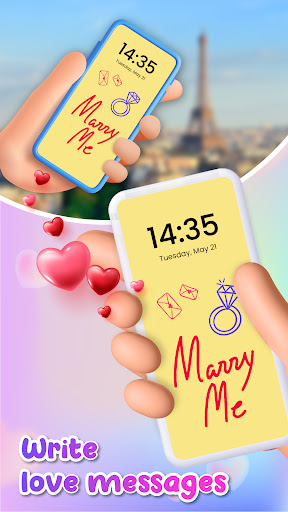
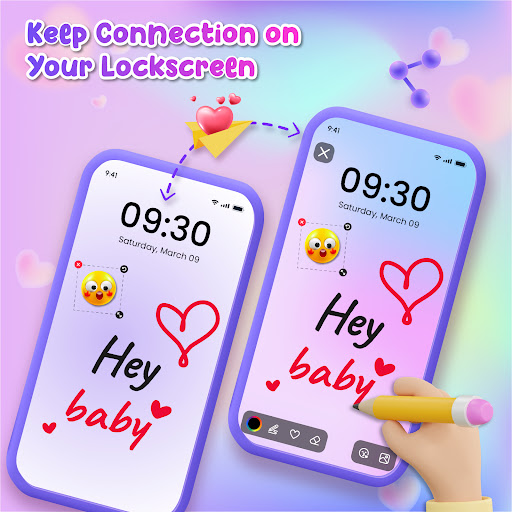
Moreover, Lockscreen Drawing is perfectly suited for couples wishing to express love and affection. Send romantic doodles or leave thoughtful messages on your partner’s lock screen, transforming it into a daily love note and surprise. This feature turns your device into a personal message board, enhancing your relationship with creative gestures.
Moreover, Lockscreen Drawing is perfectly suited for couples wishing to express love and affection. Send romantic doodles or leave thoughtful messages on your partner’s lock screen, transforming it into a daily love note and surprise. This feature turns your device into a personal message board, enhancing your relationship with creative gestures.
Convenience and Fun on the Go
Whether you're commuting, waiting, or just relaxing at home, Lockscreen Drawing offers a lightweight, smooth experience that fits conveniently into your daily routine. Its simple double-tap activation makes it easy to start doodling instantly—no need to unlock your phone or navigate through complicated menus. The app encourages spontaneous creativity, letting you draw, erase, and redo as often as you like, all without pressure or judgment.
This app is not only about individual expression; it's a fun way to connect with others, share your artwork, and brighten someone's day with a heartfelt doodle. Its user-friendly design ensures everyone can enjoy making art, regardless of skill level, making it a must-have tool for creative minds on the move.
This app is not only about individual expression; it's a fun way to connect with others, share your artwork, and brighten someone's day with a heartfelt doodle. Its user-friendly design ensures everyone can enjoy making art, regardless of skill level, making it a must-have tool for creative minds on the move.
Join the Creative Community Today!
Experience a new level of personalization and social connection with Lockscreen Drawing. Download now to start creating, sharing, and connecting through art like never before. The possibilities are endless, and your creativity is the only limit. Make your lock screens come alive with doodles that tell your story and brighten your world. Remember to give us a 5-star rating if you enjoy doodling with our app, as your support fuels future updates and new features. So, why wait? Dive in and get doodling!
Pros
- An enjoyable way to customize your lock screen.
- User-friendly and straightforward to operate.
- No technical expertise required.
- Offers a wide range of drawing tools.
- Allows sharing of your artwork with friends.
- Uses minimal battery power.
Cons
- Limited free functionalities available.
- Requires in-app purchases for full access.
- Occasional app crashes have been reported.
- Needs frequent updates to access new features.
- Advertisements may be disruptive and distracting.
- Not suitable for professional-level artists.











