

Introducing Kodi Media Center
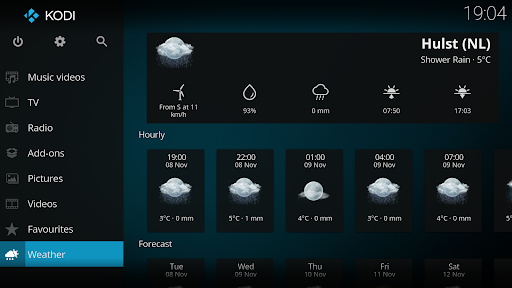
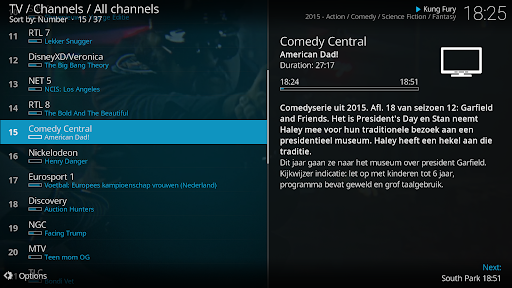
Kodi® media center is an award-winning, free, and open source cross-platform software media player and entertainment hub designed for digital media enthusiasts. Primarily aimed at transforming your living room into a dedicated home theater environment, Kodi offers a comprehensive media management experience with its dedicated 10-foot user interface. This intuitive GUI makes browsing your media library simple and seamless, even from a distance, primarily using a remote control as the main input device.
Whether you want to explore videos, photos, music, or podcasts, Kodi can handle it all from various sources such as hard drives, optical discs like DVDs or Blu-Ray, local network shares, or streaming from the internet. Its sleek and user-friendly design ensures that managing your media collection is straightforward and enjoyable.
Key Features and Important Considerations
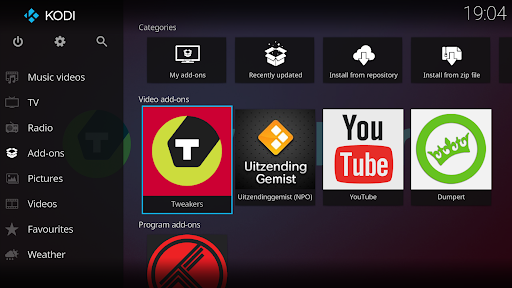
It's crucial to note that Kodi does not include any preloaded content. You need to add your own media files from your storage or streaming sources. Kodi supports numerous third-party plugins, which, when installed, can provide access to a variety of online content, some of which may be freely available through official providers. However, it’s paramount to understand that Kodi does not endorse or facilitate illegal content streaming. Any such activity is against Kodi's policies and should be avoided.
The default skin, called Estuary, is designed for speed and ease of use, while the Estouchy skin enhances usability on larger tablets and smartphones, such as those with 5-inch screens. Nonetheless, Kodi is generally not recommended for smaller phones due to interface constraints.
In terms of licensing, Kodi is a fully open-source project governed by the GPLv2.0+ license, with many third-party libraries supporting its ecosystem. The project is maintained by the XBMC Foundation, and you can learn more about its policies and licensing at their official website.
Versatility and User Experience
When considering media streaming applications, Kodi stands out as a versatile powerhouse suitable for transforming any device into a comprehensive media hub. Its intuitive interface, combined with extensive customization options, makes Kodi a preferred choice for both tech enthusiasts and casual users alike.
First impressions of Kodi are often favorable, thanks to its sleek and user-friendly interface. Setting up Kodi might seem intimidating at first, especially for those unfamiliar with tech setups, but the guided installation process simplifies the experience. Once configured, navigating through your media is effortless, with a logical menu structure that makes finding your favorite content quick and easy.
One of Kodi’s standout features is its extensive support for add-ons and skins. These allow you to customize the appearance and functionality of your media center, making yourself at home with a personalized media experience. The platform supports a multitude of formats, ensuring compatibility with most media types, which eradicates common format issues faced by other media players.
Performance-wise, Kodi handles high-definition content effortlessly, providing smooth playback without buffering delays. It's optimized for streaming from both local sources and online services, making it an all-in-one solution for your digital media needs.
The active community of Kodi users and developers further enhances the experience, offering forums, tutorials, and regular updates to keep the app running efficiently and securely. This vibrant community is an excellent resource for troubleshooting or learning new ways to optimize media playback and streaming.
Final Thoughts on Kodi
Overall, Kodi is an exceptional media streaming solution that combines flexibility, customization, and high performance. Its open-source nature ensures continuous improvements, while the support for a wide variety of plugins and skins allows users to personalize their experience remarkably.
If you seek a reliable media center that can bring your entire media collection together in one interface, Kodi is well worth exploring. Whether you're a media enthusiast wanting to stream high-definition movies, listen to music, view photos, or explore online content, Kodi offers a comprehensive platform to meet these needs.
Experience how Kodi can revolutionize your media consumption by giving you full control over your digital entertainment setup. Remember, with its powerful features and active community, Kodi remains one of the top choices for transforming your device into a multimedia powerhouse.
Pros
- Highly customizable interface
- Supports numerous add-ons
- Available on multiple platforms
- Regular updates and improvements
- Free and open-source
Cons
- Complicated initial setup
- Limited customer support
- May need additional plugins
- Some content may be illegal
- Occasional performance problems











