

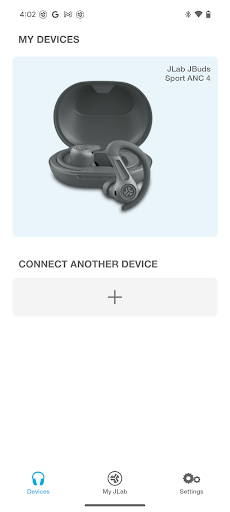
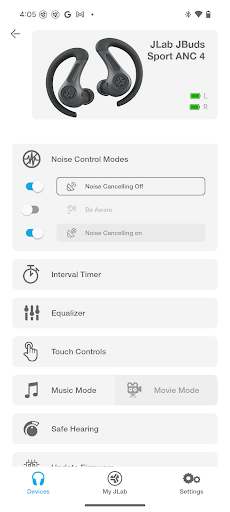
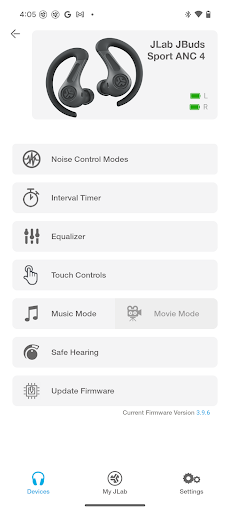
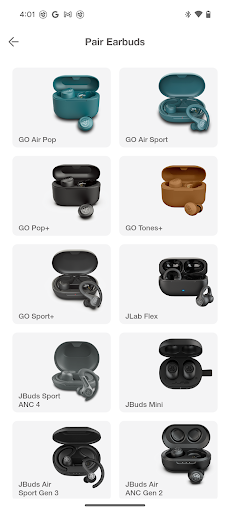
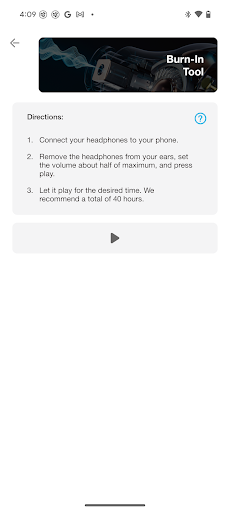
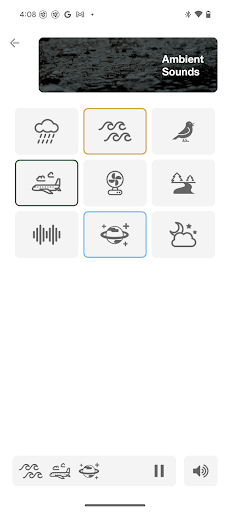
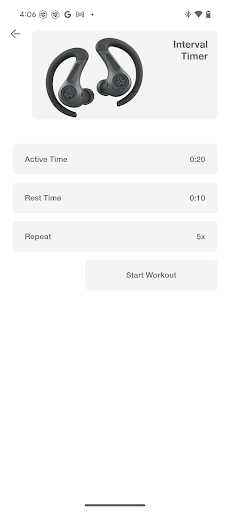
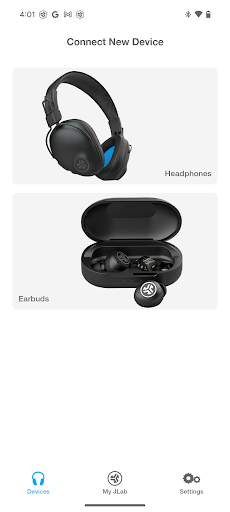
Introduction to the JLab App
Have you ever found yourself tangled in the web of countless apps promising to revolutionize your daily routines, only to end up uninstalling them after a day? Meet JLab, the innovative application designed to enhance your audio experience and make learning more engaging. Whether you're a student, a professional aiming to upskill, or simply a tech enthusiast, JLab offers a seamless way to personalize your listening and learning journey. This app stands out with its user-friendly interface, comprehensive customization options, and dynamic features that cater to a wide range of users. Let's explore how JLab can become your go-to app for both audio control and educational enrichment.
What is JLab?
In essence, JLab is an all-in-one platform that combines advanced sound customization with intuitive learning tools. Designed to work perfectly with a variety of Compatible Models such as GO Pop+, JBuds Air Pro ANC, Epic Air ANC, and many others, the app empowers users to optimize their audio experience. From adjusting noise canceling features to tailoring equalizer settings, JLab ensures that every listener can enjoy their preferred sound profile. Beyond audio, its educational features foster a more productive, fun, and interactive learning environment—making it a versatile app for various users.
Key Features of JLab
Complete Customization for Audio Experience
JLab's robust app interface allows you to customize important audio settings. For devices equipped with Active Noise Cancellation, users can modify noise control levels from off to max ANC, enabling a tailored sound environment for different scenarios. Additionally, with Be Aware settings, you can fine-tune how much outside noise enters, letting you stay alert when needed or enjoy immersive silence.
EQ and Sound Control
Sound quality is critical, and JLab excels here. The app provides adjustable Equalizer Settings, allowing you to select from default modes—JLab Signature, Balanced, and Bass Boost—or create your Custom profile. Fine-tune different frequency bands, such as Bass (200–400 Hz), Mid-Range (550–2000 Hz), and Treble (4000–16000 Hz), to craft your perfect listening experience.
Control Customization
The app enables you to personalize Controls on your earbuds. Whether it’s volume adjustment, track skipping, play/pause, or activating voice assistants, you can assign functions to earbud controls that suit your preferences, enhancing ease of use.
Safety and Hearing Preservation
Safety is a priority in JLab’s design. The app supports Safe Listening Levels, allowing you to set maximum volume limits at 85 dB or 95 dB, helping protect your hearing over extended use. This feature applies to all future JLab models, ensuring a healthier listening environment.
The Educational Side of JLab
Beyond its audio capabilities, JLab offers a compelling learning platform that caters to diverse interests. With an intuitive interface, the app hosts a rich Library of Courses—from programming to cooking—accessible at your own pace. Its engaging Quizzes and Challenges make learning a fun experience, while Leaderboards foster a friendly competitive spirit, motivating users to excel. Personalized Recommendations guide learners to content suited to their preferences and progress, transforming the app into a virtual tutor in your pocket.
Why Choose JLab?
If you're tired of cluttered apps that promise the world but deliver little, JLab is a breath of fresh air. It seamlessly combines advanced audio controls with dynamic learning tools, making it a versatile multitasker for everyday life. Its user-friendly design, extensive library, and customizable features create a truly personalized experience that encourages consistent usage. Not only can you elevate your listening experience with tailored noise cancellation and EQ settings, but you can also engage your mind with interactive courses and challenges—making JLab a comprehensive app for entertainment and education alike.
Pros
- User-friendly interface suitable for all ages.
- Options to customize sound settings.
- Delivers high-quality audio output.
- Compatible with a variety of devices.
- Regular updates to the app.
Cons
- Limited free features available.
- Occasional issues with connectivity.
- Requires the latest OS versions to function.
- In-app purchases can be expensive.
- Consumes a significant amount of battery life.











