

Discover the Power of IPTV Pro: Your Ultimate IPTV Streaming App
Are you tired of endless channel surfing and searching for your favorite shows? Look no further—IPTV Pro is here to transform your entertainment experience. Designed for users who demand high-quality, flexible viewing options, IPTV Pro turns your device into a personal television studio. Whether you're a sports enthusiast, a movie buff, or someone eager to stay connected with international channels, this paid version of the IPTV app packs a variety of premium features that elevate your streaming game.
Enhanced Features for a Seamless Viewing Experience
What sets IPTV Pro apart from the free version? By upgrading, you unlock an array of advanced features, making your streaming more enjoyable and convenient:
- Ad-free experience: No interruptions from advertisements.
- Start app on device boot: Ideal for set-top boxes, ensuring your favorite channels launch automatically.
- Auto-play last channel: Resumes playback from where you left off, saving you time.
- Extended playlists history: Access your playlist history for quick navigation.
Comprehensive IPTV Content Support
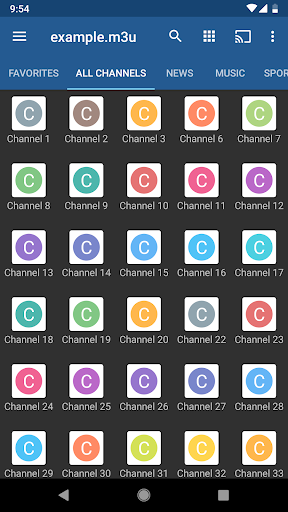
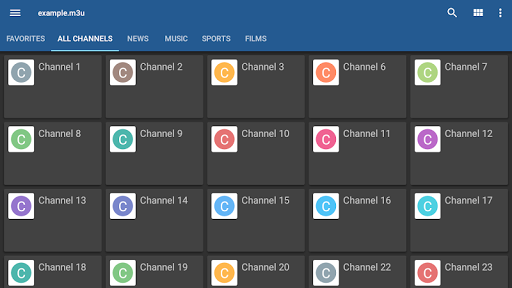
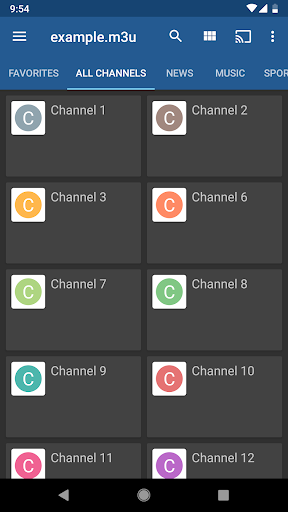
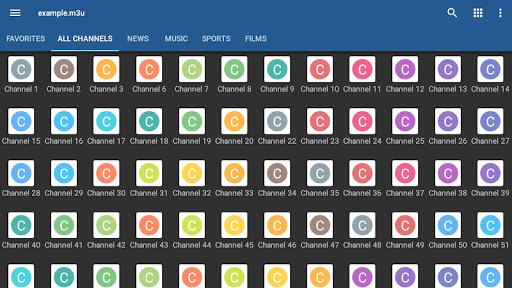
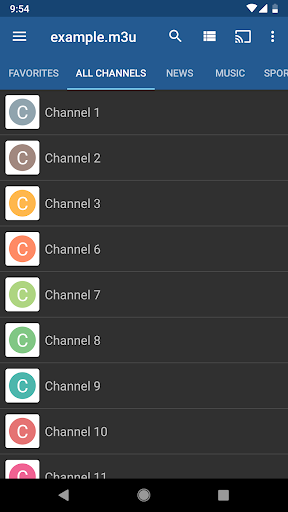
IPTV Pro allows you to watch IPTV streams from your Internet Service Provider or enjoy free live TV channels from various sources on the web. It supports multiple playlist formats including M3U and XSPF. The app also offers features like playlists history and the ability to stream multicast streams using UDP proxy, with different setup options depending on your operating system. You can view channels in a grid, list, or tile layout, making navigation intuitive and tailored to your preferences.
Robust Playback and Control Options
The app supports EPG (Electronic Program Guide) in formats like XMLTV and JTV, helping you stay updated on your favorite shows. It includes both internal and external video players, providing flexibility for playback. Parental controls are also available, making it a safe choice for families. For multicast streams, it’s recommended to use UDP proxy solutions—such as udpxy on Linux or UDP-to-HTTP proxy on Windows—to ensure smooth streaming experience.
User-Friendly Interface and Customization
IPTV Pro is designed with user experience in mind. Its clean interface supports different viewing modes—grid, list, or tile—and allows you to organize channels as you prefer. Customization options let you set up your personal channel lineup for easy access, making your IPTV experience unique to your tastes. The app does not include any channels; you simply need to load your playlist containing your preferred TV channels.
Getting Started with IPTV Pro
Setting up IPTV Pro is straightforward. After downloading the app, load your playlist, which may involve some technical steps—resources and tutorials are widely available online. The app’s support for multiple playlist formats ensures compatibility with most sources. For multicast stream support, enhancing your setup with UDP proxy solutions will provide the best streaming quality, especially on LAN networks.
Why IPTV Pro Might be Your Best Entertainment Companion
If you’re someone who loves having access to global entertainment, IPTV Pro is a game-changer. It’s especially handy for expatriates or travelers who want to stay connected with their home country’s channels. The **intuitive interface**, combined with features like recording live TV and Casting support via Chromecast, makes it a versatile tool for all your streaming needs.
Final Thoughts
In summary, IPTV Pro delivers a comprehensive IPTV viewing experience with its rich feature set, support for various playlist formats, and customization options. It turns your device into a powerful TV receiver, giving you the freedom to enjoy live TV, sports, movies, and more—anytime, anywhere. Whether you’re looking to replace traditional cable or want to explore international channels, IPTV Pro is a robust app that unlocks endless entertainment possibilities. Give it a try, and elevate your viewing experience today.
Pros
- Provides high-quality streaming with minimal buffering.
- Supports a broad array of video formats.
- Features a user-friendly interface and simple navigation.
- Enables recording of live TV broadcasts.
- Offers customizable channel lists.
Cons
- Requires a stable internet connection for optimal performance.
- Lacks an integrated electronic program guide (EPG).
- Offers limited customer support options.
- Requires a subscription to access premium features.
- Contains intrusive advertisements in the free version.











