

OTTO Tv - Video Player: The Ultimate Video Playback Experience
Are you tired of using multiple apps for your video playback needs? Look no further than OTTO Tv - Video Player, a versatile and feature-rich application designed to elevate your viewing experience. Whether you're into watching movies, live streams, or managing your favorite videos, OTTO Tv stands out with its impressive support for a wide range of formats and intuitive interface. Let's explore what makes this app a must-have for video enthusiasts.
Advanced Video and Streaming Capabilities
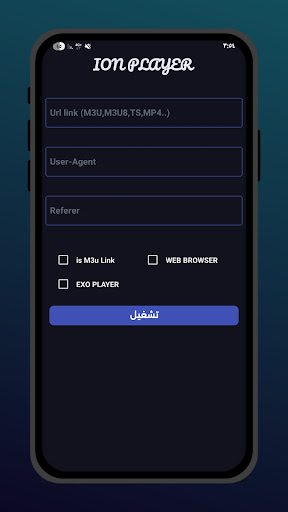
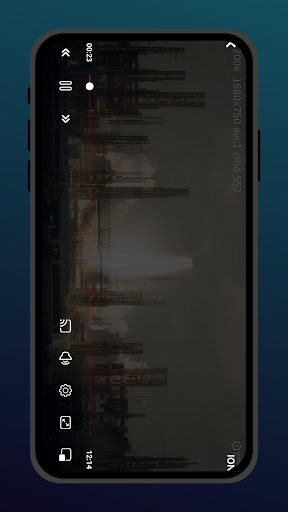
Ion Player, integrated into the OTTO app, offers a seamless experience with support for high-quality video, audio, and live streaming playback. The app ensures crisp image quality and smooth streaming, enriching both VOD (Video On Demand) content and live broadcasts. It supports popular formats such as MP4, M3U8, MKV, and TS, making it versatile enough to handle almost any media file you throw at it.
One of the standout features is Picture-in-Picture (PIP) mode, which allows you to multitask effortlessly by watching videos in a small window while using other apps. Additionally, background playback or audio-only mode helps you save data by playing audio in the background, ideal for music or podcasts.
The app also offers easy management of your media library, letting you create and organize favorite playlists for quick access to your most-watched content. It supports importing M3U files and facilitates direct request attribute import, providing a seamless setup for personalized streaming or playback.
If streaming gets interrupted due to network issues, OTTO Tv's automatic reconnection feature ensures uninterrupted viewing, automatically resuming playback without user intervention. This reliability makes it a dependable choice for both everyday use and more intensive streaming sessions.
Intuitive Interface and User Experience
The design of OTTO Tv - Video Player is modern, sleek, and user-friendly. Even if you're new to media apps, you'll find the interface intuitive—everything is laid out logically to minimize confusion. Responsive controls and smooth navigation mean you won’t experience lag or sluggishness, creating a satisfying user experience that feels polished and efficient.
Rich Features for Enhanced Entertainment
Beyond basic playback, OTTO Tv offers a suite of features that cater to entertainment enthusiasts. Its support for a broad spectrum of video formats guarantees compatibility with various files, saving you the hassle of converting media before viewing. The app's library management system helps keep your content organized, so you spend less time searching and more time enjoying.
Another notable feature is device casting. With a few taps, you can cast videos to other devices like smart TVs or wireless displays, making it perfect for social gatherings or family movie nights. This feature broadens your viewing options and transforms your device into a media hub.
Thanks to its robust performance, OTTO Tv loads videos quickly and delivers smooth playback. Users report stable operation with no crashes or bugs, and surprisingly low battery consumption even during prolonged use—an essential factor for mobile users on the go.
Final Thoughts
If you're searching for a robust, easy-to-use video player with advanced features, OTTO Tv - Video Player is an excellent choice. Its support for multiple formats, user-friendly design, and handy extra features like PIP mode, background playback, and device casting make it stand out from the crowd. Whether you're watching videos during your commute, hosting a movie night, or managing a multimedia library, this app offers everything you need for an enjoyable viewing experience. Download OTTO Tv today and discover why it could become your favorite go-to media player!
Pros
- Intuitive interface for straightforward navigation.
- Supports multiple video formats.
- Smooth high-quality playback without lag.
- Offline viewing enabled through downloads.
- Option to customize subtitles and audio settings.
Cons
- Advertisements may disrupt the viewing experience.
- Free version offers limited features.
- Occasional playback bugs can occur.
- Depends on a stable internet connection.
- Lacks parental control features.











