

Instant Cut - Video Editor: A Comprehensive Overview
Are you eager to give your videos a quick and professional touch-up but find traditional editing software too overwhelming? Look no further than Instant Cut - Video Editor. This innovative app transforms the often complex task of video editing into a simple, enjoyable experience, making it accessible to everyone—from beginners to seasoned content creators. Whether you want to trim clips, add eye-catching filters, or incorporate music, Instant Cut offers a user-friendly platform packed with powerful features designed to streamline your editing process.
Key Features of Instant Cut - Video Editor
One of the main reasons why Instant Cut stands out is its support for a variety of essential editing functions that empower users to craft polished videos effortlessly:
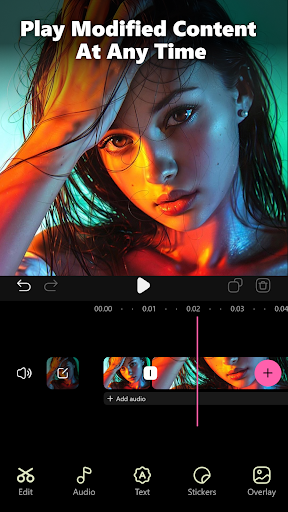
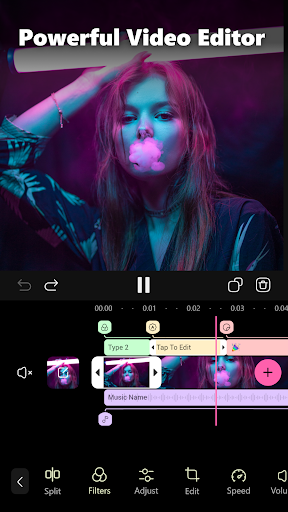
- Support timeline: Organize and manage your clips seamlessly on a timeline for precise edits.
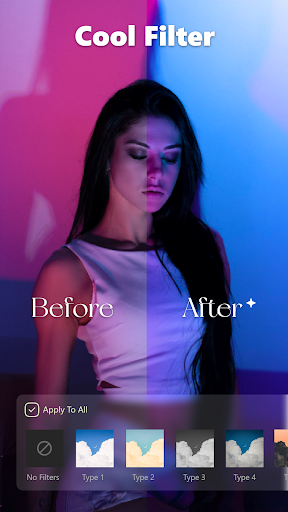
- Support filters: Enhance your videos with a wide selection of filters, adding mood and style with just a tap.
- Support detailed adjustments: Fine-tune brightness, contrast, saturation, and other parameters for perfect visuals.
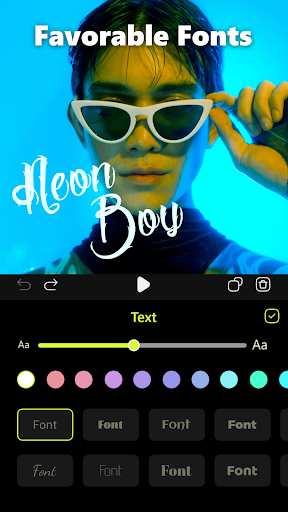
- Support adding text: Overlay captions or titles, making your videos more engaging and informative.
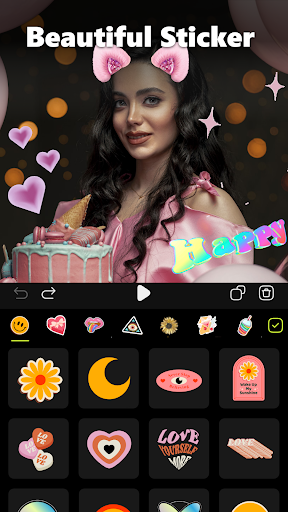
- Support adding stickers: Insert fun and expressive stickers to give your videos personality.
- Support setting transition effects: Smoothly connect clips with diverse transition effects for a professional touch.
- Support adding music: Complement visuals with background music from the library or your own collection.
- Support setting different resolutions: Export videos optimized for various social media platforms and screen sizes.
- Support setting different frame rates: Choose the appropriate frame rate for cinematic quality or quick edits.
Simplifying Video Editing for Everyone
Ever felt overwhelmed by the steep learning curve of typical video editors? Instant Cut - Video Editor is here to change that narrative. Designed with simplicity at its core, this app allows users to perform complex edits without any prior experience. Its intuitive interface minimizes clutter and presents only essential tools, enabling you to navigate with ease. Whether you're trimming clips, adding filters, or adjusting speeds, every feature is just a few taps away, making professional-looking videos accessible to all.
Why Choose Instant Cut - Video Editor?
The appeal of Instant Cut lies in its minimalist design and robust functionality:
User-Friendly Interface
The app’s clean layout ensures that even beginners can find their way around effortlessly. Swiping to cut or merge clips feels natural, and real-time previews help you see changes instantly.
Versatile Editing Tools
From applying filters similar to social media platforms to adjusting video speed for dramatic effects, the app covers all your editing needs. Adding music from the built-in library or importing your own tracks is straightforward, allowing you to customize your videos to fit any mood or theme.
High-Quality Output
When your editing session concludes, Instant Cut provides the flexibility of exporting videos in multiple formats and resolutions. This is ideal for sharing content across various social networks or keeping high-quality copies for personal archives.
Final Thoughts
If you're searching for a hassle-free, efficient video editing tool that balances functionality with simplicity, Instant Cut - Video Editor is an excellent choice. It empowers users to produce stunning videos without a steep learning curve or overwhelming options. Whether you’re editing vacation clips, creating content for social media, or just experimenting with videos, this app has everything you need to unleash your creativity and make your videos shine. Download Instant Cut today and experience the joy of quick, professional-quality editing at your fingertips.
Pros
- User-friendly interface
- Easy for beginners
- Wide range of editing tools available
- Supports various video formats
- Fast rendering and exporting times
- Regular updates with new features
Cons
- Limited features in the free version
- Occasional advertisements in the free version
- Some tools require additional in-app purchases
- High-quality exports can be slow
- Limited advanced editing options











