

Discover the Power of the Insta360 App: Your Ultimate Creative Companion
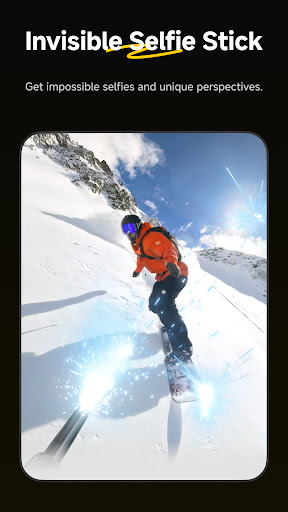
The Insta360 app is a revolutionary tool designed for creators, athletes, and adventurers who aspire to produce captivating and high-quality videos. Seamlessly working with Insta360 cameras and handheld gimbals, this app transforms your smartphone into a comprehensive creative powerhouse, making content creation more accessible and innovative than ever before.
Intuitive Interface and Seamless Editing Experience
Upon launching the Insta360 app, users are greeted with an intuitive interface that simplifies the editing process. Whether you're a beginner or a seasoned professional, the app guides you effortlessly through editing workflows. The new Album Page Layout Thumbnails feature automatically identifies the best angle of each shot, allowing you to easily manage and select your files without hassle.
Advanced AI Features for Effortless Content Creation
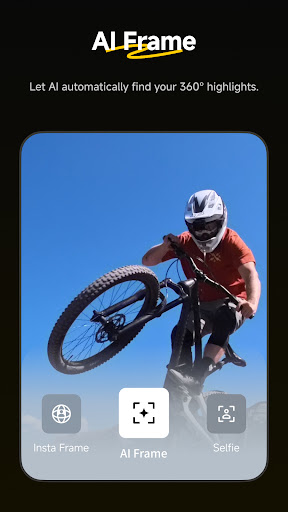
One of the standout features of the Insta360 app is its AI-driven capabilities that handle complex editing tasks automatically. The AI Edit function can reframe footage, detect subjects, and enhance your videos with minimal effort. Simply sit back and watch your action highlights come to life, thanks to improved subject detection that makes editing faster and more accurate.
Innovative Editing Templates with Shot Lab
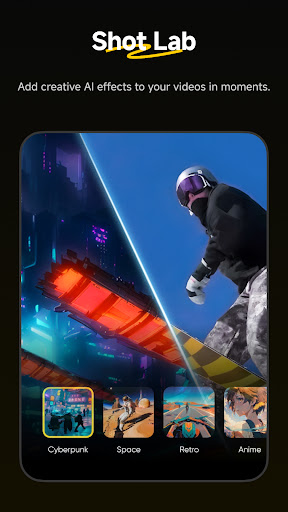
If you're looking to add a creative flair to your videos, explore Shot Lab, which offers a plethora of AI-powered editing templates. With over 25 templates—including Nose Mode, Sky Swap, AI Warp, and Clone Trail—you can craft viral-worthy clips in just a few taps. These templates turn ordinary footage into eye-catching mini-movies, perfect for social media sharing.
Versatile Reframing and Deep Track
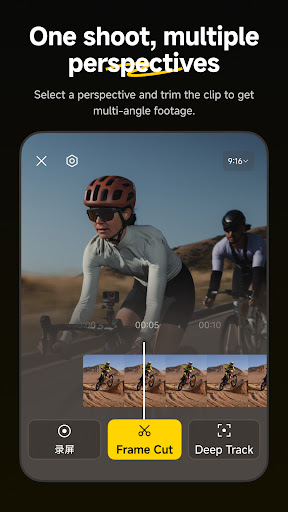
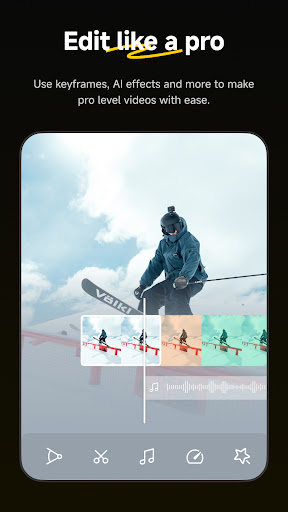
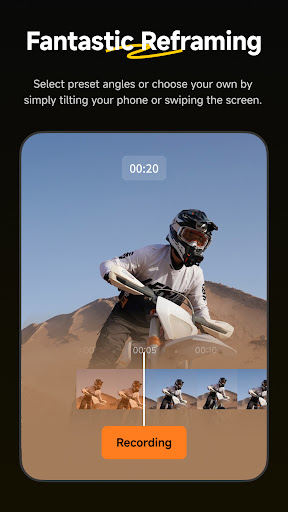
The Insta360 app provides versatile tools for creative filming. The easy-to-use reframing feature allows you to change perspectives by adding keyframes—simply tap to adjust the view and customize your shot. Additionally, Deep Track technology keeps your subject—whether a person, animal, or moving object—centered in the frame, ensuring professional-looking results regardless of movement.
Motion Speed and Hyperlapses
Create dynamic videos with the hyperlapse feature, which stabilizes and accelerates footage to produce smooth, cinematic time-lapses. Adjust the speed of your clips on the fly, giving you full control over the storytelling pace and perspective. These features enable you to turn everyday moments into stunning visual stories effortlessly.
Convenient Editing and Sharing On-the-Go
The Insta360 app supports download-free editing, allowing users to edit and share clips directly to social media without downloading them onto their devices. This saves storage space on your phone and facilitates quick, hassle-free content sharing during your adventures or daily routines.
Community and Content Discovery
Beyond editing, the Insta360 app connects you to a vibrant community of creators worldwide. Discover new video ideas, learn from tutorials, and interact with your favorite content creators—all within the app. This fosters inspiration and helps you elevate your content to new heights.
Technical Support and Policies
For technical updates, you can access the latest firmware and desktop software through the official website. The app also adheres to the Insta360+ Privacy Policy and User Service Agreement, ensuring your data privacy and a smooth experience. If you encounter connectivity issues, such as during live streaming over Wi-Fi, the app uses VPNService to optimize network routing, providing a more stable connection without the need for constant switching.
Why Choose the Insta360 App?
If you’re passionate about elevating your video content, the Insta360 app is a must-have tool. Its combination of powerful AI features, user-friendly interface, and comprehensive editing tools makes it suitable for both amateurs and pros. Whether capturing a family vacation, creating viral TikToks, or documenting your adventures, this app empowers you to craft stunning 360-degree videos and cinematic clips effortlessly. Download now and unlock a new world of creative possibilities with Insta360.
Pros
- Captures high-quality videos in 360-degree view.
- Intuitive interface that simplifies editing process.
- Allows live streaming directly through the app.
- Provides a variety of creative effects and filters.
- Receives regular updates with new features.
Cons
- Requires an compatible Insta360 camera device.
- Large video files take up considerable storage space.
- Battery drains quickly during extended use.
- May occasionally crash during intensive tasks.
- Customer support response can be slow.











