
Introducing the ID Photo - Easy ID Maker App
Searching for a simple yet powerful tool to create professional ID photos effortlessly? Look no further than ID Photo - Easy ID Maker. This innovative application is designed to streamline the process of producing high-quality ID images for various official documents, social media, or personal projects. Whether you need passport photos, visa pictures, driver's licenses, or customized artistic portraits, this app has the versatility and ease to meet your needs.
Key Features and Functionalities
Automatic Portrait Recognition: Utilizing advanced AI technology, the app automatically detects and aligns your portrait for optimal composition. This ensures your photos are perfectly centered and meet strict standards without manual adjustments.
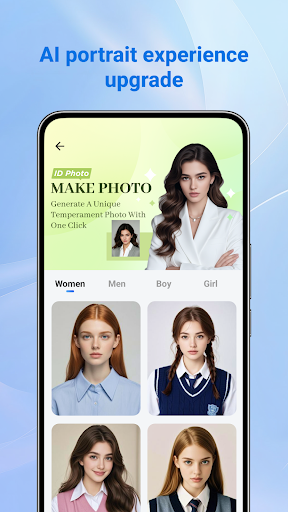
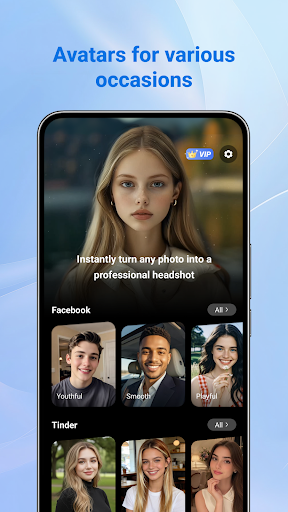
AI Artistic Portraits: Beyond standard ID photos, the app offers creative styling options powered by AI. Transform your images into unique artistic portraits with natural beautification effects, making your photos stand out on social platforms or resumes.
Portrait Beautification: The app supports natural skin smoothing, lighting adjustments, and overall enhancements to improve your appearance while keeping your look authentic and professional.
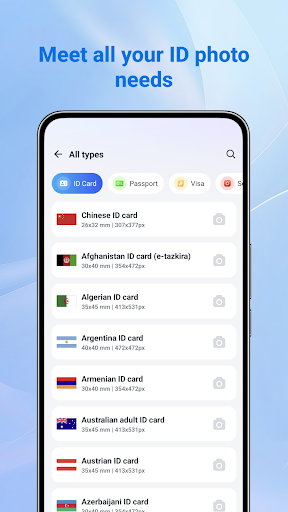
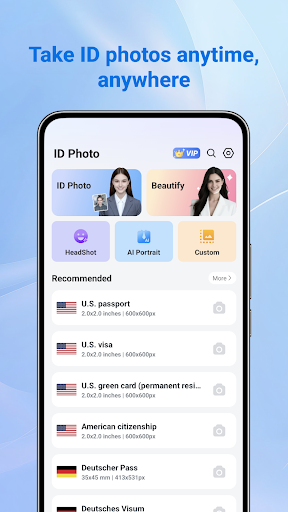
Multiple ID Specifications: Covering a wide array of official ID formats, the app automatically adapts your photo to meet diverse requirements, whether for •passport, •visa, •driver’s license, or other international ID standards.
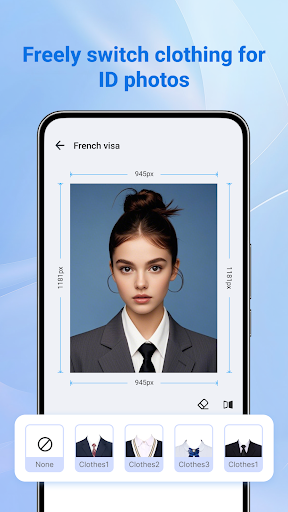
Tone and Editing: Customization features include background color swapping, brightness, contrast, and other editing tools to optimize your photo quality and adherence to specific guidelines.
Multiple Resolutions: Export your images in high-resolution formats suitable for printing or digital submission, ensuring clarity and compliance everywhere.
User-Friendly Interface: Designed for ease of use, the app’s sleek and intuitive layout allows anyone—regardless of technical skills—to create professional ID photos quickly and efficiently.
How the App Enhances Your ID Photo Creation Experience
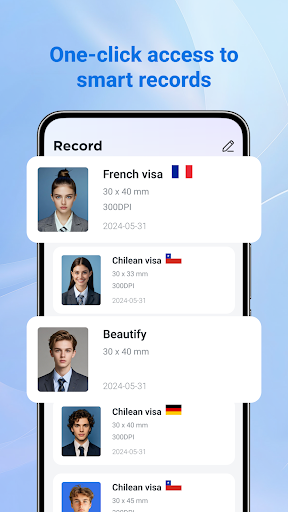
With ID Photo - Easy ID Maker, there's no need to register or undergo complex setups. You can jump right into capturing or uploading your photo. The app then guides you through cropping, background removal, and customization options to ensure your picture meets all the necessary standards, saving you time and effort.
The background removal tool employs impressive algorithms that automatically detect and replace backgrounds with solid, compliant colors—perfect for official documentation like passports and visas. This automatic background editing produces a clean, professional look without hiring professional photographers or photo labs.
Additionally, the app supports multiple ID formats, making it easy to select the appropriate template for your country or ID type. Whether you need a photo for a •passport or •driver’s license, the app adjusts instantly to meet the specific size and requirement standards, minimizing the risk of rejection due to format errors.
For the creative users, the AI artistic portrait features open up possibilities for unique photos that can be shared on social media or used for personal branding. The natural beautification tools ensure that your photos are flattering while maintaining authenticity, giving you a polished yet genuine appearance.
Why Choose ID Photo - Easy ID Maker?
This app is perfect for anyone who values convenience, quality, and versatility in ID photo creation. Its fast processing, high-resolution output, and automated features make it the go-to solution for busy individuals, travelers, students, or professionals needing quick updates of official photos. Plus, the privacy-conscious design ensures your photos are stored only locally, without cloud storage concerns.
If you’ve ever been frustrated with overpriced photo studios or complicated editing software, ID Photo - Easy ID Maker offers a simple, efficient alternative. Achieve professional results in just a few taps, turning your smartphone into a portable photo studio. Whether updating your passport, applying for a job, or creating eye-catching artistic portraits, this app empowers you to produce stunning images with minimal hassle.
Download ID Photo - Easy ID Maker today and discover how effortless and satisfying creating the perfect ID photo can be. Save money, time, and enjoy the confidence of a professional-looking photo right from your device.
Pros
- User-friendly interface for easy navigation
- Fast processing of ID photos
- Supports various ID formats
- Produces high-quality photos
- Offers editing tools for customization
Cons
- Limited free features
- Some formats require in-app purchases
- Occasional advertisements may interrupt use
- Internet connection needed for certain features
- Not optimized for all device types











