
Discovering Icon Pack Studio: The Ultimate Custom Icon Maker for Personalizing Your Smartphone
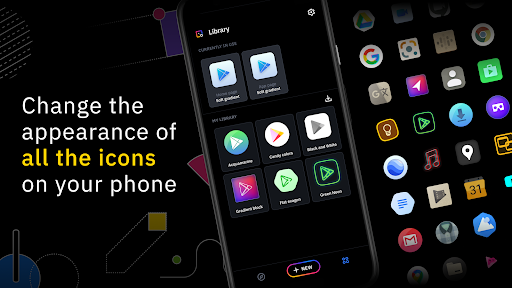
Are you tired of the default icons on your phone and looking for a way to truly personalize your device's appearance? Icon Pack Studio (IPS) offers an innovative solution that empowers users to create and tweak app icons with ease, making your home screen uniquely yours. Unlike traditional icon packs available on the Play Store, IPS provides a powerful platform for designing custom icons from scratch or modifying existing packs, ensuring a perfect fit for your style and preferences.
Unleash Your Creativity with IPS’s Advanced Editor
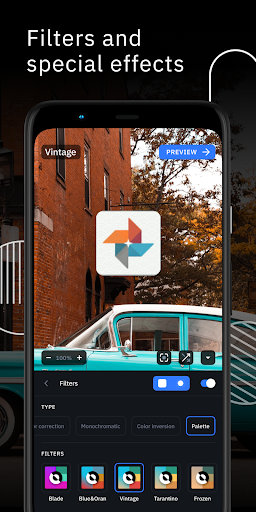
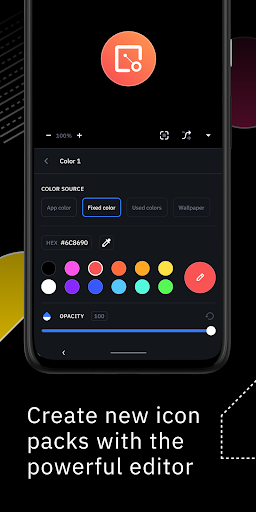
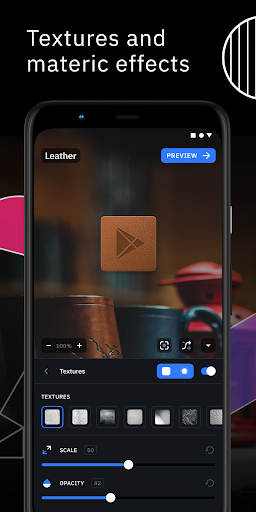
At the heart of Icon Pack Studio lies a sophisticated editing toolset that makes icon customization accessible to everyone. Whether you want to resize, reposition, or add special effects to your icons, the app offers a range of features that facilitate detailed customization without requiring professional design skills. You can enhance your icons using filters such as lights, shadows, textures, and bezels, giving each icon depth and personality. Creating a cohesive and personalized icon pack has never been easier. Once satisfied with your designs, applying them to your preferred launcher takes just a few taps.
Import and Tweak Existing Icon Packs
Starting from version 2, Icon Pack Studio extends its capabilities beyond creation. You can import any icon pack installed on your device and tweak it for a more personalized touch. This feature ensures that your customizations are compatible and accessible across a wide range of app icons. The ability to modify existing packs provides flexibility and creative freedom, allowing users to craft a truly bespoke home screen experience. No other icon pack app on the Play Store offers such comprehensive customization for all your device’s app icons.
Wide Compatibility with Popular Launchers
Icon Pack Studio is optimized for use with Smart Launcher but works seamlessly with almost any launcher, making it highly versatile. Tested launchers include Nova Launcher, Action Launcher, Lawnchair Launcher, Hyperion Launcher, Poco Launcher, Miui Launcher, ADW Launcher, Microsoft Launcher, Evie Launcher, Total Launcher, Niagara Launcher, Square Home Launcher, Apex Launcher, and Apex Launcher Classic. While some launchers such as Xperia Home Launcher and Samsung One UI Home are unsupported, many others may still be compatible, providing maximum flexibility for users.
Why Choose Icon Pack Studio for Your Customization Needs?
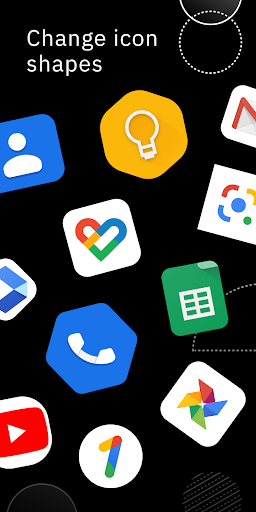
Unlike typical icon pack collections, Icon Pack Studio puts full creative control in your hands. Whether you want to craft icons that match your unique style or tweak existing packs for a cohesive theme, this app makes it simple and fun. Its user-friendly interface invites both beginners and seasoned designers to experiment with various design elements—colors, shapes, shadows, and textures—without feeling overwhelmed.
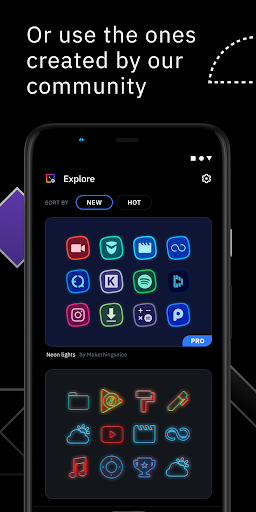
With IPS, you can visualize your perfect icon design, adjust transparency, and layer different effects to achieve the exact aesthetic you desire. Once your icons are styled to your liking, applying them to your home screen is quick and straightforward, transforming your device with minimal effort. The app also allows you to save multiple icon packs and switch between different styles whenever you wish, making your customization process dynamic and engaging.
With IPS, you can visualize your perfect icon design, adjust transparency, and layer different effects to achieve the exact aesthetic you desire. Once your icons are styled to your liking, applying them to your home screen is quick and straightforward, transforming your device with minimal effort. The app also allows you to save multiple icon packs and switch between different styles whenever you wish, making your customization process dynamic and engaging.
Perfect for Personalization Enthusiasts and Creative Users
Whether you're a casual user wanting to add a personal touch or a tech-savvy enthusiast seeking total control over your device's appearance, Icon Pack Studio offers everything you need. Its robust tools, combined with the ability to import and modify existing icon sets, make it a standout choice for smartphone customization. This app is more than just an icon pack creator—it's a mini design studio that allows you to express your personality through your device’s interface.
Pros
- Highly customizable icon packs
- Supports various launcher apps
- User-friendly interface
- Regular updates and improvements
- No root access required
Cons
- Limited free features
- May consume additional battery life
- Sometimes causes app crashes
- Contains ads in the free version
- Initial setup may be time-consuming











