

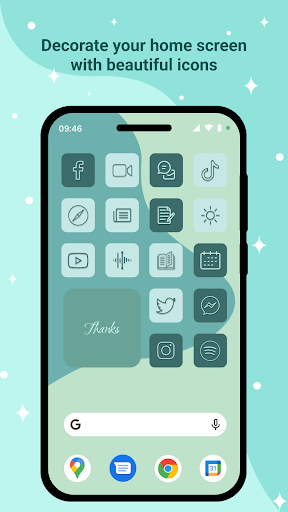
Overview of the Icon Changer - Customize Icon App
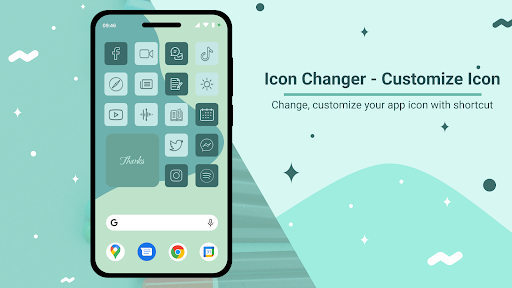
The Icon Changer - Customize Icon application is a versatile and free tool designed to empower users with the ability to personalize their device’s home screen. Whether you want to refresh the look of your apps or create a themed interface, this app makes it simple to modify application icons with just a few taps. It supports changing app names and icons, offering an extensive collection of icon packs and customization options that cater to a variety of styles and preferences.
Key Features of Icon Changer - Customize Icon
Supports Extensive Icon Customization
The app allows users to replace default icons with custom designs through an intuitive shortcut creation process. It offers a broad selection of icon packs, including over 10 different themes, such as minimalist, vibrant, or quirky styles. Additionally, users can import their own photos or images captured via camera to generate personalized icons. The app even enables selecting icons from other installed applications or third-party sources, providing maximum flexibility for your personalized home screen.
Flexible Styling Options
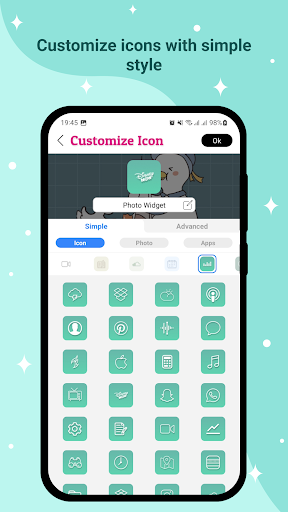
Simple Style
This mode provides basic customization features, allowing you to select icons directly from the available packs or your device’s gallery. It’s perfect for quick edits and easy personalization without complexity.
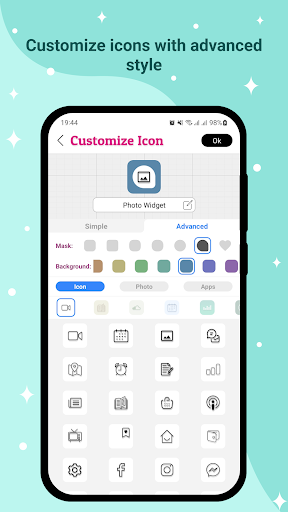
Advanced Style 1
Building upon the simple style, this option introduces the ability to customize the icon background and add masking effects. Photos from your device or apps are centered and minimized within the icon, creating visually appealing highlights that elevate your icon design.
Advanced Style 2
This style offers extensive customization options, including background and mask color adjustments, default icon selection, and icon color changes. The layer mask feature serves mainly for decorative purposes, giving you freedom to craft more unique and attractive icons, unleashing your creativity with detailed control.
User-Friendly Workflow
The app operates via a straightforward process:
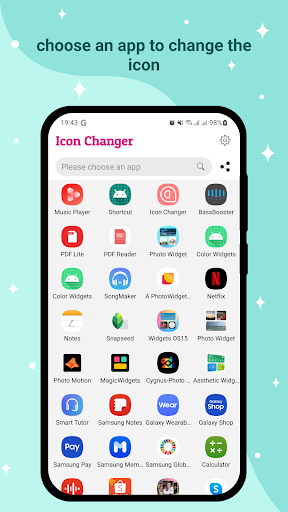
- Open Icon Changer - Customize Icon.
- Select the application you'd like to personalize.
- Customize the icon and name as desired.
- Tap the "Ok" button to apply changes (creating a shortcut on the home screen).
- Repeat to create additional icons or return to the main menu using the "Create next" button.
The entire process is designed to be quick and easy, even for beginners. No complex procedures are involved, making home screen customization accessible for everyone.
Enhanced Creativity and Personalization
If you're passionate about personalization, Icon Changer - Customize Icon offers tools to craft unique icons from scratch or modify existing ones to match your aesthetic. This feature encourages artistic expression, whether through color, masking, or shape adjustments.
Furthermore, you can rename your apps, such as changing "Calendar" to "Time Keeper," adding an extra layer of customization. These little modifications personalize your device’s interface, reflecting your personality and style more effectively.
Why Choose Icon Changer - Customize Icon?
With its comprehensive features, user-friendly design, and wide range of icon packs, Icon Changer - Customize Icon stands out as a top choice for Android users seeking to revamp their home screens effortlessly. Whether you want a sleek, minimalist look or vibrant, themes with intricate designs, this application has everything you need. It empowers users to create a cohesive and visually appealing interface that truly feels personalized.
So, if you’re tired of the default app icons and want to inject some fun and style into your device, this app is your perfect companion. Experience the joy of creative customization, and make your smartphone truly yours.
Conclusion
In summary, Icon Changer - Customize Icon offers a seamless way to personalize your Android device with custom icons and app names. Its flexible styling options, extensive icon packs, and easy interface make it ideal for anyone looking to explore their creative side on their mobile device. Start transforming your home screen today and enjoy a more visually appealing and personalized user experience!
Pros
- User-friendly interface
- Multiple icon style options
- Personalizable themes
- Quick icon switching
- Does not need root access
Cons
- Limited free features
- Advertisements in the free version
- May cause device slowdown
- Occasional bugs
- Requires frequent updates











