
Introduction to the HappyLighting App
The HappyLighting app is a innovative Bluetooth lamp control software designed to elevate your smart home lighting experience. This user-friendly application enables seamless management of compatible smart bulbs to create captivating lighting effects that enhance any space. Whether you're aiming to set a relaxing mood or energize a party atmosphere, HappyLighting offers a versatile solution to transform your environment effortlessly.
Core Features of HappyLighting
The HappyLighting app boasts a range of features that make customizing your lighting simple and fun:
Color Matching and Mode Settings
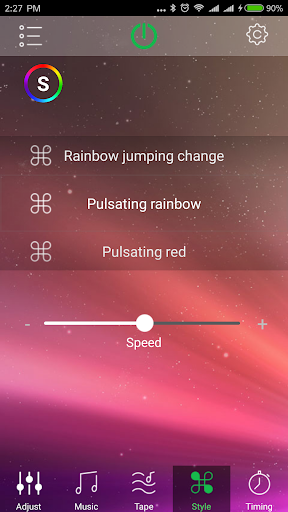
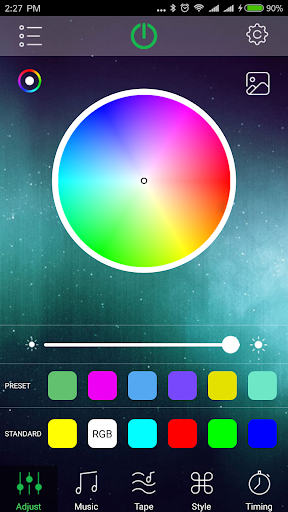
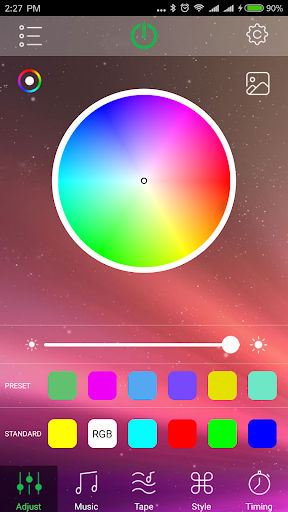
With this app, you can control your Bluetooth lights for precise color matching. Select from a variety of colors to match your desired ambiance, whether it’s a warm sunset hue or a vibrant party shade. Additionally, you can set different lighting modes to switch between steady, flashing, or dynamic effects suitable for various occasions.
Timing and Scheduling
The app allows you to control the timing of your lights, enabling scheduled lighting to turn on or off automatically. This feature is perfect for creating a cozy sleep environment by gradually dimming lights or setting a morning alarm with lights that gently brighten.
Music Synchronization
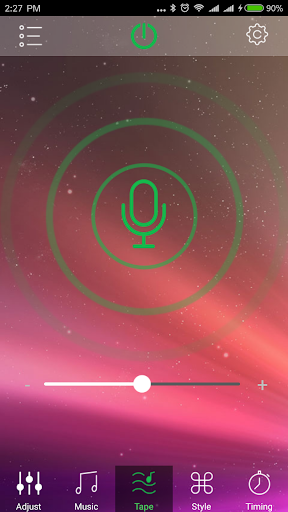
One standout feature is the ability to change the light colors in sync with music. Perfect for parties or relaxation sessions, the lights will dance along to your favorite tunes, creating a lively or calming atmosphere as desired.
Device Compatibility and Limitations
Please note, if your Bluetooth lamp does not start with "Triones", "BRGlight", "Dream", or "Light" in the Bluetooth device list, it is advised not to download this app. The app only supports these specific Bluetooth lamp devices, ensuring optimal performance.
Enhancing Your Living Space with HappyLighting
Ever wished to give your living room a little extra flair without a hefty investment? The HappyLighting app is your perfect companion for this purpose. It makes setting the mood with lighting straightforward and enjoyable. Whether you're hosting a gathering or unwinding after a busy day, this app helps create an ambiance that truly reflects your style.
Ease of Use and Setup
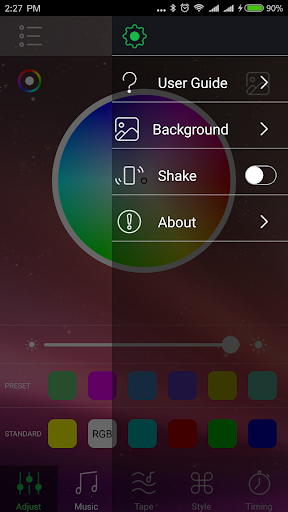
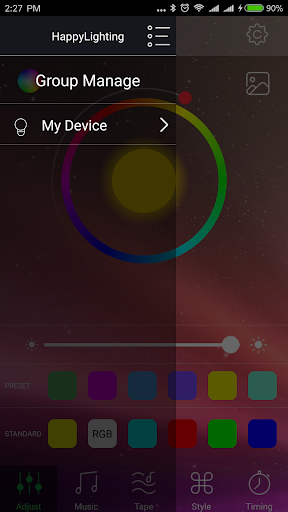
Getting started with HappyLighting is quick and hassle-free. After downloading the app, the setup process involves simple pairing steps with compatible smart bulbs. The intuitive interface guides you through each stage, making color adjustments, brightness control, and mode selection accessible even for those new to smart home technology.
Customizing Your Lighting Experience
Once configured, you can effortlessly change the light colors to match your mood or activity. Dim the lights for a cozy movie night or brighten them up for a lively dinner party. The scheduling feature lets you set timers for lights to activate or deactivate automatically, bringing convenience and energy savings. Moreover, the music sync function turns any space into a dance floor, with lights pulsing and changing colors in harmony with your beats.
User-Friendly Interface and Performance
The HappyLighting app impresses with its clean design and responsive controls. Navigation is straightforward, with clearly labeled options that do not require technical expertise. Responsiveness is excellent, ensuring real-time updates between your phone and the lights, which enhances the overall user experience. You won't experience frustrating delays or lag, making the lighting adjustments swift and satisfying.
Final Thoughts
Overall, the HappyLighting app is a fantastic addition to any smart home ecosystem. Its combination of ease of use, rich feature set, and engaging customization options make it ideal for both tech enthusiasts and casual users alike. Whether you're aiming to create a relaxing retreat or an energetic party environment, this app provides the tools to bring your lighting vision to life. Dive in and let your lights do the talking—transform your space, set the mood, and enjoy the magic of smart lighting control with HappyLighting.
Pros
- Intuitive user interface
- Wide range of color options
- Music synchronization feature
- Customizable settings
- Compatible with various devices
Cons
- Requires an internet connection
- Limited features available for free
- Occasional connectivity problems
- Can drain the device battery quickly
- Ads present in the free version











