

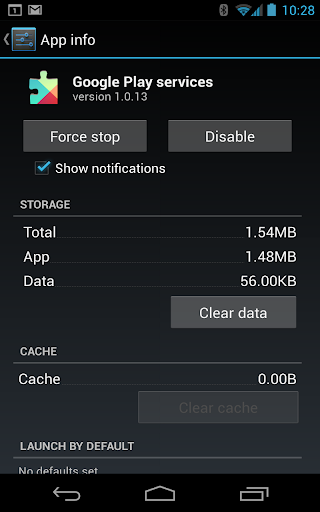






Understanding Google Play Services
Google Play Services is a fundamental component of your Android device that runs quietly in the background to enhance your app experience. It is responsible for updating Google apps and other apps from the Google Play Store, ensuring your device stays current and secure. This essential service provides core functionalities such as authentication to your Google accounts, synchronized contacts, and access to the latest user privacy settings. Moreover, Google Play Services delivers high-quality, lower-powered location-based services which improve the accuracy of your device's location without draining your battery.
Beyond app updates, Google Play Services significantly boosts your app experience by speeding up offline searches, offering more immersive maps, and enhancing gaming performance. It’s crucial to understand that if you uninstall or disable Google Play Services, many apps may cease to function correctly, highlighting its role as the backbone of many Android applications and services.
Why Google Play Services Is Essential for Your Android Device
Think of Google Play Services as the invisible engine that keeps your Android device running smoothly. It acts as a bridge between your device and Google’s ecosystem of apps and services, managing updates, authentication, and data synchronization seamlessly. Without this vital app, your device would struggle to communicate effectively with Google servers, leading to issues like failed sign-ins, inaccurate location data, or malfunctioning apps.
Developers also rely heavily on Google Play Services as it provides the APIs necessary to incorporate Google’s functionalities into their apps. This integration ensures that users enjoy a consistent, secure, and efficient experience across all applications. In essence, Google Play Services is the digital glue that keeps your Android environment cohesive and operating optimally.
Core Features and Functions of Google Play Services
Authentication
This feature helps your apps verify your identity, making sign-in processes faster and more secure. It ensures that your login credentials are authenticated smoothly across various services.
Location Services
Wondering how your weather app accurately detects your current location? Google Play Services powers these location-based features, providing precise and privacy-conscious geolocation data.
Google Maps Integration
Many apps incorporate maps for navigation purposes. Google Play Services facilitates this by enabling seamless map integration within apps, making navigation and route planning straightforward.
Background Sync
This function ensures your apps stay up-to-date and synchronize data automatically in the background, without requiring manual refreshes or interactions.
Personal Experience and the Impact of Google Play Services
As someone who frequently experiments with apps and device settings, I can attest to the importance of Google Play Services. Though it operates silently in the background, its presence is vital for the smooth functioning of your device. Whenever I face issues with app behavior, a quick check for updates or status in Google Play Services often reveals the root cause.
Out of curiosity, I temporarily disabled it once. However, I quickly regretted that decision, as many apps started misbehaving or refused to open — a reminder of its essential role. Restoring Google Play Services promptly brought stability back to my device, confirming its importance as the unsung hero behind the scenes.
Final Thoughts
While Google Play Services may not be the app you showcase to friends, its significance cannot be overstated. It is the silent partner that ensures your Android experience remains smooth, secure, and efficient. Regularly updating this service optimizes performance and safeguards your device from security vulnerabilities.
Next time your apps run seamlessly or your location services are accurate, remember to thank Google Play Services. It’s the backbone of your Android ecosystem, diligently working in the background to keep everything ticking without a hitch. If you haven’t already, make sure to keep Google Play Services updated and let it continue performing its magic.
Pros
- Enhances app performance and reliability.
- Provides seamless app updates.
- Offers location accuracy improvements.
- Enables offline searches.
- Supports better gaming experiences.
Cons
- Consumes significant battery life.
- Requires frequent updates.
- Limited control over its features.
- Can slow down older devices.
- Pre-installed and cannot be uninstalled.











