

Good Lock: The Ultimate Samsung Galaxy Customization Toolkit
Good Lock helps Samsung Galaxy users tailor their devices for a smoother, more convenient experience. With Good Lock’s plugins, you can customize the UI of the status bar, Quick Panel, lock screen, keyboard, and more, and access features such as Multi Window, audio controls, and Routine with greater ease.
Main Plugins at a Glance
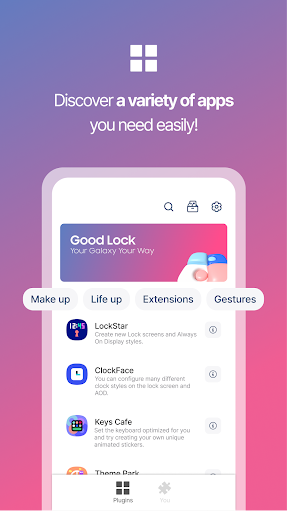
LockStar: Create new lock screens and AOD styles.
ClockFace: Set various clock styles for the lock screen and AOD.
NavStar: Organize navigation bar buttons and swipe gestures.
Home Up: An enhanced One UI Home experience.
QuickStar: Organize a simple top bar and Quick panel.
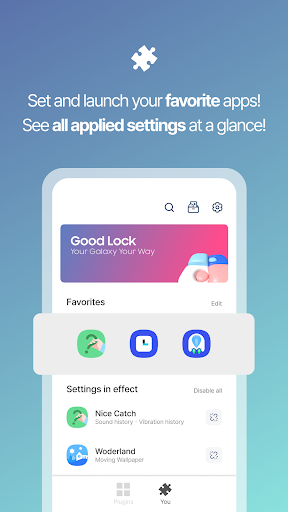
Wonderland: Create moving backgrounds that respond to device motion.
There are many other plugins with a wide range of features. Install Good Lock and explore each option to discover what best fits your style.
Device and Language Support
Target devices include Android O and P on Samsung devices (OS 8.0). Some models may not be supported.
Supported languages include Korean, English, Chinese, and Japanese.
Why Good Lock Transforms Your Galaxy Experience
Ever wondered how you survived without it? Good Lock is the ultimate customization toolkit for Samsung Galaxy devices, and if you enjoy tinkering with settings, you’re in for a treat. It’s not just about wallpapers or widgets—Good Lock dives deeper, offering tools that reshape how your phone works and feels.
The Magic of Personalization: Good Lock behaves like a Swiss Army knife for your phone. Modules such as LockStar, Task Changer, and ClockFace provide a full suite of options to tweak nearly every aspect of your device. It’s about giving you real control, not just cosmetic changes.
LockStar: Your Lock Screen, Your Rules — rearrange lock screen elements, move the clock, add shortcuts, and customize notification display. MultiStar: Multitasking made easy with pop-up view or split-screen. Theme Park: Create themes by choosing colors, icons, and wallpapers to match your mood or season. You can switch themes as often as you like, making your device reflect who you are.
Note that Good Lock is exclusive to Samsung Galaxy devices, so Galaxy users gain a truly deeper level of customization beyond the standard settings menu. For those in the Galaxy ecosystem, it’s like a secret weapon that elevates the entire phone experience.
In short, Good Lock turns a Galaxy device into a personalized powerhouse. Its comprehensive suite of tools is ideal for anyone who wants to break free from the ordinary and enjoy a truly customized phone experience. Dive into Good Lock and unlock the full potential of your Galaxy today.
Pros
- Highly customizable interface options.
- Enhances overall system performance.
- Improves multitasking capabilities.
- Offers unique lock screen features.
- Regular updates with new features.
Cons
- Limited to Samsung devices only.
- Can be complex for beginners.
- Some features are region-locked.
- Consumes additional battery life.
- Occasional compatibility issues.











