


Discover the Convenience of Find My Phone by Clap Launcher
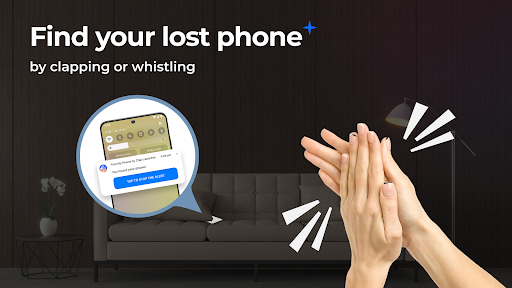
Are you tired of constantly misplacing your smartphone? Find My Phone by Clap Launcher offers an innovative solution to help you locate your device effortlessly. This smart application harnesses the power of sound recognition technology to respond to your claps or whistles, making it possible to find your lost phone in seconds even from across the room.
This user-friendly app transforms your phone into a responsive device that activates a range of alerts—sound, vibration, and flash—to ensure you never spend long searching again. Whether your phone lands behind furniture, gets tucked under pillows, or is hidden in a dark corner, Find My Phone by Clap Launcher simplifies the process of locating it quickly and conveniently.
The Key Features of Find My Phone by Clap Launcher
Designed to enhance your phone’s functionality, this launcher app features a suite of tools and customization options:
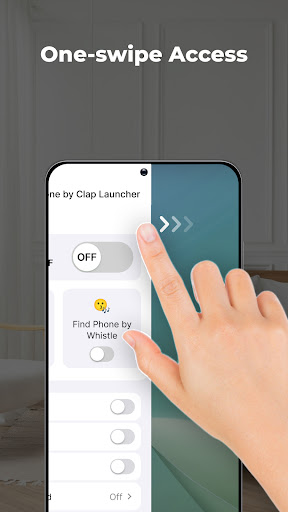
- One-swipe access: Easily activate clap or whistle detection by swiping right from your home screen.
- Home screen widget: Access time, weather, and other useful information directly from your customized widget.
- Wallpaper customization: Personalize your device’s background with a wide variety of beautiful wallpapers.
- Home screen shortcut: Create quick access points for the phone finder feature directly on your home screen.
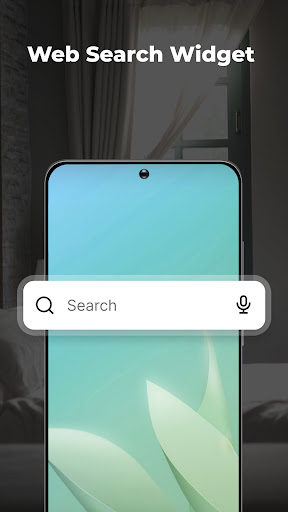
- Multi-touchpoint search: Search for apps and perform web searches (powered by Yahoo) from multiple points for added convenience.
How Find My Phone by Clap Launcher Works
The core functionality relies on a sophisticated sound recognition technology. When you clap or whistle, the app detects this sound instantly, triggering a multi-alert system that makes your device easier to locate. The alerts include a loud ringtone and an intense flash, even in dark or noisy environments.
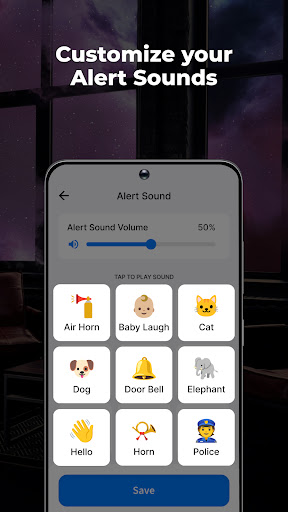
Moreover, the app allows you to customize alerts—choose from a variety of engaging sounds like melodies, animal noises, or electronic beats. You can also adjust the alert duration, setting it for 10, 30, 60, or 120 seconds to match your preferences.
Extra Features for Enhanced Ease of Use
Bright flash or vibrate response: Find your device visually in darkness or low-light scenarios with the flash or vibration triggers.
Battery-friendly design: The app is optimized to use minimal battery power while it’s running in the background, ensuring your device remains available when needed without unnecessary drain.
Intuitive interface: Built for simplicity, the app’s user-friendly design allows anyone to set up and use the sounding and flashing features without complicated configurations.
Compatibility: It's supporting multiple phone models and functions seamlessly whether your device is on silent, vibrate, or full volume mode.
Why Choose Find My Phone by Clap Launcher?
This app is more than just a phone finder—it’s a smart assistant that integrates into your daily routine, making lost phones a thing of the past. Its features are tailored to ensure maximum efficiency, convenience, and customization—delivering a reliable solution for all users who want peace of mind about their device’s whereabouts.
With Find My Phone by Clap Launcher, discovering your lost device requires only a simple clap or whistle, and your phone responds immediately. It’s perfect for busy environments or for anyone prone to misplacing their device frequently. Plus, the app works whether your phone is on silent, vibrate, or loud, giving you versatile options to suit your scenario.
Download Find My Phone by Clap Launcher today and join countless users who no longer worry about losing their phones. Enjoy the peace of mind that comes with knowing your device can be found quickly and efficiently—just by making some noise!
Pros
- Offers a user-friendly interface that simplifies navigation and promotes a seamless user experience.
- Provides comprehensive features that cater to a wide range of user needs.
- Ensures fast performance with quick load times and smooth operation.
- Regular updates improve functionality and fix bugs promptly.
- Provides excellent customer support to assist users effectively.
Cons
- Limited customization options may restrict personalization for advanced users.
- Some features are locked behind a paywall, requiring additional purchases.
- Occasional bugs can affect overall stability and user satisfaction.
- The app's size can be large, occupying significant storage space on devices.
- Compatibility issues may arise with older device models or operating system versions.











