
Epson Smart Panel App: Your Mobile Command Center for Epson Wireless Devices
The Epson Smart Panel app is a high-performance, easy-to-use mobile control solution designed to manage your Epson wireless printers and scanners seamlessly. This innovative tool transforms your smartphone or tablet into a powerful command center, providing effortless setup, monitoring, and operation of compatible Epson devices right from your device’s interface.
Supported Devices and Compatibility
To ensure optimal functionality, it is important to verify that your Epson product is supported by the Epson Smart Panel app. Visit the official support website to find the list of supported printers and scanners. If your device is not listed, consider using specialized apps such as Epson iPrint for printers or Document Scan for scanners.
Keep in mind that Epson Smart Panel will not be able to locate or connect to unsupported products, so checking compatibility beforehand is essential for a smooth experience.
Key Features of Epson Smart Panel
This app serves as a comprehensive mobile command center, offering several features designed to streamline your printing and scanning tasks:
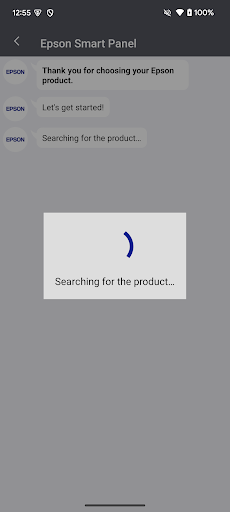
- Easy Setup: Quickly connect your Epson device to your Wi-Fi network with minimal effort, making the setup process straightforward even for beginners.
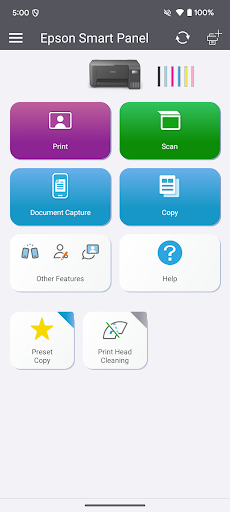
- Innovative Action Tiles: The app utilizes intuitive action tiles that enable quick access to essential functions, making device operation simple and efficient.
- Auto Configuration & Customization: The app intelligently tailors its interface to your specific device, offering personalized settings that enhance usability and streamline workflows.
- Support & Supplies: Access support resources, register your device, order supplies, or find troubleshooting help—all within the app’s integrated platform.
- Unified Interface: Manage both your Epson printers and scanners through a single, cohesive interface that adapts to your device’s features via auto configuration.
Ease of Use and Convenience
The Epson Smart Panel app is designed with user convenience at its core. Whether you want to set up a new device, monitor print or scan jobs, or troubleshoot issues, all functions are accessible through a clean, unified interface. The app adapts automatically to your device, providing tailored options for optimal performance.
Moreover, the app simplifies routine tasks like registering your device or ordering supplies, making it a versatile tool for both home and small business users. Its mobile nature means that you can manage your Epson products from anywhere within your Wi-Fi network, providing flexibility and control at your fingertips.
Do note that using the Epson Smart Panel app requires downloading it on a compatible smart device. Data usage fees might apply depending on your network plan. For additional details and support, visit www.epson.com.
Conclusion
In summary, the Epson Smart Panel app is an essential companion for Epson device owners who want a simplified and effective way to manage their wireless printers and scanners. Its user-friendly interface, auto configuration capabilities, and integrated support resources make it an excellent choice for enhancing productivity and convenience. Remember to verify your device’s compatibility on the official website to unlock the full potential of this powerful mobile control solution.
Pros
- User-friendly interface that makes navigation easy
- Wide selection of features to enhance productivity
- Fast app performance with minimal lag
- Regular updates improve functionality and security
- Excellent customer support available
Cons
- Limited customization options for advanced users
- Some features require a paid subscription
- Occasional bugs reported by users
- Higher resource consumption on devices
- Learning curve for new users











