



Introduction to EasyCut - Video Editor & Maker
Are you looking for a powerful yet user-friendly mobile application to create stunning videos right from your phone? Look no further than EasyCut - Video Editor & Maker. This app is designed to cater to both beginners and experienced editors, providing a seamless experience to craft professional-looking videos with just a few taps. Whether you want to make short reels, edit videos for social media, or compile memorable moments, EasyCut makes the process effortless and enjoyable.
Key Features of EasyCut Video Editor & Maker
1. Easy and Intuitive Editing
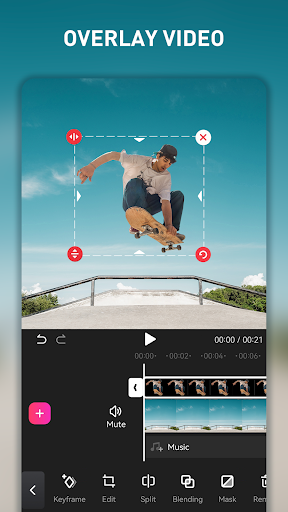
With a straightforward interface, EasyCut simplifies video editing. You can trim, crop, split, and arrange clips with drag-and-drop actions—perfect for quickly assembling your footage. Despite its simplicity, it offers powerful editing tools that let you create professional videos in a matter of seconds, whether you're a seasoned editor or just starting out.
2. Rich Music Library & Sound Editing
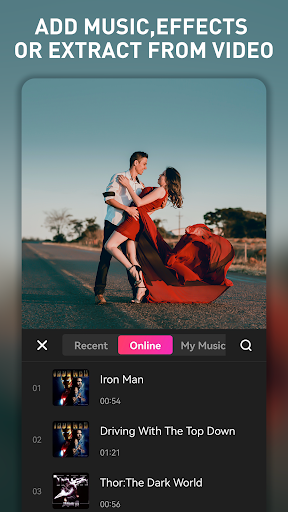
Adding background music or voice-overs is made effortless with EasyCut. The app features a vast built-in music library and allows you to extract audio from other videos. You can synchronize music with your video clips, creating engaging montages, dance videos, or travel vlogs that truly stand out.
3. Stunning Effects, Filters, and Transitions
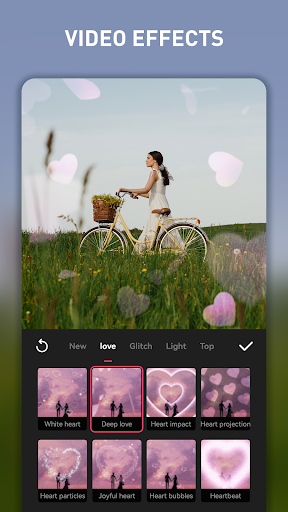
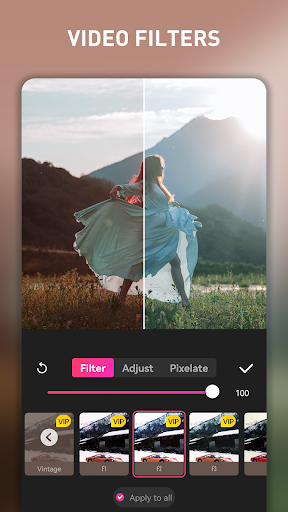
Enhance your videos with trending filters inspired by popular platforms like Instagram. EasyCut provides a multitude of transition effects, overlays, stickers, and animated titles. You can customize colors, fonts, and sizes to make each element uniquely yours, giving your videos a polished and creative look.
4. Collage and Photo Editing
Create eye-catching collages with 1-9 images, with adjustable gaps, backgrounds, and corners. The app also offers fast photo editing tools—turn your photos into artwork with minimal effort. This makes it ideal for social media profiles or sharing creative content with friends.
5. Background and Aspect Ratio Customization
Change video backgrounds, add borders, and modify aspect ratios to suit various social media platforms such as YouTube, Instagram, or TikTok. EasyCut ensures your videos are perfectly formatted for any destination.
6. Video Compression and Speed Control
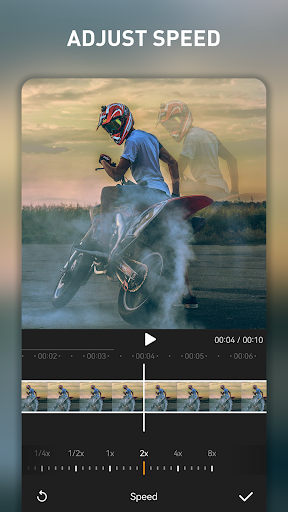
Reduce the file size of large videos to save storage space and make sharing easier. Additionally, control video playback speed—speed up for fun effects or slow down for emphasizing special moments all within the app.
7. Export in Full HD & Unlimited Usage
Finish your projects by exporting them in full HD quality. The app supports unlimited video length and exports, so you're free to create as many videos as you like without restrictions. Share your masterpieces on popular social media platforms seamlessly.
The Advantages of Using EasyCut for Video and Photo Editing
User-Friendly Interface and Reliability
One of the standout qualities of EasyCut is its intuitive design. You don’t need special skills to navigate the toolset—just open the app and start editing. The interface is clean and organized, making your editing process smooth from start to finish. Users report that the app runs efficiently across both Android and iOS devices, providing quick rendering times and stable performance.
Cost-Effective Solution for Content Creators
Best of all, EasyCut is completely free. There are no hidden charges or limits on the length of videos you can create. This makes it an excellent choice for hobbyists, influencers, or anyone looking to produce high-quality videos without investing in expensive software.
Versatility and Creativity Boost
From creating engaging social media content to editing personal videos, EasyCut offers all the features you need. The app’s pre-designed templates and a wide variety of effects help you craft impressive videos effortlessly. Whether you want quick edits or more complex projects, EasyCut caters to all levels of users.
Conclusion
If you want an easy-to-use, powerful, and free video editing app, EasyCut - Video Editor & Maker is undeniably worth trying. It combines simplicity with a comprehensive feature set, allowing you to produce stunning videos quickly, perfect for sharing on any social platform. Whether you’re creating reels, travel vlogs, or personal memories, this app helps you bring your ideas to life effortlessly. Download EasyCut today and start making professional-quality videos with ease!
Pros
- Intuitive interface for effortless editing
- Wide range of editing tools provided
- Supports exporting videos in high quality
- Receives regular updates with new features
- Free version includes many functionalities
Cons
- Includes in-app purchases for premium features
- Occasional advertisements in the free version
- Requires internet connection for some features
- May be demanding on older devices' resources
- Limited music library available in the free version











