

Introducing the Duck Blast Launcher: A Fully Customizable Android Home Screen Experience
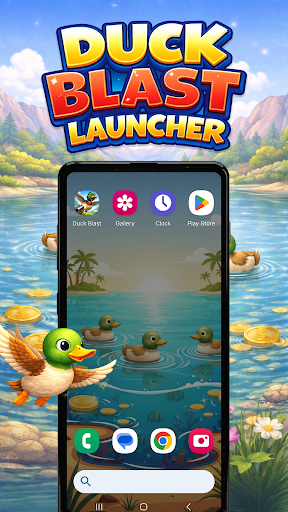
The Duck Blast Launcher is a cutting-edge Android launcher that transforms the appearance and functionality of your device’s home screen. Designed for users who appreciate personalization and dynamic visuals, this launcher offers an extensive array of customization options. From immersive game-themed wallpapers to flexible layout adjustments, Duck Blast Launcher empowers you to craft a device environment that reflects your style and preferences.
Main Features of Duck Blast Launcher
Built-in Game – Duck Blast
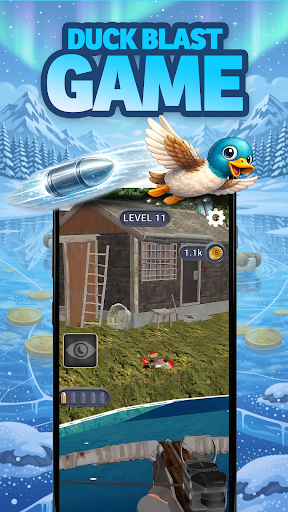
Integrated directly into the home screen, the Duck Blast game provides a lively interactive experience right at your fingertips. Players can hunt ducks, upgrade their weapons and abilities, and venture through multiple stages of excitement. This engaging game element adds a fun and playful dimension to your Android interface, making your device not just functional but also entertaining.
Home Screen Wallpapers
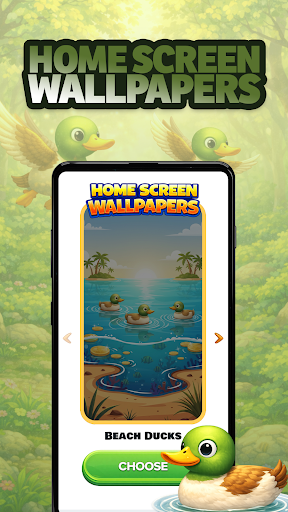
Choosing the perfect wallpaper is easy with Duck Blast Launcher. Inside the Home Settings, you can select from 10 original wallpapers inspired by the Duck Blast game. These vibrant backgrounds refresh your home screen’s look and feel. For added convenience, you can also change wallpapers by simply long-pressing an empty space on your home screen, providing quick and effortless customization.
Color Themes
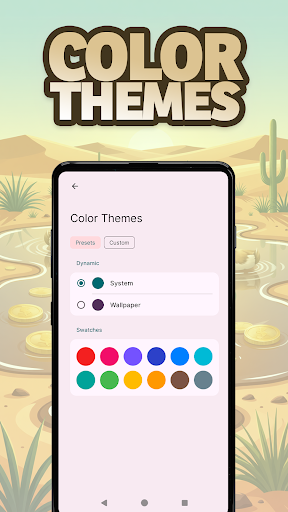
Express your personal style with customizable Color Themes. Accessible via Home Settings or long-pressing on an empty space, this feature allows you to choose from a diverse palette of colors. Whether you prefer a bold, vivid scheme or a subtle, minimalist tone, creating a unique theme that matches your personality has never been easier.
Icon Shape Customization
Personalize the appearance of your app icons with the Icon Shape feature. Located in Home Settings, you can select different shapes to complement your overall theme and make your home screen uniquely yours. This small detail can significantly influence your device’s aesthetic appeal.
Gestures for Efficient Navigation
Simplify your interaction with the device through Gesture controls. In Home Settings, you can assign swipe and tap gestures to perform actions such as opening apps, accessing settings, or opening the app drawer. These intuitive gestures make navigating your device faster and more convenient, enhancing your overall user experience.
Ease of Use and Flexibility
One of the key advantages of Duck Blast Launcher is its user-friendly approach. When set as your default home app, it seamlessly replaces your existing Android layout. However, if you decide to revert, switching back to your previous launcher is simple and straightforward. This flexibility ensures that you can enjoy the launcher’s features without any hassle or permanent change to your device's configuration.
Enjoy a Personalized and Fun Android Experience
With its rich set of features and engaging visuals, Duck Blast Launcher transforms your ordinary Android device into a personalized playground. Whether you’re a gaming enthusiast, a lover of vivid themes, or someone who just wants a fresh look, this launcher caters to all your customization needs. Dive into a more lively, fun, and customized Android experience and enjoy effortless navigation combined with stunning visuals.
Pros
- Offers a user-friendly interface that is easy to navigate.
- Provides fast and reliable performance for various tasks.
- Includes a wide range of features suitable for different user needs.
- Offers excellent customer support and regular updates.
Cons
- Can be resource-intensive, potentially slowing down older devices.
- Some features may have a steep learning curve for new users.
- Limited customization options compared to similar applications.
- Occasional bugs or glitches that may affect user experience.











