
Discover the Charm of the DIY Cat Language Wallpaper App
Imagine yourself relaxing on your cozy couch, your adorable feline friend curled up beside you, while you browse the app store and stumble upon a delightful new application—DIY Cat Language Wallpaper. As a passionate cat lover, curiosity naturally piques your interest. What exactly does this app do? How can it transform your phone screen into a personal feline-inspired masterpiece? Let’s explore the features and benefits of this innovative cat wallpaper app, designed specifically for those who adore their furry companions and crave a touch of customization.
What Is DIY Cat Language Wallpaper?
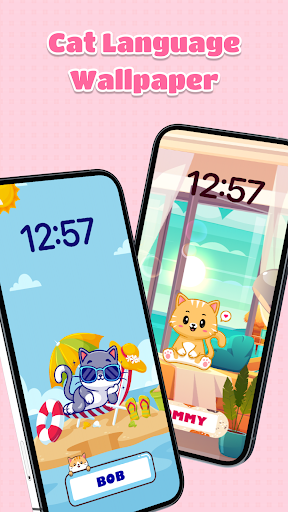
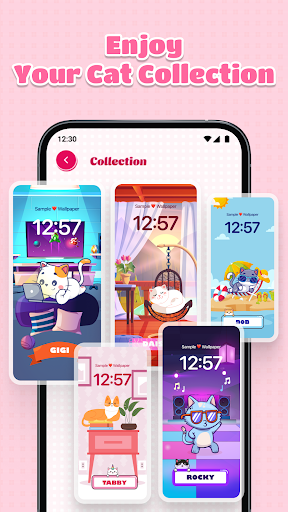
DIY Cat Language Wallpaper is more than just a typical wallpaper customization app. It combines the love for cats with creative digital design, allowing you to craft unique cat-themed wallpapers that incorporate adorable images, vibrant backgrounds, and playful cat language symbols. Imagine creating a secret message or a special code between you and your beloved pet, right on your phone's lock screen or home screen. Whether you prefer cute kitten images or majestic adult cats, this app offers a plethora of options to express your feline fascination.
Key Features of the DIY Cat Language Wallpaper App
Creative Personalization
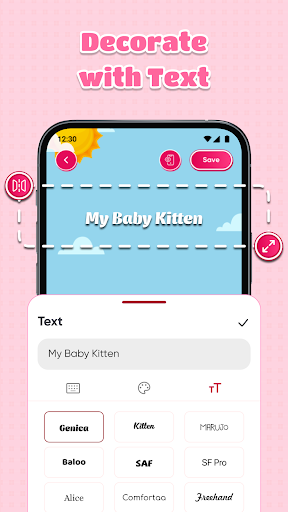
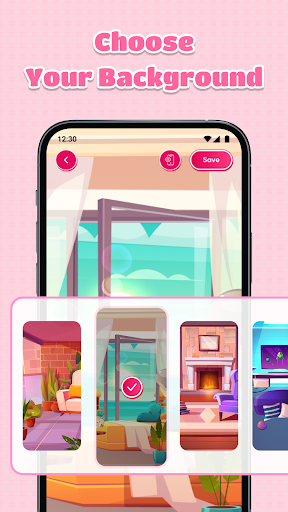
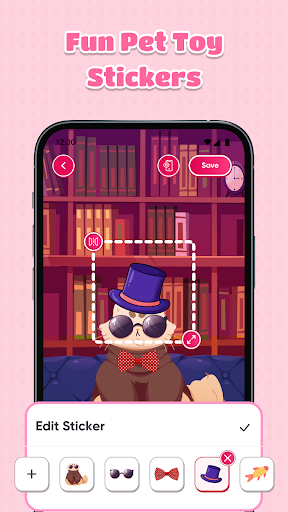
The app allows you to combine various elements—such as stickers, backgrounds, and custom text—to design your perfect cat language wallpaper. You can select from pre-designed backgrounds or upload your own images to match your mood and style. The intuitive color picker makes adjusting hues simple, enabling you to create backgrounds that range from subtle pastels to vibrant patterns.
Extensive Customization Options
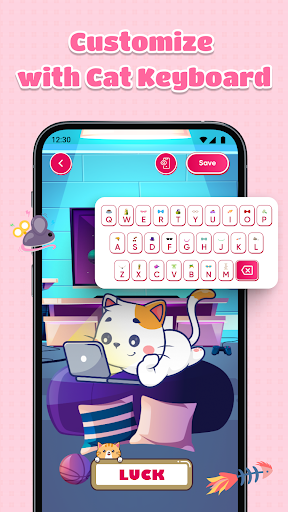
Personalize your wallpaper further with a cute keyboard populated with stickers. Add a variety of cat stickers, showcasing different breeds and expressions, to your designs. The app’s simple controls let you effortlessly move, resize, or rotate stickers and text, giving you full creative freedom to craft a one-of-a-kind cat wallpaper.
Easy Editing and Saving
Designing your unique cat lock screen is a breeze with straightforward editing tools. Once you’re satisfied with your creation, save it directly on your device. With just a few taps, you can set your custom wallpaper on your phone, ensuring your device reflects your passion for cats every time you unlock it.
Enhancing Your Phone with Creative Cat Designs
The beauty of DIY Cat Language Wallpaper lies in its ability to turn ordinary phone backgrounds into expressive, personalized art. From playful stickers to meaningful symbols in cat language, you can craft designs that are both adorable and meaningful. This app provides a fun outlet for feline enthusiasts to showcase their love for cats while adding a splash of personality to their daily device interactions.
Why Cat Lovers Will Adore This App
One of the standout features of the DIY Cat Language Wallpaper app is its playful take on cat language. Incorporating symbols and phrases that mimic the way cats communicate adds a whimsical element that resonates with pet owners. It’s a clever and charming way to keep your feline affection front and center. Moreover, showing your customized wallpaper to friends or fellow cat enthusiasts can spark conversations and shared appreciation for these adorable creatures.
Final Thoughts: A Creative Must-Have for Cat Enthusiasts
In summary, DIY Cat Language Wallpaper is a delightful app that blends creativity with love for cats. It offers comprehensive tools to design customized cat wallpapers that truly reflect your style and your affection for your furry friends. Whether you want a sweet kitten scene or a personalized cat-inspired message, this application makes it easy and fun. Embrace your inner cat whisperer, and give your phone an adorable makeover today—your screen and your feline soul will thank you.
Pros
- Customizable wallpapers with a cat theme.
- Easy-to-use interface.
- Enjoys regular updates featuring new designs.
- Works offline without needing an internet connection.
- Lightweight and quick to operate.
Cons
- Limited free content available.
- Requires in-app purchases for premium options.
- Advertisements may be disruptive.
- Needs Android version 5.0 or higher.
- Does not support live wallpapers.











