
Overview of Control Center - Panel Plus
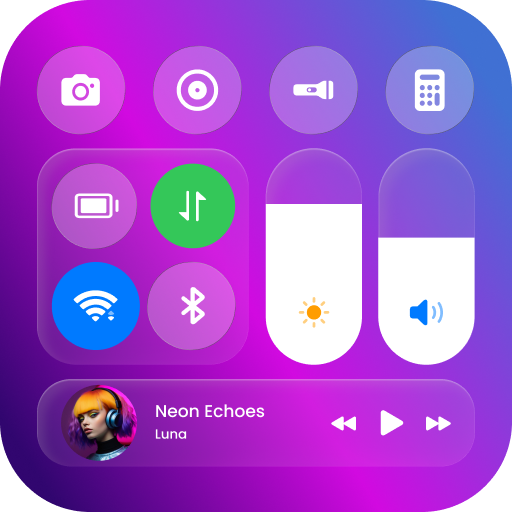
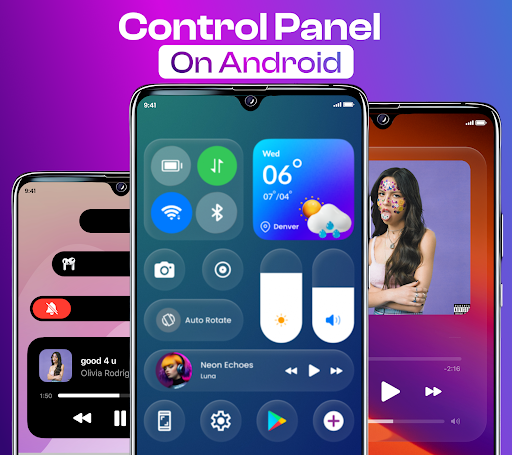
Control Center - Panel Plus is an innovative app designed to transform the way you interact with your Android device. This sleek and customizable control panel provides quick access to essential functions, making your smartphone experience more efficient and stylish. With features that mimic the intuitive control center found on iOS devices, this application seamlessly integrates into your Android, enhancing its usability without compromising performance.
Main Features of Control Center - Panel Plus
• Brightness and Sound: Easily adjust screen brightness and volume levels in a stylish interface. Whether you're in a bright environment or a dark room, quick access to brightness controls ensures optimal viewing comfort. Adjusting sound settings is just as effortless, enabling you to toggle between different volume modes instantly.• Dark Mode: Switch effortlessly to dark mode for comfortable viewing during nighttime or low-light conditions. Dark mode not only reduces eye strain but also conserves battery life on devices with OLED screens.• Connect to Wi-Fi: Connect to Wi-Fi networks with a single tap. This feature streamlines your connectivity process, saving time and effort by avoiding navigating through lengthy settings menus.• Screen Recording: Capture your screen effortlessly for tutorials, gameplay, or sharing moments. The built-in screen recording tool makes it simple to record high-quality videos without additional apps.• Silence Notifications: When you need peace and quiet, activate this feature to silence notifications and alerts quickly, avoiding interruptions during meetings, movies, or important tasks.• Lock Screen Orientation: Prevent your screen from rotating accidentally. Lock the orientation in portrait or landscape mode depending on your preference, ensuring your display remains as you want it.• Connect to Bluetooth: Manage Bluetooth connections seamlessly, enabling quick pairing and switching with your favorite devices.• Airplane Mode: Enable airplane mode swiftly for travel or focused work sessions, disabling all wireless communications instantly.
Enhanced Customization and User Experience
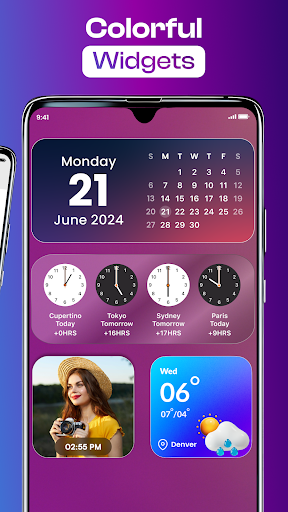
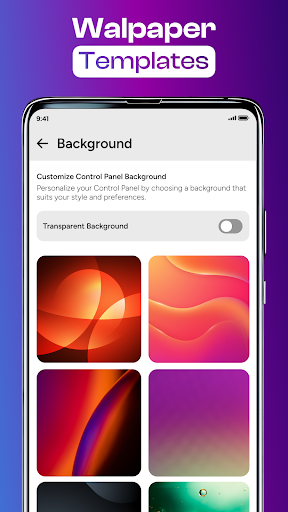
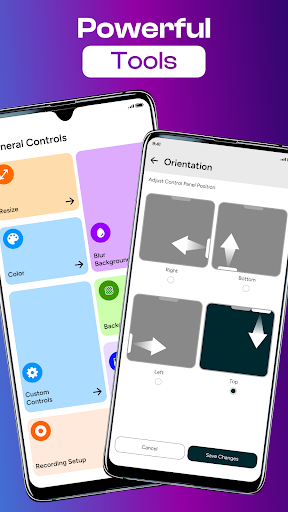
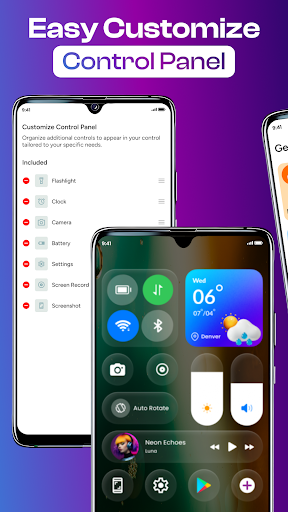
One of the app’s outstanding features is its high level of customization. You can personalize the control panel’s appearance by changing colors, adjusting sizes, and shifting the position to match your style and screen layout. Want the control panel on the left side instead of the bottom? No problem! Prefer a darker theme for night-time use? Easily adjustable. The app also offers a variety of stylish widgets to decorate your home screen, making access to your favorite functions both functional and fashionable.
Dynamic Notification Management and Utility Tools
Control Center - Panel Plus allows you to manage notifications elegantly with a dynamic land feature, providing stylish and organized alert management. Additionally, it includes a flashlight toggle—illuminate your path in dark environments—and allows one-click screenshots to capture important moments instantly. You can make the control panel your own by adding your favorite apps and settings, further streamlining your daily smartphone activities.
Privacy and Accessibility Considerations
This app utilizes Accessibility Services to provide a seamless experience, such as displaying the control panel and enabling quick actions like volume adjustments or music controls. Rest assured, the app does not collect or share any personal data through these services, prioritizing user privacy and security. The accessibility features are purely for enhancing usability, ensuring a safe and efficient user experience.
Performance and Reliability
Designed with efficiency in mind, Control Center - Panel Plus runs smoothly without lag, even with multiple apps active in the background. Its lightweight nature ensures minimal battery drain, making it a reliable addition to your Android device. The intuitive design and responsive controls improve overall device management, providing quick access to essential settings without cluttering your screen or overwhelming you with options.
Conclusion: Elevate Your Android Experience
If you're seeking a smarter, more stylish way to control your Android device, Control Center - Panel Plus is the perfect solution. Its easy setup, extensive customization options, and efficient performance make it a must-have utility app. Download Control Center - Panel Plus today and enjoy the convenience of a centralized control hub—making your Android device more capable, personalized, and user-friendly.
Pros
- Intuitive user interface design.
- Highly customizable settings.
- Quick access to settings.
- Low battery consumption.
- Supports multiple languages.
Cons
- Contains ads in the free version.
- Limited features without premium.
- Occasional lag on older devices.
- No widget support.
- In-app purchases are expensive.











