

Introducing the Cleaner Toolbox App: Your Ultimate Android Phone Optimization Tool
Are you tired of your Android device running sluggishly and cluttered with unnecessary files? Look no further than Cleaner Toolbox, a comprehensive cleaning and optimization app designed to keep your smartphone running smoothly. With a user-friendly interface and powerful features, Cleaner Toolbox is the perfect solution for those seeking to enhance their device’s performance effortlessly.
Main Features of Cleaner Toolbox
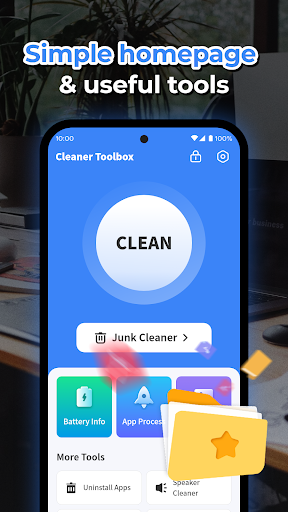
Junk Cleaner: The core function of Cleaner Toolbox is its •Junk Cleaner, which efficiently removes cache files, temporary files, and residual data that accumulate over time. This not only frees up valuable storage space but also helps improve the overall speed of your device.
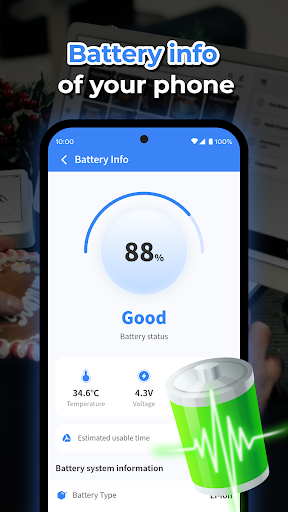
Battery Information: Keep track of your battery health with detailed •Battery Information analytics. This feature provides insights into your battery status, capacity, and usage patterns, allowing you to better manage your power consumption and extend your device's battery life.
Uninstall Apps: Easily identify and remove apps you no longer need with the •Uninstall Apps feature. Streamlining your app list can free up space and reduce background activity, contributing to a faster, more responsive phone.
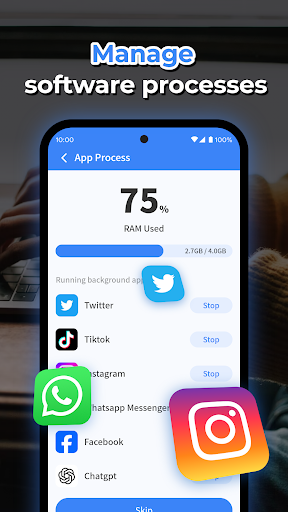
Background Processes: Manage your device’s running processes by viewing and stopping unnecessary apps operating in the background. This can significantly reduce CPU load and improve overall device performance.
Why Choose Cleaner Toolbox for Your Android Device?
If you've ever noticed your Android phone slowing down, Cleaner Toolbox offers a quick and effective way to revitalize your device. The app’s intuitive setup process means you can easily get started—just a few taps, and you're ready to optimize. The sleek interface ensures that even users with limited tech experience can navigate and utilize its features efficiently.
Deep Cleaning and Performance Boost
Unlike basic cleaning tools, Cleaner Toolbox dives deep into your system to find hidden junk files and cache that often go unnoticed. This comprehensive cleaning process results in a notable increase in device speed and responsiveness. Many users report that their phones feel like they’ve had a good night’s sleep after using the app.
Enhanced Battery Management
The built-in •Battery Saver Mode optimizes power consumption by managing high-drain apps, extending your device’s battery life—ideal for times when you're on the go and away from chargers. This feature ensures you can enjoy longer usage without worries about unexpectedly running out of power.
Device Cooling and System Monitoring
Overheating can be a common issue, especially during intensive gaming or video streaming. Cleaner Toolbox offers a •CPU Cooler feature that helps lower your device’s temperature, preventing overheating and potential damage. Regularly monitoring system health provides peace of mind and keeps your device functioning optimally.
Performance and User Experience
Designed for efficiency, Cleaner Toolbox operates swiftly without slowing down your device or distracting you with intrusive ads. Its lightweight nature ensures it can run smoothly in the background while you continue with your daily tasks. The app's responsiveness and straightforward design make it a favorite among Android users looking for reliable device maintenance tools.
Final Verdict: Is Cleaner Toolbox Worth It?
Absolutely. If you’re seeking a •Android cleaning tool that combines ease of use with powerful performance optimization features, Cleaner Toolbox is a must-have. It effectively clears out clutter, manages background processes, prolongs battery life, and cools down your device—all in one simple app. Give your Android phone the boost it needs and experience smoother operation today with Cleaner Toolbox. Your device will thank you for it!
Pros
- Effectively improves device speed
- Intuitive and user-friendly interface
- Provides a range of cleaning tools
- Lightweight application
- Uses minimal RAM
- Regular updates with new features
Cons
- Includes intrusive advertisements
- Limited functionality in the free version
- Sometimes produces false positives during cleaning
- May require manual permission configuration
- Some tools demand advanced technical knowledge











