


Introducing Cleaner Guard: Your Ultimate Device Management Companion
Key Features of Cleaner Guard
Manage Files and Folders
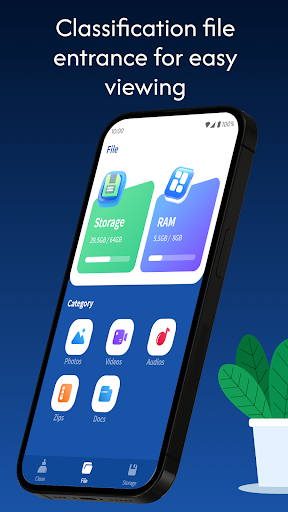
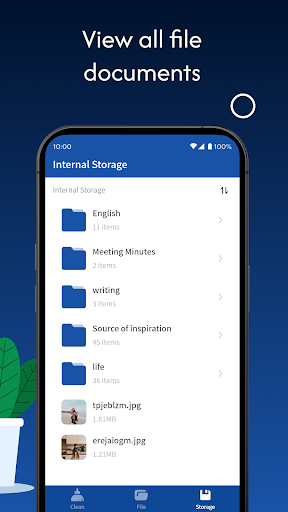
With its intuitive interface, Cleaner Guard allows you to effortlessly browse through your device's storage. You can easily move, copy, rename, and delete files and folders, streamlining your data organization process. Whether you're sorting documents, media, or application files, this feature simplifies management without requiring technical expertise.
Junk File Cleaner
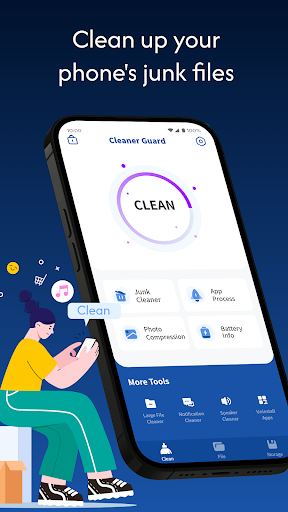
Over time, unnecessary junk files accumulate and occupy valuable storage space. Cleaner Guard intelligently scans your device to identify these redundant files. With just a click, you can remove all junk data, freeing up space and boosting your device's overall performance. This operation helps maintain a clean and efficient device environment, ensuring smoother everyday use.
Large File Cleaner
Large files such as videos, high-resolution images, or applications can quickly consume significant storage space. Cleaner Guard helps you quickly pinpoint these large files and display a comprehensive list. You can then manually select which files to delete or keep, allowing for customized storage management and optimal device performance.
Photo Compression
Photos often occupy a large portion of your device’s storage. Cleaner Guard offers a powerful photo compression feature that reduces file size while preserving the original clarity and quality of your images. This ensures that your cherished memories are stored efficiently without compromising visual quality.
Speaker Cleaner
Speakers can gather dust and debris over time, affecting audio quality. Cleaner Guard employs sound waves and vibrations to effectively clean dust from your device’s speaker. This maintenance feature helps restore clear sound output, enhancing your listening experience.
Battery Information Viewer
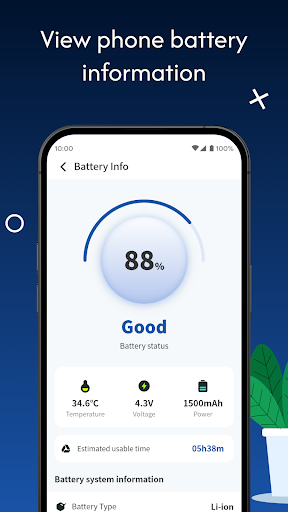
Understanding your device's battery health is crucial for optimal usage. Cleaner Guard displays essential battery information such as current charge level, temperature, voltage, and power metrics. This detailed data allows you to accurately analyze battery status, identify potential issues, and plan your device's power management accordingly.
Start Your Device Care with Ease
Pros
- User-friendly interface that simplifies navigation.
- Offers a wide range of features for diverse needs.
- Provides reliable performance with minimal downtime.
- Supports multiple devices for greater accessibility.
- Regular updates improve functionality and security.
Cons
- Some features may require additional purchase or subscription.
- Initial setup can be complex for new users.
- Limited customization options compared to competitors.
- Occasional bugs may affect user experience.
- Customer support response times can be slow during high demand.











