


Introducing Cleaner Goal: Your Ultimate Smartphone Optimization Tool
Cleaner Goal is a free, secure, and user-friendly application designed to enhance your smartphone's performance by streamlining file management and removing unnecessary data. With its sleek interface and robust features, it simplifies the process of finding, managing, and cleaning files, making your device faster and more efficient.
Key Features of Cleaner Goal
Efficient File Browsing and Categorization
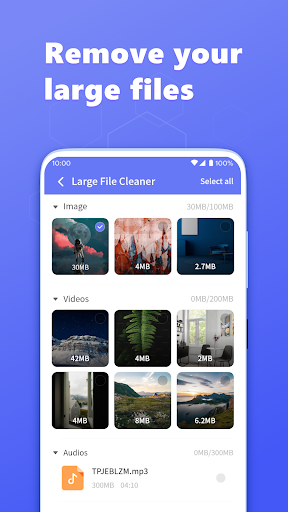
This app allows you to easily browse all types of files such as images, videos, music, documents, applications, and tools. It automatically categorizes these files, so you can quickly locate and manage specific content without hassle.
Quick File Management
With Cleaner Goal, you can swiftly move, delete, open, and share files. It also facilitates renaming and copying files with just a few taps, streamlining your file management process.
Application and Storage Management
The app provides an effortless way to view and manage all installed applications on your device. Additionally, it offers tools to view storage statistics and manage folders effectively, ensuring your device's storage is optimized.
One-Click Junk File Cleanup
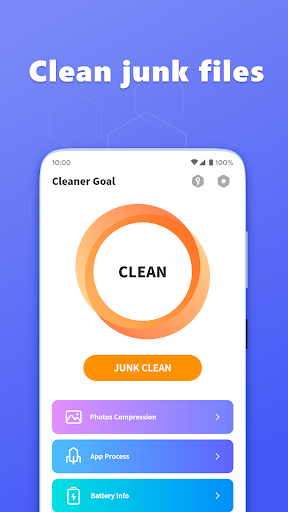
Cleaner Goal thoroughly scans temporary files and residual data, including cache and leftover files, then clears them with a single click. This helps in reclaiming storage space and improving device speed.
Notification Bar Maintenance
The app also helps in quickly clearing clutter notifications, keeping your notification bar neat and organized for a cleaner user experience.
Additional Performance Boosts
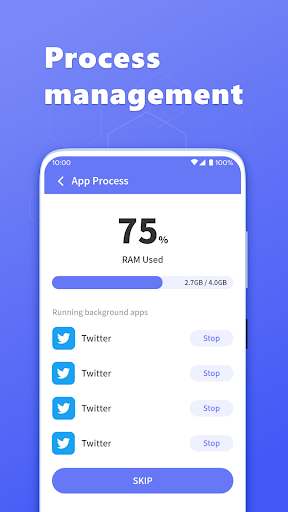
Cleaner Goal features a battery saver that identifies apps draining your battery and recommends optimization steps. It also includes a CPU cooler that can reduce device temperature by closing background apps, preventing overheating during extended usage.
Why Choose Cleaner Goal?
If you're searching for an efficient, simple, and sleek app for smartphone optimization, Cleaner Goal is an excellent choice. Besides enhancing device performance by cleaning junk files and managing storage, it also prioritizes your privacy with features like app permission management and a secure browser. Its intuitive design ensures that both tech-savvy users and beginners can easily navigate and utilize all features effectively.
The Benefits of Using Cleaner Goal
Regular use of Cleaner Goal can lead to noticeable improvements in your smartphone’s speed and responsiveness. By removing unnecessary files and optimizing system processes, your device can operate more smoothly. Moreover, its battery saver functionality helps prolong usage time when you're away from power sources. The app's privacy management features ensure your personal data stays protected while browsing or installing new applications.
One of the standout aspects is that many features are available for free, offering excellent value without the need for a premium subscription. This makes Cleaner Goal an accessible tool for users wanting to maintain their device without complicated setups or costs.
Pros
- Efficiently removes junk files
- Significantly improves device speed
- Easy-to-use interface
- Consumes minimal battery power
- Regularly updated with new features
Cons
- Includes ads in the free version
- Limited features without a premium upgrade
- Sometimes reports false positives
- Requires a constant internet connection
- May not support all file formats











